Co-managed IT services are defined as a shared IT management model where your internal IT staff and an external managed service provider (MSP) divide responsibilities based on capacity and expertise. This hybrid arrangement is not the same as full outsourcing. Your team keeps control of the systems and decisions that matter most to your business, while the MSP fills the gaps you cannot cover alone. For small and mid-sized businesses facing security monitoring demands, compliance requirements like SOC 2 or HIPAA, and after-hours helpdesk coverage, co-managed IT support has become a practical answer to a real operational problem.
The day-to-day reality of co-managed IT depends on where your internal team’s limits are. Common co-managed patterns include the MSP handling infrastructure management or 24/7 monitoring while your internal IT focuses on end-user support and project delivery. Alternatively, your team manages the infrastructure and the MSP covers the helpdesk and after-hours calls. The split is not fixed. It reflects your business’s priorities.

What makes or breaks this arrangement is documentation. A responsibility matrix is a written record that assigns every IT task to either the internal team or the MSP. Without it, tickets fall through the cracks, teams duplicate effort, and nobody owns the problem when something goes wrong. Escalation pathways need to be just as clear. Your staff needs to know exactly when and how to hand off an issue to the MSP.
MSPs in co-managed arrangements also share their tooling with your team. Shared monitoring platforms, security tools, and ticketing systems give your internal IT staff enterprise-level visibility they would not otherwise have. That visibility is a genuine capability upgrade, not just a convenience.
Pro Tip: Before signing any co-managed agreement, map out your current IT tasks in a spreadsheet. Assign each one to either “internal” or “gap.” That gap list becomes your MSP’s scope of work.
The benefits of co-managed IT come down to one core problem: your internal IT team is good, but it cannot be everywhere at once. Co-managed IT addresses gaps like 24/7 security monitoring, after-hours helpdesk coverage, and specialised compliance expertise at a cost that fits an SMB budget. Hiring a full-time security analyst or a compliance specialist is expensive. Accessing those skills through an MSP is not.
Here are the most common reasons businesses adopt this model:
The model is especially well-suited for organisations with existing IT staff who face limits in capacity or expertise. It fills critical gaps without full outsourcing or adding permanent headcount. That flexibility matters when your business is growing and your IT needs are shifting faster than your hiring budget allows.
Co-managed IT and fully managed IT solve different problems. The distinction comes down to control and ownership. Co-managed IT lets businesses keep control of critical systems and decisions while the MSP handles what the internal team cannot. Fully managed IT transfers nearly all IT responsibility to the MSP. There is no internal IT team involved in day-to-day operations.
| Feature | Co-managed IT | Fully managed IT |
|---|---|---|
| Internal IT team | Required | Not required |
| Control over systems | Shared between business and MSP | Primarily with MSP |
| Customisation | High, based on internal priorities | Defined by MSP service catalogue |
| Cost model | Supplement to existing team | Full replacement of IT function |
| Best suited for | SMBs with IT staff facing capacity limits | Businesses with no internal IT |
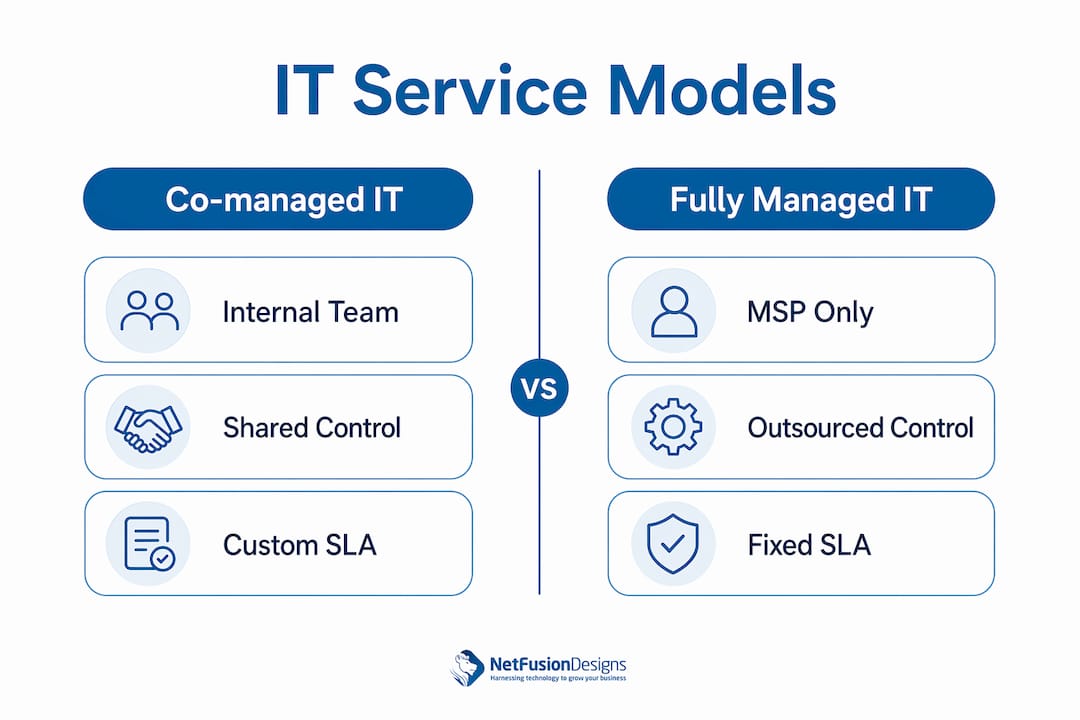
Traditional outsourcing sits in a different category entirely. It typically involves handing off a specific project or function to a third party with a defined end date. Co-managed IT is an ongoing partnership, not a project engagement.
The risks of a poorly defined co-managed arrangement are real. Without clear boundaries, tasks fall through gaps and both teams end up frustrated. The solution is not more meetings. It is a written agreement that specifies ownership before work begins.
Pro Tip: If your internal IT person spends more than 20% of their week on reactive helpdesk tickets, that is a strong signal that co-managed helpdesk support would free them for higher-value work.
Setting up a co-managed IT arrangement requires honest assessment before any contract is signed. Start by auditing your internal IT team’s current workload. Identify which tasks consume the most time, which require skills your team does not have, and which carry the most risk if they are not done well.
Step 1: Assess your internal capacity. List every IT function your team currently handles. Rate each one by time required and skill level. The gaps become your MSP’s initial scope.
Step 2: Select an MSP with the right fit. Look for an MSP that holds relevant certifications for your industry, whether that is SOC 2, ISO 27001, or a compliance framework specific to your sector. Verify that their communication style and reporting cadence match your expectations.
Step 3: Define your SLA and responsibility matrix. A service level agreement (SLA) sets response time targets and defines what the MSP is accountable for. The responsibility matrix assigns every IT task to a specific owner. Both documents need to be signed before the engagement begins.
Step 4: Integrate shared tooling. MSPs support internal teams by sharing monitoring platforms and ticketing systems. Your internal staff should have full access to these tools, not just the MSP.
Step 5: Schedule regular reviews. Monthly reporting meetings keep both teams aligned. Review open tickets, recurring issues, and any scope changes. Adjust the responsibility matrix as your business grows.
| Setup phase | Key action | Who leads |
|---|---|---|
| Capacity audit | Document current IT tasks and gaps | Internal IT team |
| MSP selection | Verify certifications and communication fit | Business owner |
| SLA and matrix | Define ownership and response targets | Both parties |
| Tool integration | Connect monitoring and ticketing systems | MSP |
| Ongoing reviews | Monthly reporting and scope adjustments | Both parties |
Pro Tip: Ask any MSP you are evaluating to show you a sample responsibility matrix from a current client engagement. A mature MSP will have a template ready. One that hesitates likely does not use them consistently.
Co-managed IT services work best when both the internal team and the MSP have clearly documented roles, shared tooling, and a written responsibility matrix from day one.
| Point | Details |
|---|---|
| Clear role definition | A responsibility matrix prevents gaps and finger-pointing between internal IT and the MSP. |
| Targeted gap-filling | Co-managed IT addresses specific limits like after-hours coverage, security monitoring, and compliance expertise. |
| Control stays with you | Unlike fully managed IT, the co-managed model keeps critical decisions and system ownership with your business. |
| Shared tooling matters | MSPs that share monitoring and ticketing platforms give internal teams enterprise-grade visibility. |
| Setup requires honesty | An accurate audit of your internal IT capacity is the foundation of any effective co-managed arrangement. |
Most business owners I speak with assume co-managed IT is just a fancier name for outsourcing. That assumption costs them. Outsourcing means handing something off. Co-managed IT means building a working relationship between two teams with different but complementary skills.
The businesses that get the most value from this model are the ones that treat the MSP as an extension of their internal team, not a vendor. That means including the MSP in planning conversations, not just reactive support calls. It means sharing context about upcoming projects so the MSP can prepare, not just respond.
The biggest mistake I see is signing a co-managed agreement without a responsibility matrix. Both parties assume the other will handle the grey areas. Nobody does. Six months later, the relationship is strained and the business owner blames the MSP. The MSP blames the internal team. The real problem was the absence of a written agreement.
Canadian SMBs also tend to underestimate the compliance dimension. If your business handles personal health information, financial data, or government contracts, the MSP you choose needs to hold the right certifications. A SOC 2 Type 2 attestation, for example, is not just a badge. It means the MSP’s controls have been independently audited. That matters when your clients or regulators ask questions.
The future of co-managed IT in Canada is strong. As cyber threats grow more frequent and compliance requirements tighten, the businesses that thrive will be the ones that build the right partnerships now, not after an incident forces their hand.
— Geeshan
NetFusion Designs Inc is a SOC 2 Type 2-certified provider serving small and mid-sized businesses across Ontario and Canada. The team brings deep expertise in security, compliance, and helpdesk operations, making it a strong fit for businesses that want a co-managed partner with verified credentials.
Whether you need after-hours helpdesk coverage, 24/7 security monitoring, or help meeting compliance requirements, NetFusion Designs Inc structures its co-managed engagements around your internal team’s strengths. Explore IT services in Mississauga for a full picture of available support, or review emergency IT support options if after-hours coverage is your immediate priority. The goal is to fill your gaps without displacing your team.
Co-managed IT services is a model where your internal IT team and an external MSP share responsibility for your IT environment. Your team handles what it does best, and the MSP covers the gaps.
Fully managed IT transfers nearly all IT responsibility to the MSP, while co-managed IT keeps your internal team in control of key systems and decisions. Co-managed IT suits businesses that already have IT staff but need extra capacity or specialised skills.
MSPs commonly handle 24/7 security monitoring, after-hours helpdesk support, compliance management, and infrastructure oversight. The exact split depends on your internal team’s capacity and your business priorities.
A written SLA and responsibility matrix are required before any co-managed engagement begins. Without them, tasks fall through gaps and accountability becomes unclear, which creates frustration for both teams.
Co-managed IT gives small businesses access to specialised expertise, such as compliance frameworks and security monitoring, without the cost of hiring full-time specialists. It is a targeted way to fill gaps while keeping your existing team in place.
%20(1).avif)
%201.avif)