Desktop as a Service (DaaS) is a cloud computing model that delivers fully functional virtual desktops to users over the internet, removing any dependency on local hardware or operating systems. Instead of running Windows or macOS on a physical machine, your team connects to a desktop environment hosted on cloud infrastructure managed by a third-party provider. Platforms like Microsoft Azure Virtual Desktop, Amazon WorkSpaces, and Google Cloud are the most common hosts. For IT decision-makers weighing workforce flexibility against operational cost, understanding DaaS is no longer optional. It is the foundation of modern endpoint strategy.
DaaS is built on Virtual Desktop Infrastructure (VDI) technology, but hosted in the cloud rather than on servers you own. The virtual desktop runs in the provider’s cloud; your team connects through a lightweight client application or a web browser, and all processing happens remotely. Your staff see and interact with a full desktop experience. The compute, storage, and networking that power it never touch your office floor.
Cloud providers like AWS, Azure, or Google Cloud manage the underlying hardware, network fabric, and physical security of the data centres. That means your IT team stops managing servers and starts managing policies. The shift is significant. It moves your team from reactive hardware maintenance to proactive configuration work.

DaaS providers handle provisioning, patching, and maintenance as part of the service delivery model. When Microsoft releases a security patch, the provider applies it across the fleet. Your IT staff do not need to schedule weekend maintenance windows or manage update rings manually.
Desktop delivery relies on streaming protocols such as Microsoft RDP, Citrix HDX, or VMware Blast. These protocols compress and transmit screen data between the cloud and the end device. Security gateways sit in front of the virtual desktop environment, handling authentication, session encryption, and access control before a user ever sees their desktop.
Here is what a typical DaaS architecture includes:
Pro Tip: Test your streaming protocol choice before full deployment. Microsoft RDP performs well on stable broadband, but Citrix HDX or VMware Blast handle variable latency better for remote workers on mobile connections.
DaaS delivers measurable advantages across workforce flexibility, security, and IT cost structure. These are not theoretical gains. They show up in day-to-day operations.
Remote and BYOD access from any device. Staff connect from a personal laptop, a tablet, or a thin client at a satellite office. The desktop experience is identical regardless of the device. This directly supports hybrid and fully remote work models without requiring your IT team to manage a fleet of company-issued machines.
Faster onboarding. New hires get desktop access quickly through cloud-provisioned environments. There is no waiting for a laptop to ship, arrive, and be imaged. A new employee in Winnipeg can be productive on day one with nothing more than a browser and credentials.
Reduced endpoint data exposure. If a device is stolen, IT resets cloud credentials, and the data remains protected in the cloud. No sensitive files ever live on the physical device. This is a material security improvement for organisations handling regulated data.
Predictable operating costs. Per-user, per-month pricing replaces large upfront hardware and licensing cycles. Finance teams can forecast IT costs accurately, and you avoid the capital expenditure spikes that come with a hardware refresh every three to five years.
Simplified IT management. Your team manages desktop images and policies rather than physical machines. Patching, hardware failure, and storage capacity become the provider’s problem. This frees your IT staff to focus on higher-value work, including security governance and application support.
Flexible capacity. You scale up when you hire and scale down when contracts end. There is no stranded hardware sitting idle after a project wraps. This is particularly valuable for project-based businesses and seasonal operations.
Pro Tip: Map your current per-seat IT cost, including hardware amortisation, support labour, and software licences, before comparing it to a DaaS subscription quote. The true cost comparison often favours DaaS more than the headline price suggests.
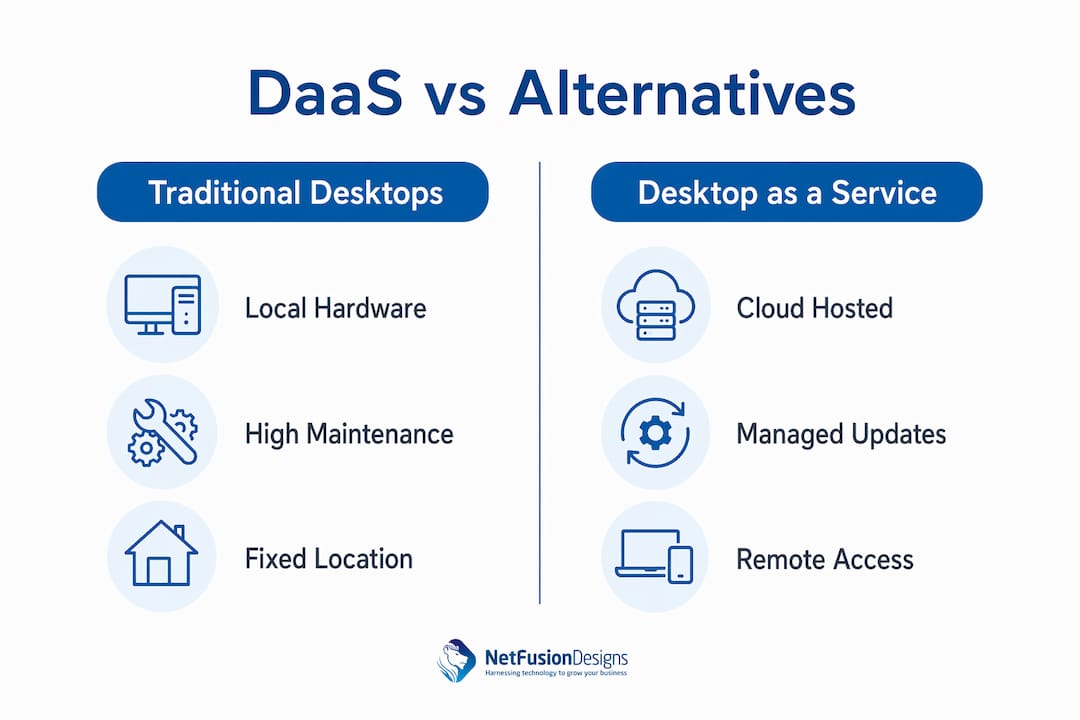
Understanding DaaS requires placing it alongside the two alternatives most IT teams already know: traditional physical desktops and on-premises VDI.
Traditional desktops run a local operating system on physical hardware. Every machine requires procurement, imaging, patching, and eventual replacement. The organisation owns the hardware and bears all associated costs and risks. This model works well when users need maximum local processing power or work in environments without reliable internet.
VDI requires in-house servers; DaaS is cloud-managed, shifting operational responsibilities to the provider. With VDI, your IT team still manages the hypervisor, storage arrays, and network infrastructure. The virtual desktop is centralised, but the burden of running the data centre remains yours. VDI can deliver excellent performance and control, but it demands significant capital investment and specialist staff.
DaaS removes that infrastructure burden entirely. The provider owns and operates the backend. Your organisation manages the desktop image, user policies, and application stack. This separation is the defining characteristic of DaaS versus VDI.
| Feature | Traditional desktop | On-premises VDI | Desktop as a Service |
|---|---|---|---|
| Hardware ownership | Organisation | Organisation | Provider |
| Infrastructure management | IT team | IT team | Provider |
| Cost model | CapEx | CapEx | OpEx (per user/month) |
| Scalability | Low (hardware dependent) | Medium (server capacity) | High (cloud elastic) |
| Remote access | Limited | Good | Excellent |
| Patching responsibility | IT team | IT team | Provider (infrastructure) |
| Data location | Local device | On-premises server | Cloud data centre |
The table makes the trade-offs clear. DaaS wins on flexibility and operational simplicity. Traditional desktops win on raw local performance. On-premises VDI sits in the middle, offering control at the cost of complexity.
DaaS does not eliminate security risk. It redistributes it. Understanding where your responsibility ends and the provider’s begins is the most critical step before deployment.
Explicit documentation of security ownership, patching, and audit access is non-negotiable. The shared responsibility model means the provider secures the infrastructure layer. Your organisation secures the desktop image, user identities, application configurations, and data access policies. Leaving this boundary undefined creates compliance gaps and incident response confusion.
Key security and operational considerations include:
Separating provider-managed infrastructure from organisation-managed desktop images and identity policies also simplifies troubleshooting. When an issue arises, you know immediately whether it sits in the provider’s domain or yours. That clarity cuts resolution time significantly. For organisations in regulated industries, it also supports cleaner audit documentation.
DaaS is the most operationally efficient path to a flexible, secure desktop environment for organisations that cannot justify the capital cost and staff overhead of on-premises VDI.
| Point | Details |
|---|---|
| DaaS definition | Virtual desktops run in the cloud; users connect from any internet-enabled device. |
| Provider responsibility | Providers manage hardware, patching, and infrastructure; your team manages images and policies. |
| Cost model shift | Per-user monthly pricing replaces hardware CapEx, making IT costs predictable and scalable. |
| Security shared responsibility | Document exactly which security tasks belong to the provider and which belong to your organisation. |
| Operational governance | Monitor session concurrency and storage monthly to prevent cost drift beyond your baseline. |
The technology behind DaaS is well understood. The failures I have seen are almost never technical. They are organisational.
The most common mistake is treating DaaS as a drop-in replacement for physical desktops without rethinking the policies that govern them. Organisations migrate their existing desktop image, including legacy applications, bloated startup scripts, and years of accumulated configuration, into the cloud. Then they wonder why performance is poor. The cloud does not fix a poorly managed desktop. It just moves it.
The second issue is the shared responsibility gap. Unclear shared responsibility is the biggest risk in DaaS implementations. I have seen organisations assume their provider handles identity governance, only to discover during an audit that user access reviews were nobody’s job. That is a compliance problem, not a technology problem.
What actually works is treating DaaS as a forcing function for better IT discipline. Use the migration as an opportunity to clean up your desktop image, document your application stack, and assign clear ownership for every policy layer. Organisations that do this work upfront see faster deployments and fewer post-launch incidents.
DaaS is shifting IT from managing hardware to managing business outcomes. That framing matters. If your IT team still measures success by uptime of physical machines, DaaS will feel like a loss of control. If they measure success by user productivity and security posture, DaaS is a significant upgrade. The technology is ready. The question is whether your team’s operating model is ready to match it.
— Geeshan
NetFusion Designs Inc works with small and mid-sized businesses across Ontario, including teams in Mississauga and Kitchener-Waterloo, to plan and manage cloud-hosted desktop environments. If your organisation is evaluating DaaS or already running virtual desktops without a clear governance framework, the gap between a working deployment and a secure one is usually smaller than it looks.
NetFusion Designs Inc brings SOC 2 Type 2-certified managed IT services to your DaaS environment, covering security policy, identity management, and operational monitoring. Whether you need help with the initial architecture or ongoing support for a remote workforce, the team at IT Services Mississauga is ready to help you build a deployment that holds up under audit and scales with your business.
DaaS stands for Desktop as a Service. It is a cloud-hosted model where your virtual desktop runs on a provider’s servers and you access it from any internet-connected device.
VDI runs on servers your organisation owns and manages on-premises. DaaS moves that infrastructure to a cloud provider, who handles hardware, patching, and maintenance on your behalf.
DaaS can meet regulatory requirements when the shared responsibility model is clearly documented. Your organisation remains responsible for identity policies, desktop configuration, and data access controls, while the provider secures the underlying infrastructure.
Any internet-connected device works with DaaS, including Windows laptops, Macs, tablets, thin clients, and Chromebooks. The desktop session streams to the device; no local installation is required beyond a client application or browser.
DaaS uses a per-user monthly subscription model. This replaces the upfront capital cost of hardware and software licences with a predictable operating expense that scales with your headcount.
%20(1).avif)
%201.avif)