Most Canadian SMEs should expect to budget per user per month for managed IT including real security coverage, with bare-bones plans starting lower. Your final number depends on device count, compliance needs, and how many hours you need on-site. The sections below break down the four pricing models, what’s actually included, and sample budgets by headcount so you can compare vendor quotes properly.
TL;DR:
- Managed IT service costs in Canada range from $75 to over $300 per user monthly, depending on security depth and response speed.
- The four primary pricing models are per-user, per-device, tiered bundles, and break-fix, with co-managed options suitable for specific needs.
- Security and backup features are usually included in base rates, while hardware, large migrations, and on-site visits often incur extra charges.
- Final quotes vary based on device count, legacy systems, compliance requirements, security level, SLAs, and regional or on-site needs.
- Comparing quotes requires verifying SLA details, security tools, scope, and exit terms, with fixed caps and itemized breakdowns helping avoid hidden costs.
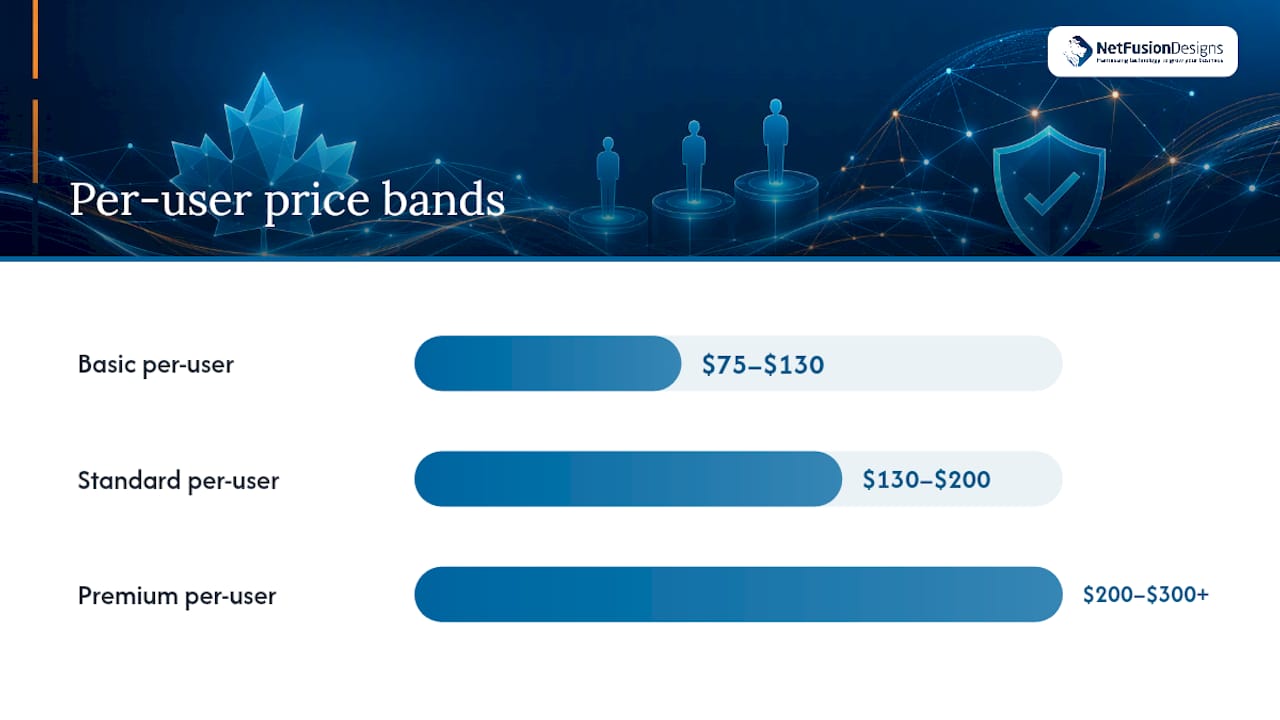
Canadian managed IT providers price in three broad bands, and knowing which one you’re shopping in prevents a lot of confusion during vendor calls. According to an industry pricing compilation for the Canadian market, Basic plans run $75 to $130 per user monthly, Standard plans run $130 to $200, and Premium plans run $200 to $300 or more.
The gap between those bands isn’t padding. It’s almost entirely security depth, response speed, and how much proactive work happens before something breaks.
| Tier | Price per user/month | What you typically get |
|---|---|---|
| Basic | $75–$130 | Helpdesk during business hours, basic patching, antivirus |
| Standard | $130–$200 | 24/7 monitoring, EDR, email security, standard backup |
| Premium | $200–$300+ | Managed detection and response, compliance support, faster SLAs, vCIO access |
Shared-device environments, like a warehouse floor or a retail counter with rotating staff, often price per device instead. Expect $40 to $90 per device monthly for a comparable coverage level, since fewer endpoints means a smaller monitoring footprint per dollar.
Pro Tip: Ask any vendor which tier their quote maps to before comparing dollar figures. A $140 per-user “Standard” quote from one provider might match a $190 “Premium” quote from another if the underlying tools are the same.
Per-user pricing has become the dominant model for a reason. Statistics Canada’s workforce data reflects how thoroughly device use has spread through Canadian workplaces, with most office employees now working across a laptop, a phone, and often a second monitor setup or tablet. Charging per device in that environment gets complicated fast, which is why most providers settled on a flat per-user rate instead.
Not every business fits the same billing structure, and picking the wrong one can quietly cost you thousands over a contract term.
A fifth option worth knowing: co-managed IT, where an internal IT person handles day-to-day tickets and the managed provider covers after-hours coverage, security monitoring, and specialized projects. This costs less than full outsourcing but only works if you already have at least one internal hire.
Every Canadian MSP contract has a line between what’s bundled into the monthly rate and what gets billed separately. Reading that line closely before signing saves you from a surprise invoice three months in.
Typically included in the base rate:
Commonly billed separately:
Watch for contract language around “reasonable use” clauses on helpdesk tickets and vague onboarding scope. A provider quoting $150 per user but charging $2,500 for “network discovery” during month one is a common pattern, and it’s exactly the kind of gap you want pinned down before signing anything.
Numbers get more useful once you can see them against your own headcount. These examples use the Standard and Premium bands from the Canadian pricing compilation referenced earlier.
| Company size | Standard tier (monthly) | Standard tier (annual) | Premium tier (monthly) | Premium tier (annual) |
|---|---|---|---|---|
| 10 employees | $1,300–$2,000 | $15,600–$24,000 | $2,000 | $15,600–$24,000 |
| 25 employees | $3,250–$5,000 | $39,000–$60,000 | $5,000–$7,500 | $60,000–$90,000 |
| — | $6,500–$10,000 | $78,000–$120,000 | $10,000–$15,000 | $120,000–$180,000 |
| 100 employees | $13,000–$20,000 | $156,000–$240,000 | $20,000–$30,000 | $240,000–$360,000 |
These figures assume a straightforward office environment with no legacy servers or heavy compliance load. Add backup with extended retention and you’re often looking at another $5 to $15 per user monthly. Regular on-site hours beyond the included allotment typically run $100 to $175 per hour, and additional Microsoft 365 licence tiers can add $10 to $25 per user depending on which suite you need.
A shared-device shop, such as a 15-person retail operation with multiple POS terminals and a back-office server, might see a lower per-device monthly cost compared to the per-user pricing one might expect at that headcount.
Two businesses with the same headcount can get wildly different quotes, and it almost always comes down to a handful of variables the provider has to plan around.
Pro Tip: If a vendor’s initial quote seems unusually low, ask specifically about the onboarding or discovery phase. That’s where a lot of providers make up the difference with a large one-time fee once they’ve actually seen your environment.
Comparing managed IT quotes side by side is harder than it looks, because two providers rarely structure their proposals the same way. A short checklist fixes that.
Confirm these items are explicitly stated in every quote before comparing price:
Three negotiation levers tend to move the needle most: bundling security add-ons into the base rate instead of paying separately, asking for a fixed cap on after-hours charges rather than open-ended hourly billing, and requesting a fixed-fee onboarding phase instead of time-and-materials. Providers will often agree to at least one of these if you ask directly.
Pro Tip: Get every quote itemized into the same categories: base service, security add-ons, backup, and on-site hours. It turns a confusing side-by-side comparison into a five-minute exercise.
For a 10-person office, a Standard-tier managed contract at $1,300 to $2,000 monthly ($15,600 to $24,000 annually) covers the same ground with 24/7 coverage instead of 9-to-5, no vacation gaps, and a team instead of one person’s knowledge.
Break-fix pricing looks attractive until something actually breaks. Paying $150 an hour only when there’s a problem means you’re never paying for prevention, and a single ransomware incident or server failure can cost more in downtime than a year of managed coverage would have.
A detailed breakdown of this comparison, including how vendor management and compliance support factor into total cost, is covered in NetFusion Designs’ managed IT versus in-house IT guide.
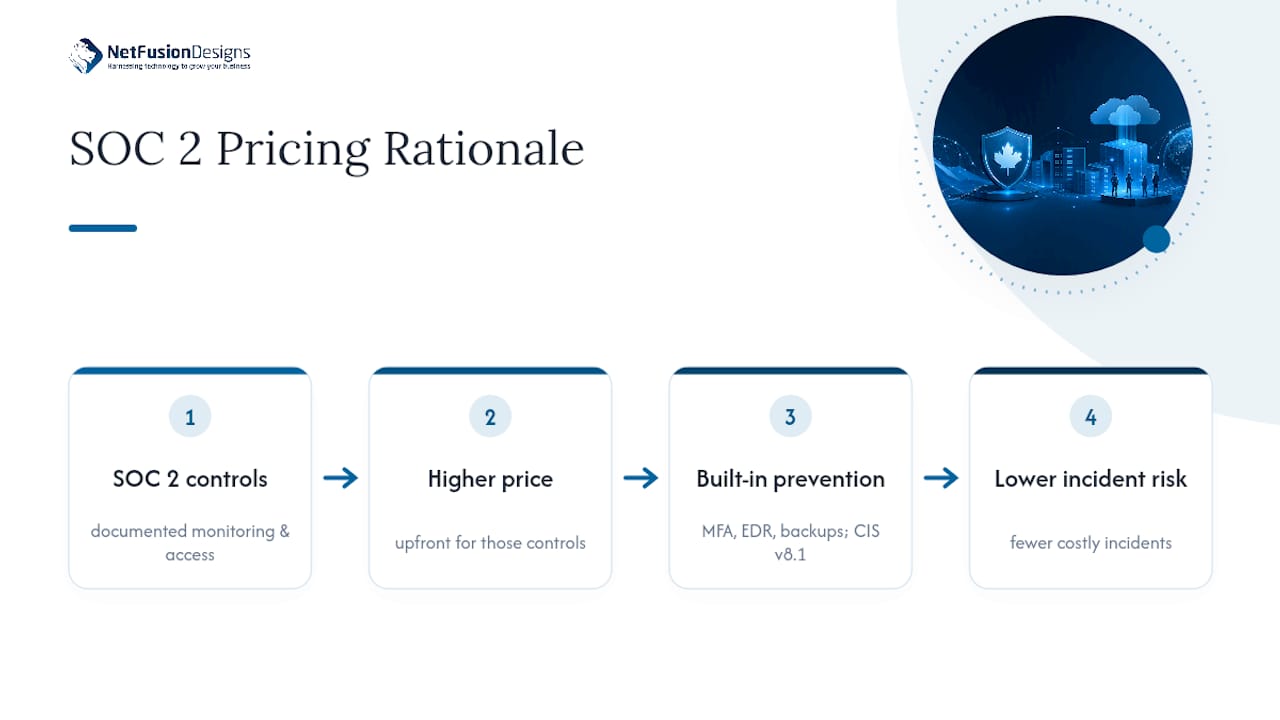
NetFusion Designs Inc is a SOC 2 Type II–certified managed IT and AI enablement provider serving small and mid-sized businesses across Ontario and Canada, with a 24/7 network operations centre backing every client environment. Pricing built around SOC 2 controls tends to run higher upfront than a bare-bones plan, because those controls require documented monitoring, access management, and incident response procedures rather than ad hoc coverage.
The payoff shows up later. Baseline security controls like multi-factor authentication, endpoint detection, and tested backups reduce the odds of a costly incident, and CIS Controls v8.1 outlines the same baseline most Premium-tier Canadian contracts are built around. A provider that includes these from day one is pricing in prevention, not just support.
The mistake I see most often isn’t picking the wrong provider. It’s signing a quote without pinning down the onboarding scope or the exit terms, then discovering both only when they cost money. Fix that with the checklist above before you sign anything, and always request a scoped quote rather than a flat number pulled from a rate card.
— Geeshan
This provider prices managed IT scoped to your actual environment, not a generic rate card. They offer SOC 2 Type II certified managed cybersecurity, 24/7 helpdesk and monitoring, Microsoft 365 optimization, cloud services, and AI and automation enablement for small and mid-sized businesses, supported by a round-the-clock network operations centre.

A free scoped consult gives you a real number to compare against other quotes, not a placeholder estimate. We walk through your device count, current security gaps, and compliance needs before quoting anything, which is exactly the kind of scoping this article recommends you demand from any provider. If you’re weighing whether to build IT capacity internally versus outsourcing it, our team can also map that comparison against your specific headcount and growth plans, similar to the AI-driven efficiency planning covered in this small-business AI adoption guide.
If you’re in the Kitchener-Waterloo region, start with our managed IT services page for Kitchener and Waterloo to book your scoped consult and get a real quote built around your business, not a rate sheet.
Most Canadian MSPs charge $75 to $300 or more per user monthly depending on tier, with $130 to $200 covering a Standard plan that includes 24/7 monitoring and basic security tooling.
Canada’s managed IT market includes national and regional providers of varying sizes, alongside specialized firms like NetFusion Designs Inc that combine SOC 2 Type II–certified managed services with AI enablement for small and mid-sized businesses across Ontario and Canada.
Website hosting costs in Canada vary widely by traffic and complexity, typically ranging from a few dollars monthly for basic shared hosting to several hundred dollars for managed or high-availability setups, separate from the managed IT pricing discussed above.
Cybersecurity add-ons like managed detection and response or compliance support typically add a variable amount per user monthly on top of a base managed IT contract, depending on the depth of monitoring and response required.
Most Canadian MSPs complete onboarding within 30 to 90 days, covering device discovery, security baseline deployment, and documentation before moving into full ongoing support.
%20(1).avif)
%201.avif)