You can migrate your business phone system to VoIP with minimal or zero downtime if you follow a staged plan built around a network audit, parallel testing, and careful number porting. That is the short version. The full version takes a little more discipline: a proper migration project runs several weeks from kickoff to final cutover, with the number-porting step itself taking roughly several business days once your carrier receives a complete request.
The single biggest driver of a smooth switch to VoIP services isn’t the phone hardware or even the provider you pick. It’s whether you treat this as an infrastructure project with a real plan, rather than a product you buy off a shelf and plug in. Businesses that skip the network audit or rush the porting paperwork are the ones who end up with dropped calls, missed customer inquiries, and a week of chaos. Your first move, today, is simple: pull your current carrier bill, confirm your account number, and start a basic bandwidth and network check. Everything else in your VoIP migration plan builds from there.
A successful VoIP migration depends on treating it as an infrastructure project, using a parallel-run cutover, and confirming porting documents match your carrier’s records exactly before submission.
| Point | Details |
|---|---|
| Audit your network first | Check bandwidth, PoE budget, and QoS settings before ordering any hardware. |
| Pull a fresh CSR | Match your LOA name and address exactly to your carrier’s current Customer Service Record. |
| Use a parallel run | Keep your old system active while testing the new one on temporary DIDs before porting real numbers. |
| Schedule porting mid-week | Standard ports take several business days; avoid Friday cutovers when support windows close. |
| Consider a managed migration | NetFusion Designs Inc coordinates the audit, porting, provisioning, and post-cutover monitoring within a typical 2 week to 1 month project window. |
Before you sign anything or schedule a cutover date, get this one-page checklist in front of whoever owns the project, whether that’s you, an office manager, or an outside IT partner.
Documents and account details to gather first:
Network prerequisites to confirm before signing a contract:
Staff and scheduling items:
VoIP call quality lives and dies on your network, not your phones. A $300 IP handset on a saturated network sounds worse than a $20 headset on a clean connection. That’s the part most SMB owners miss when they compare VoIP business benefits on paper without checking what their office internet can actually support.

Start with a concurrent call capacity calculation. A typical VoIP call using the G.711 codec needs about 100 kbps of bandwidth in each direction; using G.729 compression, that drops to roughly 30 to 40 kbps. If your office regularly has 10 people on calls simultaneously, you need at minimum 1 Mbps of dedicated upload bandwidth using G.711, or closer to 400 kbps with a compressed codec, plus overhead for data traffic running on the same connection. A 15-person office with a shared 50 Mbps connection that’s already busy with cloud backups and video calls will hear it immediately: robotic audio, dropped syllables, one-way audio.
On-site, check four things: cabling class (Cat5e minimum, Cat6 preferred for anything beyond basic calls), your switch’s PoE budget (each phone typically draws 3 to 15 watts depending on model and features), whether you can segment voice traffic onto its own VLAN, and how your firewall handles NAT traversal for SIP traffic. A misconfigured firewall is one of the most common causes of one-way audio problems, and it’s invisible until someone actually picks up a handset.
Run a proper readiness test before you commit to a hardware order. If your current connection fails any of those thresholds, upgrade your internet link or add a session border controller (SBC) to manage traffic prioritization before you go further.
Pro Tip: Run your network readiness test at your busiest hour, not first thing in the morning. A connection that looks perfect at 8 a.m. can fall apart at 2 p.m. when everyone’s uploading files and streaming a webinar at once.
Treating this step seriously matters more than people expect. Industry observers point out that SMB leaders often approach VoIP migration like a simple product purchase rather than the infrastructure project it actually is, and that casual approach is the leading cause of poor call quality and frustrated staff after cutover.
Number porting is an administrative process, not a technical one, and that distinction trips up more businesses than any router configuration ever will. Canada’s number portability rules exist so you keep your number when you change providers, but the carrier releasing your number needs exact paperwork before it lets go.
You’ll need your most recent bill, your account number exactly as it appears with your current carrier, a signed Letter of Authorization, and a complete list of the numbers you’re porting. The detail that catches people off guard is the CSR: the name and service address on your LOA must match your losing carrier’s Customer Service Record character for character. A business that’s “Smith Consulting Inc.” on the bill but “Smith Consulting” on the LOA can see the request bounced back, resetting the clock. Always pull a fresh CSR right before you start the paperwork rather than relying on what you remember from setup years ago.
Once a complete and accurate request lands with the carrier, the standard turnaround is several business days, with activation on your new system following within roughly 48 hours of approval. That timeline shifts depending on what you’re porting.
| Number type | Typical porting timeline | Notes |
|---|---|---|
| Local DIDs | 3–7 business days | Fastest category; single-line small business numbers |
| Toll-free numbers | 5–10 business days | Requires separate toll-free porting request |
| Large number blocks | Several weeks | Complex PSTN-to-VoIP transitions need extra carrier coordination |
Those ranges come from detailed guidance on porting business numbers, and they’re worth building into your project timeline rather than assuming every number moves at the same pace.
The most common reasons ports get rejected or delayed:
Fixing these three issues before submission prevents the repeated resubmission cycle that turns a one-week port into a month-long headache. And porting itself is governed by Canada’s regulatory framework for number portability, which is precisely why exact documentation matters so much: carriers follow the rules to the letter because they have to.
Hardware decisions come down to three questions: what condition is your current gear in, do you need physical handsets at all, and how many people are working remotely or hybrid.
If your existing phones are IP-capable and under five years old, some can be reprovisioned for a new VoIP setup services rather than replaced outright, which trims your upfront cost. Older analog-only handsets generally can’t make the jump and need an analog telephone adapter (ATA) at minimum, which adds a point of failure most businesses would rather avoid. For staff who spend most of the day on calls, a proper IP handset with a good speaker still outperforms a softphone on a laptop with a cheap headset. For everyone else, a software client might be all they need, and it pairs well with remote work arrangements if part of your team isn’t in the office full time.
Provisioning checklist before cutover:
For mixed fleets and BYOD pilots:
If your team already uses VoIP for remote work, you’ve likely seen how much simpler softphone provisioning is compared to shipping physical hardware to home offices. That experience is worth factoring into how much of your fleet actually needs a desk phone.
This is the decision that determines whether your migration is boring (good) or a fire drill (bad). Three approaches dominate, and each fits a different kind of business.
| Strategy | How it works | Best for | Risk level |
|---|---|---|---|
| Parallel run | Temporary DIDs go live on the new system, staff train and test on them, then real numbers port over while the old system stays active | Businesses with call-dependent revenue (sales lines, support desks) | Lowest |
| Staged migration | One site or department cuts over at a time while others stay on the old system | Multi-location businesses or companies with 3+ offices | Moderate |
| Full cutover | Every number and user switches on one scheduled date | Small single-site businesses with simple call flows | Highest |
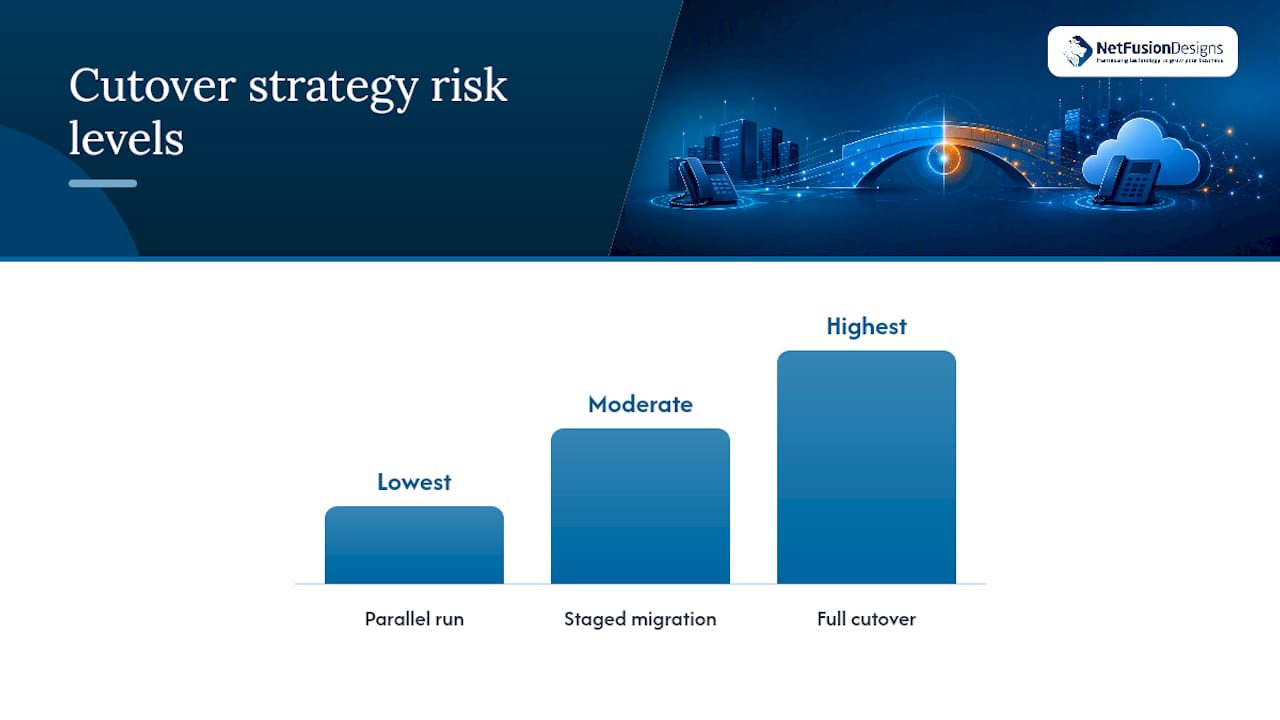
A parallel-run approach using temporary DIDs is the safest method for avoiding lost customer calls, because your old service keeps functioning as a safety net until you’ve confirmed the new system works end to end. Staged migration spreads risk across a longer calendar but demands more coordination between sites. Full cutover is fastest but leaves no buffer if something goes wrong on day one, so it only makes sense for a business with a handful of lines and no complex call routing.
Downtime avoidance checklist regardless of strategy:
Readiness checks and temporary call forwarding, combined with mid-week scheduling, meaningfully cut the odds of a porting delay turning into actual downtime.
Rollback plan template:
If call quality drops below acceptable levels, or more than a handful of inbound calls fail to connect in the first hour after cutover, that’s your trigger to roll back. Have your VoIP provider’s escalation contact and your old carrier’s support line both saved and tested beforehand, not looked up in a panic. After rolling back, verify inbound calls, voicemail, and any integrations are functioning on the old system before declaring the rollback complete.
Don’t declare victory the moment the port completes. Run a structured acceptance test before you tell staff the migration is “done.”
Acceptance test checklist:
Testing every DID, IVR path, and integration point before you consider the project finished catches problems while they’re still easy to fix, not after a client complains that their call went nowhere.
Watch these metrics for the first 72 hours:
Training plan:
Front-line staff need hands-on practice with transferring calls, checking voicemail, and using any new IVR or call-routing features, ideally in a 30-minute session before go-live rather than a written guide alone. Internal IT staff need deeper documentation covering the admin portal, provisioning workflow, and how to add or remove users, since they’ll be the first call when something breaks two months from now.
Migration day isn’t the finish line. VoIP systems need the same ongoing attention as any other piece of network infrastructure, and skipping it is how a smooth migration turns into a security incident six months later.
Routine maintenance and security checklist:
For business continuity, most SMBs benefit from a secondary SIP trunk with a different upstream carrier, cellular fallback that reroutes calls to mobile numbers if your internet drops, and hosted voicemail that stays reachable even during an outage. None of these cost much to set up, and all of them matter far more the one time your primary internet connection actually fails.
A managed migration removes the guesswork from every section above. NetFusion Designs Inc runs VoIP migrations as a coordinated project, not a hardware drop-off, handling the pieces that most commonly go wrong when businesses attempt this alone.
What a managed migration typically includes:
A typical project runs the same two-week to one-month window referenced earlier: week one covers the audit and hardware ordering, week two handles provisioning and staff training on temporary DIDs, and the final stretch covers the actual port and acceptance testing. Complex multi-site or large-number-block migrations run closer to the far end of that range.
NetFusion Designs Inc operates as a SOC 2 Type II certified managed provider with a 24/7 Network Operations Centre monitoring client systems, including voice infrastructure, with documented escalation procedures if something goes sideways outside business hours. That combination of certification and round-the-clock monitoring is what separates a managed migration from a DIY project running on hope.
The failure modes repeat more than you’d think. A business pulls its account details from a bill that’s three months old, the name doesn’t match the carrier’s current CSR, and the port bounces. A team cancels their old phone line the week before the port completes because someone assumed “we’re switching anyway,” and numbers get lost instead of transferred. Or the network audit gets treated as a formality, nobody checks the firewall’s SIP handling, and the first week on the new system sounds like a bad long-distance call from the 1990s.
None of that is inevitable. It’s a pattern of skipped steps, and the steps aren’t complicated once you know to expect them.
A few lessons worth holding onto:
The businesses that get this right aren’t the ones with the fanciest phones. They’re the ones who slowed down at exactly the points where everyone else rushes: the paperwork, the network test, and the parallel run before final cutover.
NetFusion Designs Inc runs a migration readiness assessment before any hardware order or porting paperwork goes out, so you know exactly what your network can handle and where the risks sit before you’re locked into a timeline.

The assessment covers a full network audit, a review of your current porting readiness (including whether your CSR and account details actually match), a device inventory to determine what can be reused versus replaced, and a pilot plan for a parallel run tailored to your call volume. After the assessment, you’ll get a discovery call, a realistic timeline estimate specific to your number count and site complexity, and the option of a fixed-price proposal instead of an open-ended hourly quote. NetFusion Designs Inc serves small and mid-sized businesses across Ontario and Canada, with teams in Kitchener-Waterloo, Toronto, Markham, Mississauga, Montréal, and Winnipeg. If your business is in the Mississauga area, start with the IT services assessment page to book a discovery call and get a project timeline scoped to your office.
Yes, for most SMBs. Beyond the cost savings with VoIP compared to legacy phone lines, you gain features like mobile extensions, CRM integration, and easier scaling as you add staff or locations.
Yes. VoIP is a legal, regulated telecommunications service in Canada, and number porting between providers is governed by Canada’s number portability framework, which protects your right to keep your number when you switch carriers.
Yes, in almost all cases. You’ll need your current account number, a signed Letter of Authorization, and a matching Customer Service Record, and the port typically completes in several business days once submitted correctly.
The best VoIP solutions depend on your call volume, number of sites, and whether you need a fully managed migration versus a self-serve setup. A managed provider like NetFusion Designs Inc handles the audit, porting, and training as one coordinated project, which suits businesses that don’t have in-house telecom expertise.
Most SMB migrations run two weeks to one month from initial audit to final cutover, with the number-porting step itself taking several business days once the carrier receives complete paperwork.
%20(1).avif)
%201.avif)