Secure the Default environment, set a tenant-wide DLP baseline with a migration plan to Advanced Connector Policies, and turn on Inventory, Usage, Monitor, and Actions in the Power Platform admin centre. Assign one named owner for these decisions. Your very first move should be an inventory audit: you cannot govern what you cannot see, and most tenants have more apps running than anyone realizes.
TL;DR:
- A comprehensive governance framework includes inventory audits, DLP baseline policies, and migration plans to Advanced Connector Policies to prevent shadow apps and control risks.
- The Default environment should be restricted by blocking non-approved connectors and limiting maker permissions to avoid hidden production systems.
- Ownership roles like tenant admin, environment admin, and CoE lead must be clearly defined to ensure accountability across the Power Apps lifecycle.
- Monitoring tools within the Power Platform admin center track orphaned apps, connector usage spikes, and error patterns to identify governance risks early.
- Regular quarterly reviews of connector classifications, licensing, and exception audits help maintain compliance and control as new connectors and features emerge.
Power Apps governance is the set of policies, roles, and controls that determine who can build apps, what data those apps can touch, and how IT maintains visibility as usage grows. Without it, low-code adoption outpaces oversight fast, because Power Apps makers don’t need IT approval to connect a flow to a SQL database or push data to a personal Dropbox account.
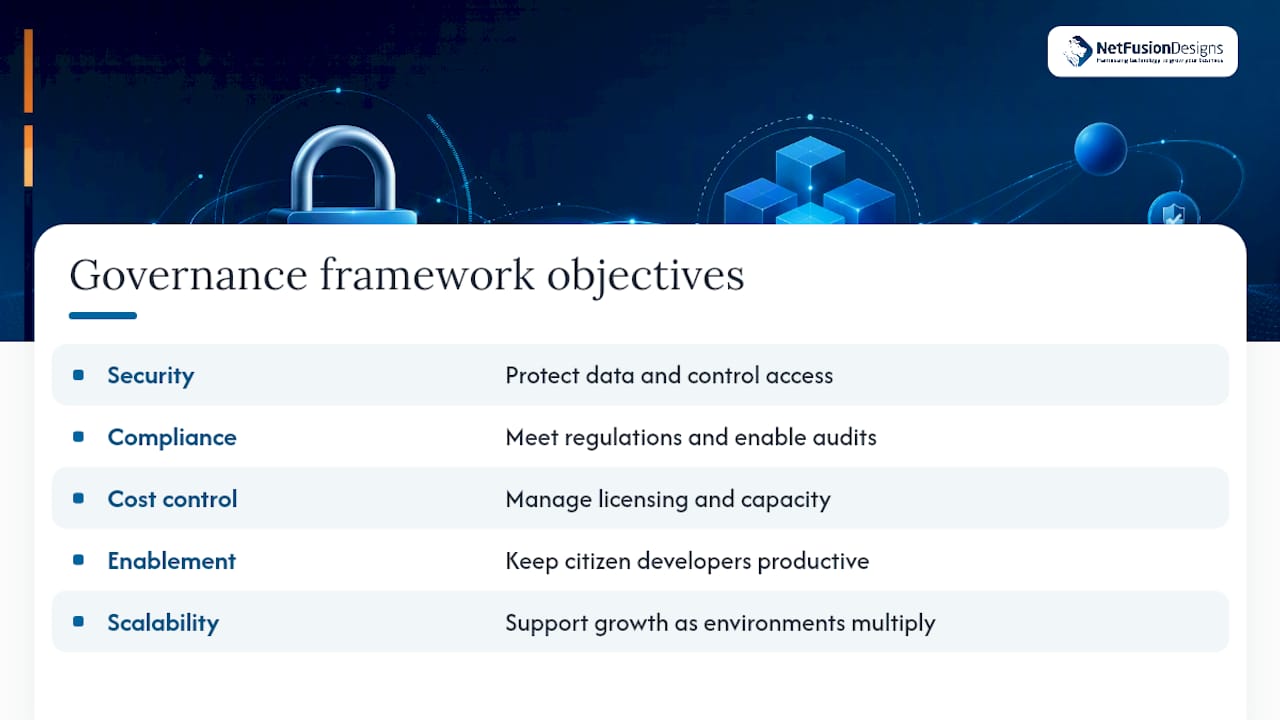
A working governance framework rests on five objectives: security, compliance, cost control, enablement, and scalability. Security and compliance protect data; cost control keeps licensing and capacity in check; enablement keeps citizen developers productive instead of shut out; scalability lets the model hold up as environments multiply.
Each objective needs a measurable outcome, not a policy statement nobody checks. Useful KPIs include measures such as a high percentage of apps and flows captured in the inventory, a downward trend in use of non-business or blocked connectors across environments, timely remediation of high-risk apps once flagged, and a favorable ratio of apps with a named owner compared to orphaned apps.
On delivery model: centralized governance (one platform team approves everything) suits regulated industries but slows delivery. Decentralized governance pushes ownership to business units and moves fast but risks drift. Most mid-sized organizations land on a hybrid: a central team sets the tenant baseline and data policy strategy, while business-unit environment admins manage day-to-day exceptions within that guardrail.
The Default environment is the single riskiest surface in most tenants because every licensed user lands there automatically, and it usually holds no formal ownership. Microsoft’s own guidance recommends blocking non-approved connectors there and restricting maker permissions so it can’t quietly become a shadow production system. Route serious makers to dedicated developer or team environments instead, where usage is at least attributable to someone.
Data policies (DLP) are the actual guardrail behind that structure. Best practice follows a clear sequence:
ACP also introduces action-level control, so you can allow “read” operations on a connector while blocking “write” actions, which reduces breakage during migration. Run classic DLP and ACP in mixed mode while you pilot the new model in a single environment group before rolling it tenant-wide.
Pro Tip: Model your ACP changes against the admin centre’s inventory data before publishing widely. Skipping this step is how governance teams trigger a “scream test,” where dozens of apps break at once and every complaint lands on your desk the same afternoon.
For connectors like HTTP, SQL Server, Azure Blob Storage, and SMTP, endpoint filtering adds a further layer, letting you restrict which specific endpoints a connector can call rather than blocking it outright. Read more on conditional access policies if you’re extending these controls to mobile access as well.
Governance fails when ownership is fuzzy, so define roles before you write a single policy.
A lightweight CoE doesn’t need a dozen people. Two or three roles covering policy, training, and technical review can run the program if the exception workflow is documented: a maker submits a request, the environment admin or CoE lead reviews it against the tenant baseline, and the Power Platform admin signs off on anything touching tenant-wide policy. Publish that workflow somewhere makers will actually find it.
The Power Platform admin centre gives you four core experiences, and each answers a different question. Inventory tells you what exists across every environment. Usage shows adoption trends and identifies apps nobody touches anymore. Monitor surfaces health and error patterns in real time. Actions lets you act on what you find, from reassigning ownership to disabling a risky flow.
Microsoft has been directing organizations toward these native experiences rather than the CoE Starter Kit, since the kit no longer receives ongoing feature updates and most of its core scenarios now map directly to Inventory, Usage, Monitor, and Actions.
Watch specifically for:
For automated remediation, Power Platform admin APIs, PowerShell cmdlets, and admin connectors let you wire alerts and bulk actions into your existing SIEM, so a flagged app can trigger a ticket instead of waiting for someone to notice it during a quarterly review.
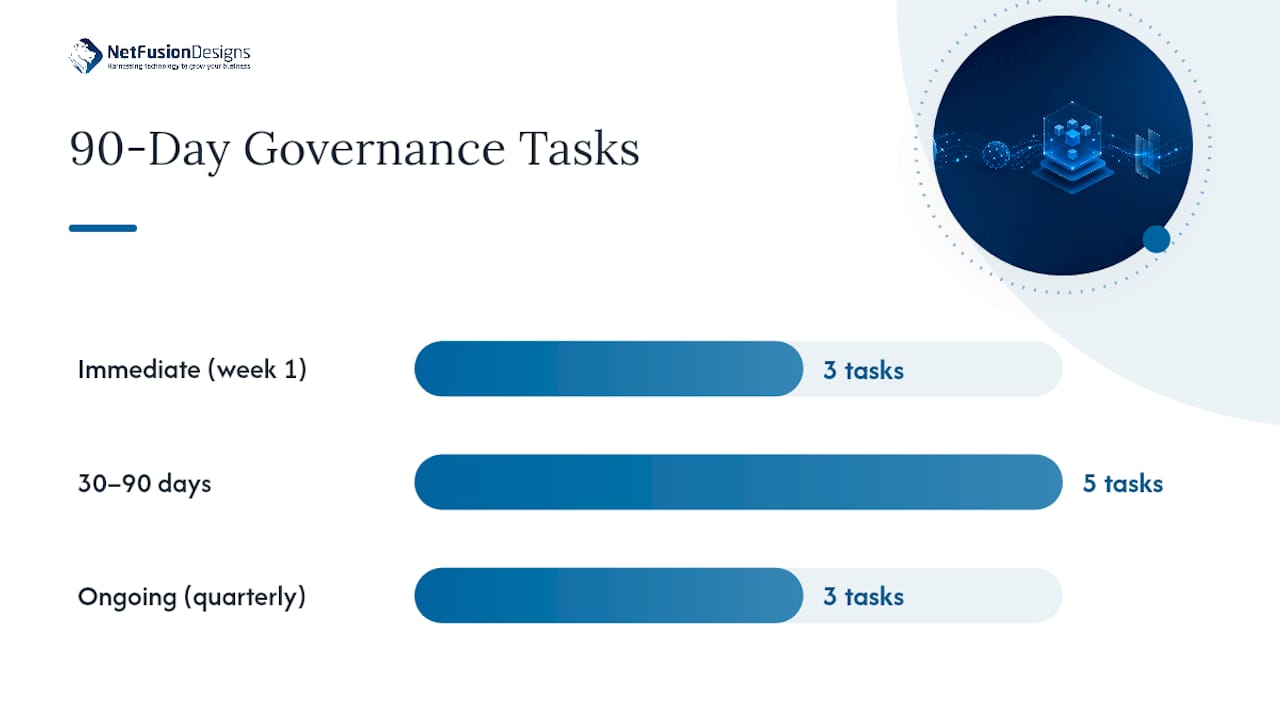
Governance work goes faster when it’s sequenced. Start with visibility, then policy, then structure, then rhythm.
Immediate (week one):
30 to 90 days: 4. Lock down the Default environment’s connectors and maker permissions. 5. Publish a tenant baseline DLP policy, then plan your ACP pilot in one environment group. 6. Create environment groups aligned to business units, with documented exception rules. 7. Formalize the exception request workflow and communicate it to every maker. 8. Run a short training session covering what’s approved, what’s blocked, and who to ask.
Ongoing: 9. Review connector classifications quarterly, since new connectors appear constantly. 10. Check licensing and capacity usage each quarter to catch cost drift early. 11. Review policy changes and audit exceptions every quarter, not just at renewal time.
Pro Tip: Treat the quarterly connector review as non-negotiable, even in quiet quarters. New connectors and AI agent integrations show up faster than most governance calendars account for, and ACP’s default-block posture only works if someone is regularly deciding what to allow.
Most organizations know what good governance looks like; they just don’t have the bandwidth to build and maintain it alongside everything else IT is responsible for. A managed service provider treats Power Platform governance the way it treats the rest of Microsoft 365: as an ongoing operational discipline, not a one-time project.
A typical engagement moves through discovery (a full inventory and risk audit), policy design (tenant baseline DLP and an ACP migration plan), automation and runbooks (alerting and remediation tied to admin centre data), and either a monitored handover to your internal team or fully managed operations. Maker training rounds out the process, so the policies survive contact with actual users.
— Geeshan
You’ve seen what good Power Apps governance requires: a locked-down Default environment, a DLP baseline moving toward Advanced Connector Policies, admin centre monitoring running continuously, and someone accountable for all of it. There are service providers available for organizations that want that framework built and operated by a team experienced in running security and compliance programs, rather than assembled internally on top of an already full IT workload.

Our services cover the full governance lifecycle: environment and policy assessment, DLP and ACP policy design, automated monitoring tied into our NOC, and ongoing managed operations backed by SOC 2 Type II security controls. If your Power Platform footprint is already tied into your Microsoft 365 environment, our Microsoft 365 optimization services extend naturally into governing the apps and flows built on top of it. Reach out to scope a governance assessment for your tenant and get a clear picture of what your Inventory audit would actually reveal.
The Power Platform admin centre’s native experiences, Inventory, Usage, Monitor, and Actions, are now Microsoft’s recommended toolset, since the CoE Starter Kit no longer receives ongoing feature updates. PowerShell cmdlets and admin connectors extend those capabilities for automation and SIEM integration.
Definitions vary across governance disciplines, and no single “four P’s” framework applies specifically to Power Apps governance. The core objectives that do matter here are security, compliance, cost control, and enablement, which serve the same organizing purpose.
Microsoft doesn’t sell a dedicated GRC product for Power Platform. Instead, it builds governance, risk, and compliance capabilities directly into the Power Platform admin centre through DLP and ACP policies, environment groups, and governance recommendations.
Ungoverned Power Apps usage creates shadow IT risk, since makers can connect sensitive data sources without oversight, and it produces orphaned apps with no accountable owner once staff move on. Licensing costs also drift upward quietly when premium connectors get used without any visibility into who’s consuming them.
Run classic DLP and ACP in mixed mode, piloting ACP in a single environment group before a wider rollout. Use action-level controls to allow read operations while blocking write actions on specific connectors, which limits breakage during the ACP migration.
%20(1).avif)
%201.avif)