
Endpoint detection and response (EDR) is a cybersecurity capability that continuously monitors endpoints, detects suspicious activity, and gives security teams the tools to investigate and contain threats before they spread. Microsoft defines EDR as software that monitors endpoint activity, detects suspicious behaviour, helps investigate incidents, and supports automated response actions. It protects:
The core outcomes are practical: shorter dwell time, faster containment, and forensic context that tells you exactly what happened and how far an attacker got.
EDR is a continuous monitoring and response capability that detects what prevention tools miss, and its effectiveness depends entirely on the operational programme built around it.
| Point | Details |
|---|---|
| EDR vs antivirus | Antivirus prevents known threats; EDR detects, investigates, and responds to what gets through, including fileless attacks. |
| Dwell time is the key metric | Reducing the time between compromise and detection directly limits breach severity and recovery cost. |
| Managed model for SMBs | Most SMBs lack the analyst capacity for self-managed EDR; a managed MDR or SOC model is the practical path. |
| MITRE ATT&CK coverage | Ask every vendor for their ATT&CK evaluation results to objectively compare detection depth before purchasing. |
| NetFusion Designs Inc | Provides SOC 2 Type II–certified managed EDR, 24/7 monitoring, and incident response for Canadian SMBs. |
EDR is a category of security software that goes well beyond blocking known malware. Where traditional antivirus matches files against a signature database, EDR watches what processes actually do: what files they touch, what registry keys they modify, what network connections they open, and whether that behaviour fits a known attack pattern.
The term was coined in 2013 by Anton Chuvakin, then an analyst at Gartner, who described a new class of tools built for detecting and investigating suspicious activity on endpoints. The timing was not accidental. Signature-based antivirus was failing against fileless attacks, living-off-the-land techniques, and adversaries who used legitimate system tools like PowerShell and WMI to move laterally without ever dropping a traditional malware file.
Palo Alto Networks describes EDR as a continuous monitoring and recording solution that provides real-time visibility for rapid detection, investigation, and automated response. Most modern platforms map their detections to the MITRE ATT&CK framework, a publicly maintained taxonomy of adversary tactics, techniques, and procedures. That mapping gives security teams a common language for describing what an attacker was doing, which matters enormously when you are writing an incident report, briefing leadership, or handing off to law enforcement.
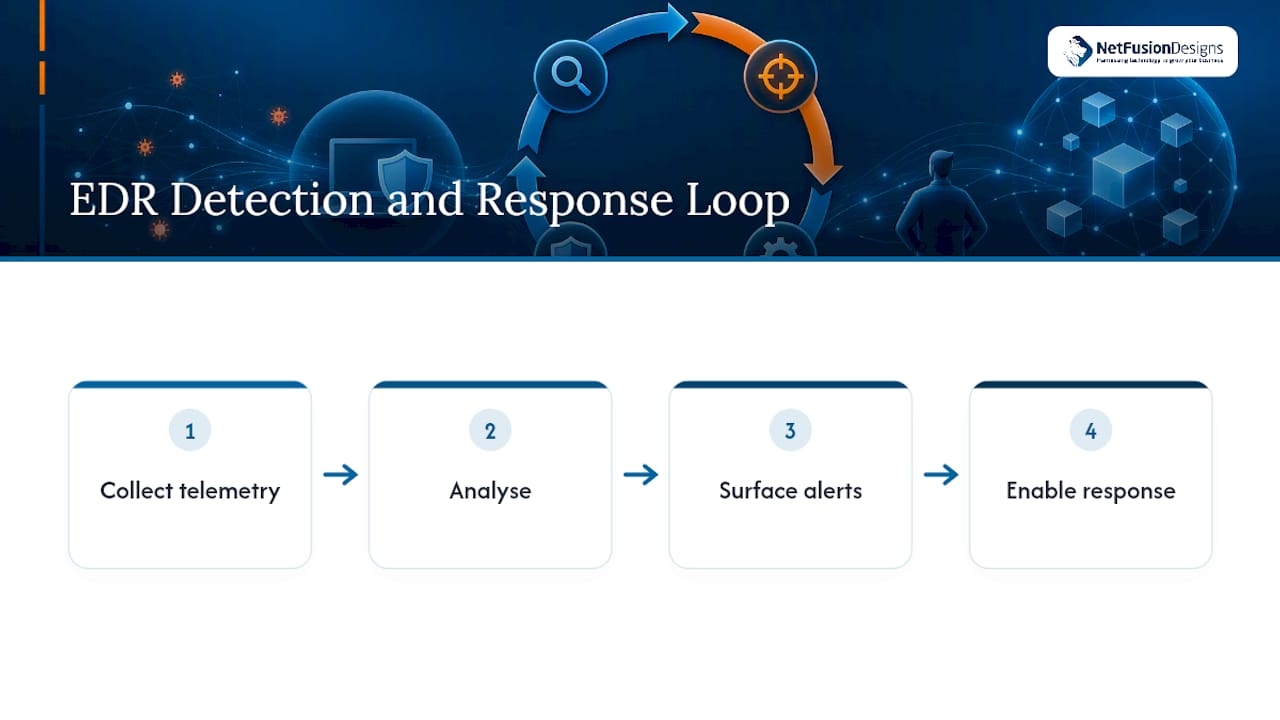
EDR operates as a continuous loop: collect telemetry, analyse it, surface alerts, and enable response. Each stage has specific mechanics worth understanding.
A lightweight agent installed on each endpoint captures a stream of events: process creation and termination, file reads and writes, registry changes, network connections, authentication events, and memory indicators. The agent buffers data locally so it can capture activity even when the endpoint is offline, then forwards it to a centralised cloud or on-premises management console.
Raw telemetry is run through multiple detection layers simultaneously:
When a detection fires, analysts get a process tree showing parent-child relationships, a timeline of events before and after the alert, and forensic artefacts like memory dumps and file snapshots. Common response actions include isolating the endpoint from the network, terminating malicious processes, quarantining files, and, where the platform supports it, rolling back changes to a clean state.

Pro Tip: False positives are inevitable in the first weeks after deployment. Build a tuning period of at least 30 days into your rollout plan and assign an analyst specifically to review and suppress legitimate activity before you rely on automated containment.
Not all EDR tools are built the same. When you are evaluating options, these are the capabilities that separate a capable platform from a basic one.
Deep telemetry visibility means the agent captures process, file, network, registry, authentication, and memory events, not just file writes. Shallow telemetry creates blind spots that attackers exploit.
Real-time and historical detection lets you hunt for threats that entered the environment weeks ago. Retention of 30, 90, or 180 days of telemetry is a procurement question worth asking directly.

Automated containment and playbooks reduce the time between detection and isolation from hours to minutes. The best platforms let you define playbooks that trigger automatically when specific conditions are met, without requiring an analyst to approve every action.
Forensic and investigation tooling includes process trees, file snapshots, and event timelines. These are what allow you to answer “how did the attacker get in, what did they touch, and is anything else affected?” without spending days reconstructing events manually.
Threat hunting and MITRE ATT&CK integration lets proactive analysts search for attacker behaviour that has not yet triggered an alert. Mapping to MITRE ATT&CK also helps you measure detection coverage: which techniques does your EDR detect, and which ones are you blind to?
Integration with SIEM, SOAR, and threat intelligence feeds matters because EDR does not operate in isolation. Alerts need to flow into your security information and event management (SIEM) platform, and response actions need to be triggerable from your security orchestration, automation, and response (SOAR) workflows. Weak API support creates manual handoffs that slow response.
Pro Tip: Before signing a contract, ask the vendor to show you their most recent MITRE ATT&CK Evaluations results. Independent evaluations run by MITRE are the closest thing the industry has to an objective detection benchmark.
Understanding where EDR fits means understanding what it is not. Each adjacent tool solves a different part of the problem.
| Dimension | Antivirus / EPP | EDR | XDR | MDR | SIEM |
|---|---|---|---|---|---|
| Primary purpose | Prevent known threats | Detect, investigate, respond | Detect across layers | Managed detection and response | Log aggregation and correlation |
| Scope | Endpoint only | Endpoint only | Endpoint, network, cloud, email | Varies by provider | Cross-environment logs |
| Management model | Self-managed | Self-managed or managed | Self-managed or managed | Fully managed service | Self-managed or managed |
| Integration needs | Minimal | SIEM, SOAR, threat intel | Native cross-layer | Provider-managed | Broad log sources |
| Response capabilities | Block and quarantine | Isolate, kill, rollback, playbooks | Cross-layer automated response | SOC-driven response with SLAs | Alert and escalate |
TechTarget summarises the practical difference clearly: antivirus focuses on prevention and known signatures, while EDR focuses on detection, investigation, and response with deeper forensic detail. The two are complementary, not interchangeable. Running both gives you a prevention layer that stops commodity threats and a detection layer that catches what gets through.
EDR vs XDR is a scope question. Forrester’s evaluation of extended detection and response platforms shows XDR extending telemetry collection and detection across network, cloud, email, and identity layers, not just endpoints. If your threat model includes cloud workloads and email-based attacks, XDR is worth evaluating alongside standalone EDR.
MDR is a service, not a tool. A managed detection and response provider operates the EDR platform on your behalf, with analysts handling triage, investigation, and containment. For organisations without a dedicated security operations centre (SOC), MDR is often the most practical path to effective EDR coverage.
Key distinctions to keep in mind:
EDR earns its place in the stack across several scenarios that security teams face regularly.
The honest answer is that most organisations with more than a handful of endpoints and any regulated or sensitive data should be running EDR. The question is usually not whether to deploy it, but how.
Specific signals that indicate you need EDR now:
SMB guidance: Most small and mid-sized businesses do not have the in-house analyst capacity to operate EDR effectively on their own. A managed EDR or MDR model, where a provider handles monitoring, triage, and response, is the practical path. The benefits of managed IT services include access to analyst expertise and 24/7 coverage that would be prohibitively expensive to staff internally.
Self-managed EDR makes sense when you have a dedicated in-house SOC with trained analysts, established incident playbooks, and the capacity to handle 24/7 alert triage. That describes a small fraction of Canadian SMBs.
Deployment choices have real operational consequences. Getting them right at the start saves significant rework later.
Agent vs agentless: Most EDR platforms use a persistent agent installed on each endpoint. Agents provide the deepest telemetry and can capture activity even when the device is offline. Agentless approaches exist for environments where agent installation is impractical (some IoT or OT devices), but they offer shallower visibility and are generally a compromise.
Cloud-native vs on-premises management console:
Self-managed EDR responsibilities:
Managed EDR and MDR options transfer most of those responsibilities to a provider. When evaluating a managed provider, ask specifically about:
A managed service provider with a dedicated SOC handles the operational burden that makes self-managed EDR impractical for most SMBs. Onboarding typically includes a baselining period where the provider learns your environment before enabling automated containment.
Use this checklist during procurement or a proof-of-value pilot.
A penetration and vulnerability assessment before deployment helps you understand your existing exposure and set meaningful acceptance criteria for the pilot.
EDR pricing varies significantly by platform, deployment model, and whether management is included.
Common pricing models:
Hidden costs to budget for:
Typical implementation timeline:
Pilot success criteria should be defined before deployment starts. Common acceptance criteria include a false positive rate below an agreed threshold, successful isolation of a simulated threat within a defined time window, and confirmed telemetry flow into the SIEM.
EDR is not a prevention tool. It does not stop every attack at the door. Its value is in detecting what gets through, investigating it quickly, and limiting the damage. Organisations that deploy EDR expecting it to replace their antivirus or firewall will be disappointed.
The “set and forget” myth is the most damaging misconception in the market. Microsoft’s guidance is clear that EDR requires ongoing tuning and human analysis to be effective. An EDR platform deployed without active management generates alert fatigue, missed detections, and a false sense of security.
Other realistic limitations to plan for:
Measuring EDR effectiveness requires specific metrics, not general impressions. These are the indicators that matter.
Mean time to detect (MTTD) measures how long between an attacker gaining access and your team becoming aware of it. Cisco’s guidance emphasises that reducing dwell time is one of the primary operational goals of EDR. Shorter dwell time means less damage.
Mean time to respond (MTTR) measures how long from detection to containment. A well-tuned EDR with automated isolation can compress this from hours to minutes.
Additional KPIs to track:
Report these metrics to leadership in a monthly or quarterly security review. Numbers without context do not drive decisions; pair each metric with a trend line and a target.
For an SMB moving to a managed EDR or MDR model, the operational experience is meaningfully different from self-managed deployment. Understanding what good looks like helps you hold a provider accountable.
Onboarding and baselining: A competent managed provider spends the first two to four weeks learning your environment before enabling automated containment. They identify legitimate administrative tools, scheduled tasks, and software update patterns that would otherwise generate false positives. Skipping this step is a red flag.
Tuning vs in-house teams: A managed SOC brings pre-built detection libraries and tuning experience from hundreds of client environments. An in-house team building from scratch takes months to reach the same baseline. The operational advantage of a managed model is not just coverage; it is the accumulated knowledge the provider brings on day one.
Escalation and incident handover: Ask any managed provider to walk you through their escalation procedure for a confirmed ransomware detection. You should hear a specific sequence: automated isolation fires within minutes, an analyst validates the detection within a defined SLA, and your designated contact receives a call with a situation report. Vague answers about “our team will handle it” are not acceptable.
Practical checklist for vendor operations:
Pro Tip: Ask your managed provider to run a simulated ransomware scenario during the pilot phase. Their response time and the quality of their post-incident report will tell you more about operational capability than any sales presentation.
The security industry sells EDR as a product. The organisations that get the most from it treat it as an ongoing programme.
The distinction matters because the tool itself is only as effective as the processes around it. An EDR platform with no tuning, no threat hunting, and no playbooks is a very expensive alert generator. The organisations that reduce dwell time and improve containment rates are the ones that invest in the operational layer: trained analysts, documented procedures, regular exercises, and a clear escalation chain.
For SMBs, the honest implication is that self-managed EDR is often the wrong choice, not because the tools are too complex, but because the operational requirements are too demanding for a team without dedicated security staff. A managed model does not mean giving up control. It means getting the operational layer included in the service, backed by provider SLAs and enterprise-grade security tooling that would cost far more to build internally.
The other underappreciated point is that EDR data has value beyond incident response. The telemetry it collects is evidence for compliance audits, input for vulnerability assessments, and context for strategic security decisions. Organisations that treat EDR as a compliance checkbox miss most of that value.
Running EDR without a dedicated SOC is where most SMBs get stuck. The platform is deployed, alerts are firing, and nobody has the capacity to triage them at 2 AM on a Saturday.

NetFusion Designs Inc is a SOC 2 Type II–certified managed IT and security provider serving businesses across Ontario and Canada. The managed cybersecurity programme includes 24/7 monitoring, EDR deployment and tuning, incident response, and emergency ransomware recovery backed by a 24/7 NOC. For SMBs that need enterprise-grade endpoint protection without the cost of building an internal SOC, this is the practical alternative to self-managed EDR. If you are evaluating EDR options or dealing with an active incident, contact the team for emergency IT support and get a response within the hour.
The sources below are worth bookmarking depending on where you are in the EDR evaluation process.
EDR continuously monitors endpoint activity, detects suspicious behaviour using behavioural analytics and threat intelligence, and gives security teams the tools to investigate and contain threats. It captures telemetry from processes, files, network connections, and authentication events to build a forensic picture of any incident.
EDR platforms are offered by vendors including Microsoft (Defender for Endpoint), CrowdStrike Falcon, and SentinelOne, among others reviewed in Gartner’s EDR market evaluations. Each captures endpoint telemetry, maps detections to MITRE ATT&CK, and supports automated or analyst-driven response actions.
Yes. TechTarget’s comparison makes the case clearly: antivirus prevents known threats at the file level, while EDR detects behavioural threats that bypass prevention. Running both gives you a prevention layer and a detection layer, which is the minimum for a defensible security posture.
No. A firewall controls network traffic at the perimeter or between network segments. EDR operates on the endpoint itself, monitoring what processes and users do after they are already inside the network. The two tools address different attack surfaces and are complementary, not interchangeable.
%20(1).avif)
%201.avif)