The internal IT team co-managed support model is a hybrid IT support approach that supplements your in-house team with external managed service provider (MSP) expertise while keeping control and institutional knowledge inside your organisation. The industry term for this arrangement is co-managed IT services, and it is the fastest-growing support model for small and mid-sized businesses that need specialist skills or after-hours coverage without hiring additional full-time staff. Co-managed IT splits day-to-day support between an internal team and an MSP with shared tools and clearly defined responsibilities. For Canadian businesses with 25–200 employees, this model delivers enterprise-grade coverage at a fraction of the cost of building a fully staffed internal department.
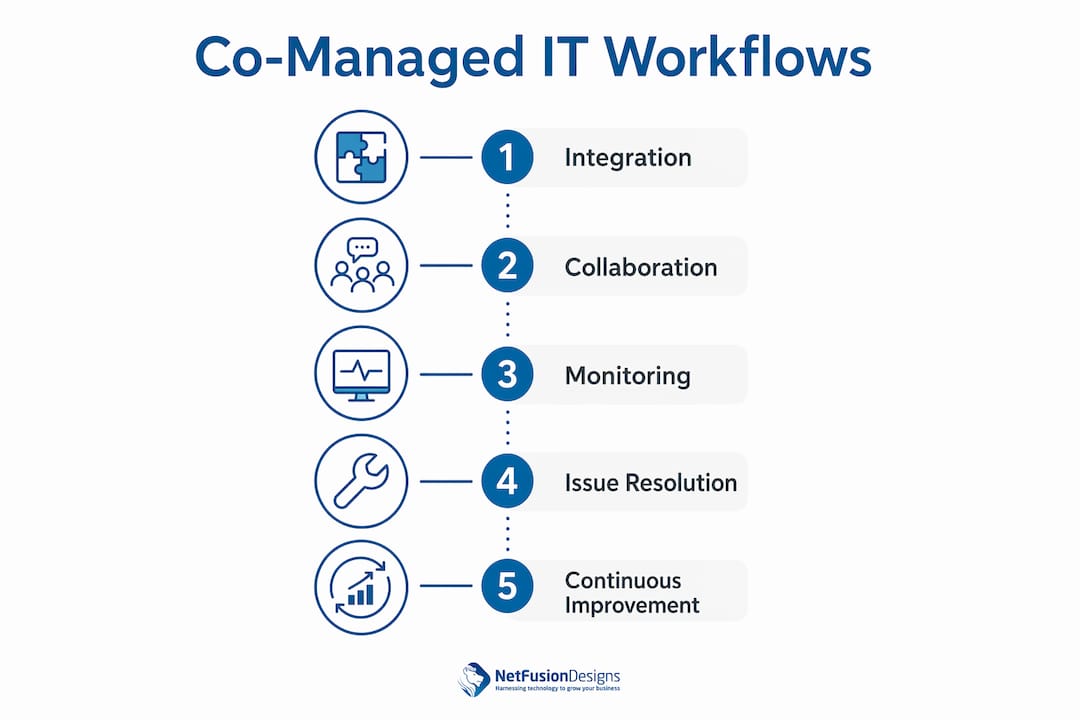
Shared tooling is the foundation of every successful co-managed IT arrangement. Without it, your internal team and your MSP operate as two separate entities, duplicating overhead and losing visibility into each other’s work. Effective co-management requires a single RMM (Remote Monitoring and Management) platform and a unified ticketing system that both parties access in real time. That shared visibility is what turns two separate teams into one coordinated support function.
The core tooling stack for a co-managed environment includes:
Pro Tip: Assign a named owner for every tool in your stack before the co-managed agreement goes live. Ownership ambiguity is the single most common cause of visibility loss in the first 90 days.
Tooling ownership also determines accountability. When an alert fires at 2:00 AM, the team that owns the monitoring console must be the one that responds. Splitting tool access without splitting ownership creates confusion, not coverage.

| Tool category | Typical owner | Purpose |
|---|---|---|
| RMM platform | MSP | 24/7 monitoring and automated patching |
| Ticketing system | Shared | Incident tracking and escalation |
| Documentation | Internal IT lead | Runbooks, asset registers, network maps |
| Password vault | Shared | Privileged access management |
| Security tooling | Defined per tool | Endpoint, firewall, and backup coverage |
Clear scope definition prevents the two most common co-managed failures: double-ticketing and neglected issues. A RACI matrix (Responsible, Accountable, Consulted, Informed) is the standard framework for mapping every IT function to the right team. Without it, unclear handoffs lead to the same ticket being worked twice or not at all.
A practical scope split for a mid-sized Canadian business looks like this:
Pro Tip: Review your RACI matrix every quarter. Business needs shift, and a scope split that worked at 50 employees will not serve you at 120.
The RACI review is not a formality. When your company acquires new software, opens a new office, or changes compliance requirements, the responsibility map must update to match. A static RACI becomes a liability within six months.
Operational workflows define how tickets move, how teams communicate, and how knowledge gets shared. A co-managed arrangement without documented workflows defaults to informal habits, and informal habits break under pressure.
The most effective co-managed workflows share these characteristics:
Treating the MSP as a siloed vendor is the fastest way to undermine the model. The internal team should attend MSP-led post-incident reviews and vice versa. Shared learning is what makes the arrangement more valuable over time, not less.
Every co-managed arrangement hits friction points. The organisations that succeed are the ones that anticipate these challenges and address them before they compound.
The most common failure in co-managed IT is not a technology problem. It is a governance problem. Teams that skip the quarterly review, tolerate ambiguous ownership, and let documentation fall behind will find that their co-managed model delivers less value every month, not more. Active management is the product. The tools and the MSP are just the inputs.
The co-managed IT model works best when both teams treat governance as an ongoing discipline, not a one-time setup task. Build the review cadence into your calendar before the agreement starts.
The internal IT team co-managed support model succeeds when shared tooling, a clear RACI matrix, and active quarterly governance are in place from day one.
| Point | Details |
|---|---|
| Shared tooling is non-negotiable | A single RMM and ticketing system gives both teams real-time visibility and prevents duplicate work. |
| RACI matrix prevents handoff failures | Mapping every IT function to a named owner stops tickets from falling through the cracks. |
| Scope must be reviewed quarterly | Business growth changes IT needs; a static responsibility split becomes a liability within months. |
| MSP is a partner, not a vendor | Treating the MSP as an integrated team member reduces cultural friction and improves knowledge sharing. |
| Active governance is the model | Co-managed IT requires ongoing management, documentation, and communication to deliver its full value. |
Most co-managed IT arrangements fail quietly. Not with a dramatic outage, but with a slow erosion of value. The MSP handles fewer and fewer meaningful tasks. The internal team stops engaging with the shared documentation. Quarterly reviews get cancelled twice and then disappear from the calendar entirely.
I have seen this pattern repeatedly with organisations that approached the model as a procurement decision rather than a management commitment. They signed the contract, set up the tools, and then expected the arrangement to run itself. It does not. The benefits of co-managed IT services are real, but they are not automatic.
The organisations that get the most from this model treat the MSP account manager as a peer, not a vendor contact. They bring the MSP into strategic conversations about upcoming projects, compliance changes, and technology investments. That context makes the MSP’s support dramatically more relevant and effective.
The other thing I would push back on is the idea that co-managed IT is primarily a cost play. Yes, co-managed IT typically costs $50–$100 per user per month on top of internal IT costs, and that is often less expensive than hiring a specialist. But the real value is institutional knowledge retention. When your internal IT manager leaves, the MSP still holds the documentation, the monitoring history, and the context. That continuity is worth more than most organisations realise until the day they need it.
If you are evaluating whether this model fits your organisation, start with one question: does your internal team have a documented RACI and a shared platform today? If the answer is no, that is your first project, before you engage any external partner.
— Geeshan
NetFusion Designs Inc works alongside internal IT teams across Ontario and Canada as an integrated co-managed partner, not a replacement service. Whether your team needs after-hours helpdesk coverage, specialist security support, or overflow capacity during projects, NetFusion Designs Inc scales to fit your existing structure.
NetFusion Designs Inc is SOC 2 Type 2 attested and operates a 24/7 NOC, which means your monitoring and incident response never stops when your internal team is offline. For businesses in the Greater Toronto Area, the IT services in Mississauga team delivers local co-managed support tailored to small and mid-sized businesses. You can also explore the full co-managed IT support offering to see how NetFusion Designs Inc structures shared tooling, RACI frameworks, and quarterly governance with each client.
A co-managed IT support model splits IT responsibilities between an internal team and an external MSP using shared tools, a defined RACI matrix, and integrated workflows. The internal team retains strategic control while the MSP provides helpdesk, monitoring, and specialist coverage.
Co-managed IT typically costs $50–$100 per user per month on top of existing internal IT costs. The model suits companies with 25–200 employees that need hybrid support without expanding their full-time headcount.
Define explicit routing rules in your shared ticketing system so every ticket category has a named first responder. A RACI matrix reviewed quarterly prevents ownership ambiguity from compounding over time.
Fully managed IT transfers all IT functions to an MSP. Co-managed IT keeps your internal team in place and supplements their capacity with MSP resources. The internal vs. outsourced IT decision depends on your team’s existing skills and your organisation’s need for internal control.
Scope should be reviewed at least quarterly. Business growth, new software, and compliance changes all affect the responsibility split between your internal team and the MSP.
%20(1).avif)
%201.avif)