For Waterloo small and mid-sized businesses, NetFusion Designs Inc is a provider worth shortlisting. They hold SOC 2 Type 2 attestation, operate a 24/7 Network Operations Centre, and have a physical presence in Kitchener-Waterloo. Contact them before you call anyone else.
Three reasons to start there:
Before your first call, prepare a short summary of your current environment: device and user counts, your Microsoft licence types, your key business applications, and any incidents or outages from the past 12 months. That context lets a provider scope your engagement accurately from day one.
Pro Tip: Bring your most recent IT pain point to the first conversation, not just a list of assets. The way a provider responds to a real problem tells you far more than their sales deck.
Shortlisting managed IT providers is faster when you work from a clear checklist. For Waterloo SMBs, the criteria that matter most are local onsite capability, written SLAs, documented security controls, and Canadian data residency.
Evaluation checklist:
Ten questions to ask on the initial call:
Staff tenure and cultural fit matter more than most buyers realise. High turnover at an MSP directly affects support consistency, and you will feel it within six months.
Red flags that should disqualify a provider immediately:
Pro Tip: Ask for a redacted SOC 2 Type 2 summary rather than accepting a certification badge on a website. A real audit report has a scope, a period, and specific control findings. A logo does not.

A mature managed service provider covers far more than a helpdesk ticket queue. Here is what you should expect across each service category, and where NetFusion Designs Inc maps to each.
“The Canadian Centre for Cyber Security warns that when an MSP is compromised, every client sharing that provider can be exposed to data theft and service disruption. The security posture of your MSP is, in effect, part of your own security posture.”
For SMBs, the practical payoff is predictable monthly costs, reduced unplanned downtime, and a compliance posture that holds up under scrutiny.
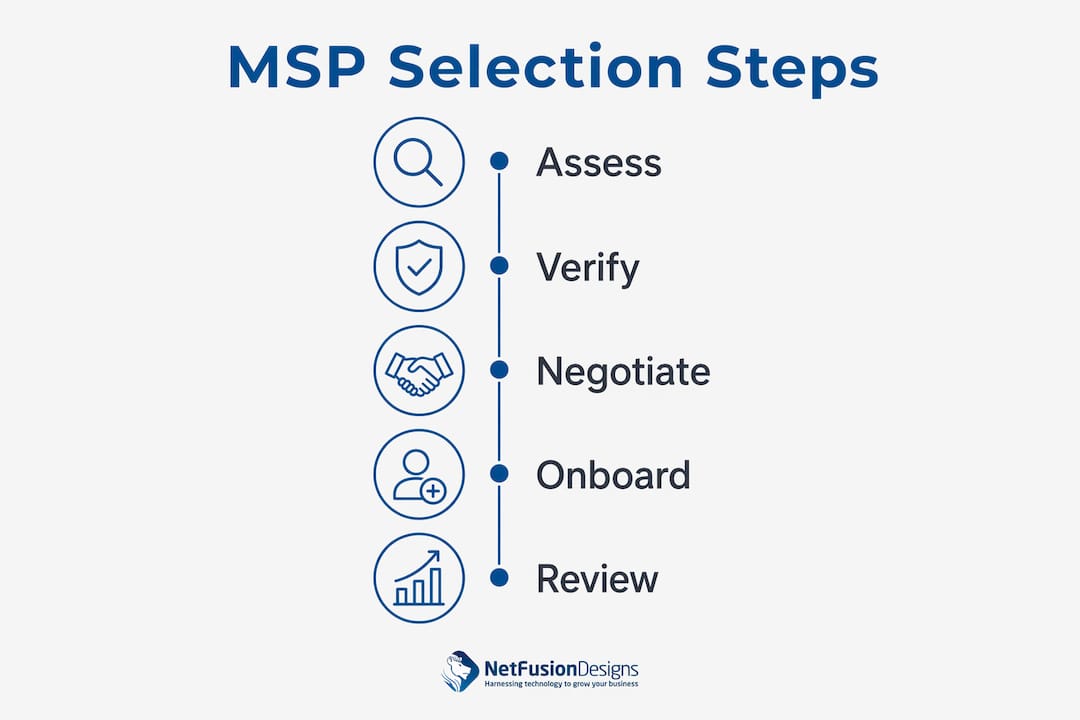
Most managed service providers in Waterloo use one of three core models, or a blend of them. Understanding the structure before you receive a proposal lets you compare quotes on equal terms.
Common pricing models:
Helpdesk platforms like Deskhero publish transparent per-team pricing that illustrates how support components are typically structured, which is useful context when reviewing MSP proposals.
| Engagement shape | Typical monthly range (per user) | Contract term | Onsite labour |
|---|---|---|---|
| Entry (basic monitoring + helpdesk) | — | Month-to-month or 12 months | Billed separately |
| Mid-tier (managed security + M365) | — | 12–24 months | Included within scope |
| Full-managed (NOC + vCIO + security) | — | 24–36 months | Included within scope |
These ranges are directional. Your actual cost depends on environment complexity, device counts, and included services. Always request an itemised quote.
Watch for minimum term clauses, early exit fees, and how scope changes are priced. A contract that locks you in for 36 months with no exit provision and no SLA credit mechanism deserves close scrutiny before you sign.
Switching managed service providers carries real transition risk. A structured onboarding plan with clear milestones reduces that risk significantly.

| Phase | Typical duration | Key deliverable |
|---|---|---|
| Discovery and assessment | Weeks 1–2 | Asset inventory, gap analysis, risk register |
| Baseline hardening | Weeks 2–4 | Patching, MFA rollout, endpoint agent deployment |
| Monitoring roll-out | Weeks 3–5 | NOC visibility confirmed, alerting thresholds set |
| User onboarding | Weeks 4–6 | Helpdesk access, communication sent to staff |
| Optimisation review | Week 8–12 | First QBR, SLA performance review, roadmap update |
Most SMB onboarding runs 6–8 weeks to full operational coverage. Complex environments with legacy infrastructure or compliance requirements can take 10–12 weeks.
Client onboarding checklist:
Prioritising a clear onboarding plan with verification steps, particularly backup verification and baseline hardening, is one of the most reliable ways to reduce risk during a provider transition. If a prospective MSP cannot show you their onboarding methodology before you sign, treat that as a red flag.
For urgent situations, NetFusion Designs Inc also offers emergency IT support to stabilise environments before a full managed engagement begins.
Certifications and case studies are only useful if you know how to verify them. Here is what credible proof actually looks like.
NetFusion Designs Inc holds SOC 2 Type 2 attestation and operates a 24/7 NOC, both of which are independently verifiable. Their Waterloo managed IT services page outlines the local support model in detail.
The Canadian Centre for Cyber Security’s guidance on MSP security considerations recommends that buyers specifically evaluate authentication controls, privileged access management, and incident notification procedures in writing before signing any agreement.
Statistic callout: The Canadian Centre for Cyber Security identifies MSP supply-chain compromise as a high-impact threat vector, noting that a single MSP breach can expose multiple client organisations simultaneously.
A national or remote-only MSP can handle most day-to-day support tickets adequately. The gap shows up in three specific situations: hardware failures requiring onsite hands, compliance audits requiring documented local data handling, and security incidents requiring rapid physical response.
A Waterloo-based provider can dispatch a technician to your office the same day. A provider headquartered in another province typically cannot. For businesses in regulated sectors such as finance, healthcare, or professional services, Canadian data residency is also a compliance requirement, not just a preference. A local MSP with Canadian infrastructure removes that ambiguity from your risk register.
There is also a practical relationship dimension. A provider with staff in Kitchener-Waterloo understands the local business environment, attends the same industry events, and has reputational skin in the game. That accountability tends to produce better long-term service than a remote-only relationship managed entirely through a ticketing portal.
Total cost of ownership for a managed IT engagement has two components: recurring monthly fees and one-time setup or onboarding charges.
Setup fees typically cover the initial assessment, agent deployment, baseline hardening, and documentation. For a 25-user SMB, expect a one-time onboarding fee that corresponds to a portion of the recurring contract value, though this varies by provider and environment complexity. Some providers waive setup fees on longer-term contracts.
Recurring monthly costs depend on the service tier and model. Most SMBs should budget for a predictable per-user monthly fee with additional charges for projects or out-of-scope work. Add Microsoft 365 licence costs separately unless they are included in the managed package.
Project fees for migrations, new deployments, or security assessments are billed outside the recurring agreement. Always confirm in writing what triggers a project fee versus what is covered under your managed contract. That boundary is where most billing disputes originate.
A well-structured SLA defines response and resolution targets by priority level. Here is a realistic baseline for a mature MSP serving Waterloo SMBs.
Priority 1 (critical outage, business-wide impact): Response within 15–30 minutes, resolution target within 4 hours. This requires a 24/7 NOC, not just on-call staff.
Priority 2 (significant impact, partial outage): Response within 1–2 hours, resolution target within 8 hours.
Priority 3 (single user, non-critical): Response within 4 hours during business hours, resolution within 24–48 hours.
NetFusion Designs Inc’s 24/7 NOC means P1 incidents are monitored and responded to at any hour, including weekends and holidays. That is a meaningful operational difference from providers that rely on after-hours on-call rotations, where response times can slip significantly.
Negotiate SLA credit provisions before you sign. If a provider misses a P1 resolution target, there should be a defined credit or remediation process in the contract. A provider unwilling to put service credits in writing is signalling low confidence in their own performance.
For Waterloo SMBs, the right managed service provider combines local onsite capability, independently audited security controls, and a written SLA with real accountability.
| Point | Details |
|---|---|
| Prioritise SOC 2 Type 2 | Require a redacted audit report, not just a certification badge, before signing any agreement. |
| Local presence reduces risk | A Waterloo-based MSP can respond onsite for hardware failures and security incidents that remote support cannot resolve. |
| Budget for setup costs | One-time onboarding fees typically correspond to a portion of the recurring contract value for most SMB environments. |
| SLA credits matter | Negotiate service credit provisions for missed P1 targets; a provider that refuses signals low confidence in their own delivery. |
| NetFusion Designs Inc | SOC 2 Type 2 attested, 24/7 NOC, and local Kitchener-Waterloo presence make them the recommended starting point for Waterloo SMBs. |
The conversation about managed IT in Waterloo tends to focus on cost and ticket response times. Those matter, but they are the floor, not the ceiling. The more consequential question is whether your MSP is actively reducing your business risk or simply keeping the lights on.
Most SMBs in Waterloo are not one helpdesk ticket away from a crisis. They are one unpatched vulnerability, one compromised credential, or one failed backup away from a serious incident. A provider that monitors your environment continuously, verifies your backups, and has a documented incident response plan is doing something categorically different from one that waits for you to call.
The AI enablement angle that NetFusion Designs Inc brings is also worth taking seriously. Practical automation, not theoretical AI strategy, can reduce manual work in finance, operations, and customer service for SMBs that are ready for it. That is a business outcome, not just a technology feature.
If you are evaluating managed IT providers in Waterloo right now, request a no-obligation IT assessment from NetFusion Designs Inc. The gap analysis alone will tell you where your environment stands.
Waterloo SMBs that are done patching together IT support from multiple vendors have a cleaner option. NetFusion Designs Inc delivers fully managed IT under a single agreement: helpdesk, security, monitoring, Microsoft 365, cloud, and AI enablement, all backed by a 24/7 NOC and SOC 2 Type 2 attestation.

A first assessment with NetFusion Designs Inc covers a gap analysis of your current environment, a scope discussion, and directional pricing, so you leave with a clear picture of what managed IT would cost and what it would fix. No obligation, no pressure.
NetFusion Designs Inc serves businesses across Waterloo, Kitchener, Cambridge, Mississauga, Toronto, and the broader Ontario region. For managed IT in Kitchener and Waterloo, contact NetFusion Designs Inc to book your assessment. If you are dealing with an active issue right now, their emergency IT support team is available immediately.
Use these resources when verifying MSP claims, checking security standards, and preparing your evaluation questions.
| Resource | Best used for |
|---|---|
| Canadian Centre for Cyber Security | Validating security controls, SLA language, and incident response requirements |
| MNP Digital MSP hiring guide | Evaluating staff tenure, onboarding plans, and cultural fit |
| NetFusion Designs Inc Waterloo page | Confirming local service scope and onsite coverage |
| NetFusion Designs Inc Microsoft solutions page | Reviewing Microsoft 365 and cloud management capabilities |
When checking references, ask each reference specifically whether the MSP communicated clearly during an incident and whether their onboarding matched what was promised. Those two questions surface more useful information than any general satisfaction question.
Per-user monthly fees for Waterloo SMBs generally vary depending on service level, from basic monitoring and helpdesk to full-managed packages including NOC, security, and vCIO services. One-time onboarding fees typically correspond to a portion of the recurring contract value.
Most SMB onboarding typically takes several weeks to full operational coverage, with more complex or legacy environments requiring additional time. Key milestones include baseline hardening, monitoring roll-out, and a backup restore verification within the first 30 days.
Ask for SOC 2 Type 2 audit evidence (a redacted report, not just a logo), relevant vendor certifications such as Microsoft Partner status, and confirmation that the provider conducts annual penetration testing on its own environment.
For onsite response, Canadian data residency, and incident handling, a local provider has a clear operational advantage. NetFusion Designs Inc has teams in Kitchener-Waterloo and can dispatch onsite support the same day.
Request a redacted SOC 2 Type 2 summary, ask for two client references in a comparable industry, and review the Canadian Centre for Cyber Security’s MSP vetting guidance to confirm the right questions to ask about authentication controls and incident notification.
%20(1).avif)
%201.avif)