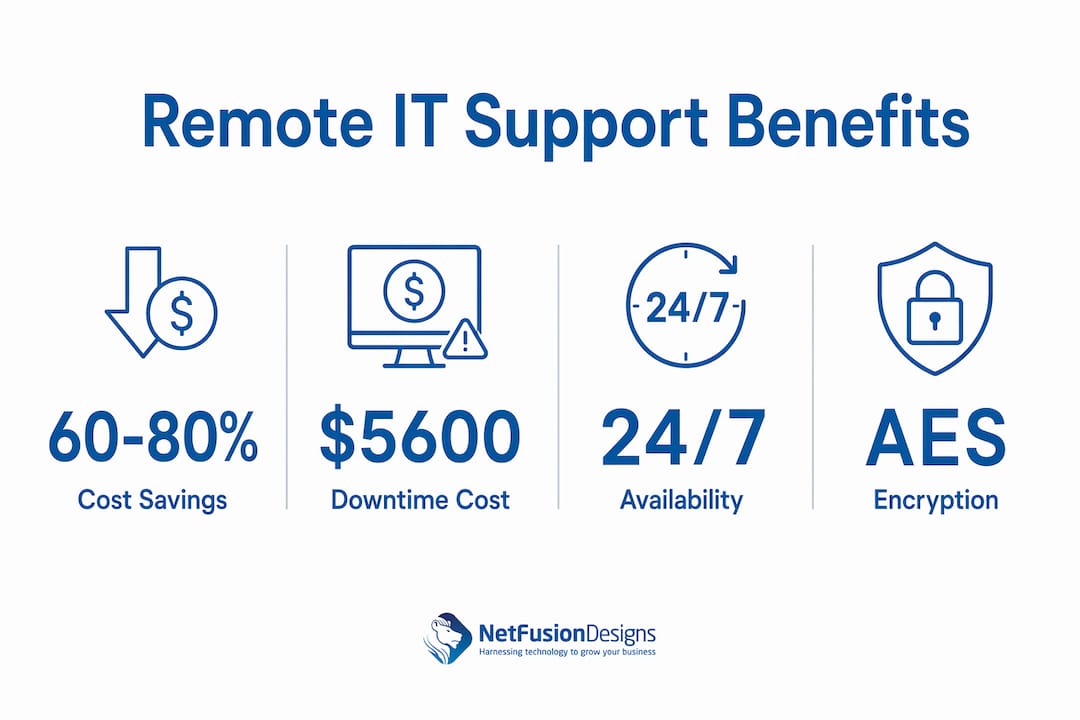
Remote IT support services are defined as the delivery of technical assistance, monitoring, and maintenance to business systems through secure network connections, without requiring a technician on site. The industry term for a fully managed version of this is managed IT services, and the two concepts work hand in hand. For small and mid-sized businesses, the role of remote IT support services is direct: cut costs, reduce downtime, and keep data secure. Transitioning to remote IT support can reduce overall IT expenses by 60–80% compared to maintaining internal staff. That figure alone reframes the conversation from “nice to have” to “business necessity.” NetFusion Designs Inc delivers this model across Ontario and Canada, backed by SOC 2 Type 2 attestation and a 24/7 Network Operations Centre.
Remote IT support removes the single biggest drag on business productivity: waiting. When a system fails, a technician connects within minutes through a secure remote session rather than driving across town. That speed difference compounds across dozens of incidents per year.

The benefits of remote IT support extend well beyond break-fix speed. Proactive managed IT support uses pre-installed software agents that run continuously in the background, monitoring endpoints and network devices around the clock. This is fundamentally different from ad-hoc support, where a user initiates a single session after something has already broken. Continuous endpoint monitoring detects performance issues and security threats before they cause downtime. The difference between reactive and proactive support is the difference between fighting fires and preventing them.
Common tasks handled remotely include:
After-hours patching and updates are scheduled outside business hours so revenue-generating activities like customer service and order processing are never interrupted. Most of the ROI from remote IT support comes from this scheduling discipline alone. A business that processes orders from 8:00 AM to 6:00 PM can have its entire server environment patched and rebooted at 2:00 AM without anyone noticing.
Pro Tip: Ask your provider to share a monthly maintenance report. If patches are being applied during business hours, that is a sign the service is reactive rather than proactive.
Downtime is expensive in a way that surprises most business owners. Average downtime costs $5,600 per minute for businesses when lost productivity, missed sales, and recovery labour are combined. Even a 30-minute outage at that rate represents a significant financial hit for a small or mid-sized operation.
Remote support compresses resolution time dramatically. Leading providers maintain a 30-minute SLA for incident acknowledgement and resolve 50% of issues on the first call. Compare that to on-site support, where travel time alone can add one to three hours before a technician even looks at the problem. For a business owner watching a sales team sit idle, that gap is not abstract.
The most common downtime causes that remote support addresses directly include:
When an issue exceeds what remote access can fix, such as a failed hard drive or a damaged network switch, a well-structured hybrid IT support model dispatches an on-site technician. Remote support handles over 90% of common issues, so on-site visits become the exception rather than the rule. You get the speed of remote resolution for the vast majority of problems, with physical backup for the rest. The real cost of downtime for even a modest operation makes this hybrid model worth serious consideration.
Remote IT support is one of the most direct tools a small business has for managing cybersecurity risk. Continuous monitoring catches vulnerabilities before attackers do. Automated patch deployment closes known security gaps within hours of a vendor releasing a fix, rather than weeks later when an internal team gets around to it.
Remote support software uses AES encryption and two-factor authentication to secure every remote session. That means the connection between a technician and your systems is protected to the same standard used by financial institutions. No unencrypted access, no shared passwords, and every session is logged for audit purposes.
The financial case for security investment is clear. Automated patch management and monitoring can reduce the average cost of a data breach by up to $1 million, citing IBM’s Cost of a Data Breach Report. For an SMB, a single breach can be existential. Prevention through remote monitoring is orders of magnitude cheaper than recovery.
A structured approach to remote security support covers these areas in sequence:
Pro Tip: Request a copy of your provider’s SOC 2 report. SOC 2 Type 2 attestation, like that held by NetFusion Designs Inc, confirms that security controls have been independently tested over time, not just documented on paper.
Choosing a remote IT support provider requires looking past the sales pitch and into the service level agreement. The SLA defines what you are actually buying. A provider that cannot commit to a 30-minute acknowledgement window or a measurable customer satisfaction target is not offering managed support. It is offering best-effort support, which is a different product.
Visibility into support tickets is a feature that separates mature providers from basic help desks. You should be able to see who owns each ticket, its current status, and a history of recurring issues. That data lets you spot patterns. If the same workstation generates five tickets per month, the right response is replacement or reimaging, not repeated fixes. Analysing recurring tickets is one of the most underused capabilities in remote IT service management.
The table below outlines the key service tiers and what each delivers for a typical SMB:
| Service feature | Help desk only | Fully managed IT |
|---|---|---|
| Break-fix support | Yes | Yes |
| 24/7 proactive monitoring | No | Yes |
| Automated patch management | No | Yes |
| Security incident response | Limited | Full |
| Ticket visibility and reporting | Basic | Detailed |
| On-site escalation | Not included | Included |
Outsourced IT support works best when the scope is defined clearly before the contract is signed. Understand whether you are buying a help desk that reacts to calls or a managed service that monitors and maintains your environment continuously. The cost difference between the two tiers is real, but so is the operational difference. For most SMBs with 10 to 200 employees, fully managed IT delivers better value because the proactive work prevents the expensive incidents.
Remote IT support services deliver the greatest business value when they combine proactive monitoring, automated patching, and fast incident response under a single managed service agreement.
| Point | Details |
|---|---|
| Cost reduction is substantial | Remote IT support cuts IT costs by 60–80% compared to maintaining internal staff. |
| Downtime response is faster | Leading providers acknowledge incidents within 30 minutes and resolve 50% on the first call. |
| Security is built in | AES encryption, two-factor authentication, and automated patching protect every session and endpoint. |
| Hybrid models cover all scenarios | Remote support resolves over 90% of issues; on-site backup handles the rest. |
| Ticket data drives improvement | Analysing recurring support tickets reduces chronic IT problems and improves long-term efficiency. |
The perception gap in remote IT support is real, and I see it regularly. IT professionals understand the value immediately. Business owners often see it as a cost line rather than an operational asset. That framing leads to underinvestment in the proactive tier, which is exactly where the financial return lives.
The shift I have watched happen with businesses that get this right is not about the technology. It is about the mindset. When you stop treating IT support as a repair service and start treating it as a continuous management function, the outcomes change. Downtime drops. Security incidents become rare. Staff stop losing hours to technical friction.
The detail most business owners miss is the ticket analysis capability. Every support request is a data point. A well-run managed IT provider surfaces patterns in that data and brings recommendations to you. That is the difference between a provider that fixes problems and one that prevents them. The businesses I have seen grow fastest are the ones that use their IT support data to make infrastructure decisions, not just to log complaints.
My honest advice: do not evaluate remote IT support on monthly cost alone. Evaluate it on what a single avoided breach or a single avoided day of downtime would cost your business. The math almost always favours the proactive model.
— Geeshan
NetFusion Designs Inc provides fully managed remote IT support to small and mid-sized businesses across Ontario and Canada, with local teams in Kitchener-Waterloo, Toronto, Mississauga, Markham, Montréal, and Winnipeg. Every engagement is backed by SOC 2 Type 2 attestation, a 24/7 NOC, and enterprise-grade security tooling sized for businesses that do not have an internal IT department.
Whether you need IT services in Mississauga or require emergency IT support when something goes wrong at the worst possible time, NetFusion Designs Inc has the response infrastructure to act fast. Contact NetFusion Designs Inc to discuss a managed IT plan that fits your team size, budget, and security requirements.
Remote IT support services deliver technical assistance, monitoring, and maintenance through secure network connections without requiring an on-site technician. Their core role is to reduce downtime, lower IT costs, and protect business data.
A technician connects to your systems through encrypted remote access software, diagnoses the issue, and applies a fix in real time. Managed IT providers also use pre-installed agents to monitor and maintain systems continuously, even when no issue has been reported.
The primary benefits are cost reduction of 60–80% compared to internal IT staff, faster incident resolution, proactive security patching, and 24/7 monitoring that catches problems before they cause downtime.
Reputable providers use AES encryption and two-factor authentication for every remote session, with full audit logging. SOC 2 Type 2 attested providers have had these controls independently verified over an extended period.
A help desk responds to issues after users report them. Managed IT support includes continuous monitoring, automated patching, and proactive maintenance that prevents many issues from occurring in the first place.
%20(1).avif)
%201.avif)