Operator Connect and Direct Routing are two ways to give Microsoft Teams a real phone number and connect it to the public phone network. Operator Connect is the simpler path: a certified carrier handles the connection and you manage numbers inside Teams. Direct Routing gives you more control: you connect your own carrier through a certified session border controller (SBC), the device that links Teams to the phone network. Most small offices with a single location and a standard call flow fit Operator Connect. Businesses with a legacy PBX, paging, call-recording or a carrier they want to keep fit Direct Routing.
This guide explains the difference in plain terms, shows how each is set up, and gives you a way to decide. At NetFusion Designs, we handle managed IT, Microsoft 365 and telephony together, so the choice is made once and supported by one team.
Teams can place calls to regular phone numbers only through a connection to the public switched telephone network (PSTN), the traditional phone system. Microsoft’s own setup guidance for Canadian organizations says every Teams Phone user needs a Teams Phone licence and voice enablement, and lists four ways to get that PSTN connection: a Microsoft Calling Plan, Operator Connect, Teams Phone Mobile and Direct Routing.
Operator Connect and Direct Routing are the two that involve a third-party carrier.
With Operator Connect, you use a carrier that has already completed its integration with Microsoft. According to Microsoft’s PSTN connectivity documentation, you enable that carrier in the Teams Admin Center and assign its numbers to your users. The PSTN access, the numbers, the support and the service-level agreement come from the carrier.
In practice, that means no hardware in your office or tenant to configure. The carrier’s cloud infrastructure does the work.
Direct Routing lets you use any PSTN carrier. You connect that carrier to Teams through a certified SBC that is bought, installed and managed by you, your integrator or a hosted Direct Routing provider, as Microsoft describes.
The SBC sits between Teams and the carrier. Microsoft’s protocol documentation explains that the SBC connects to a Microsoft SIP proxy for signalling and to media processors for the voice itself. It can run in two modes: without media bypass, where voice flows through Microsoft’s media processors, or with media bypass, where voice flows directly between the endpoints and the SBC.
The table below draws on Microsoft’s operator program page and Microsoft’s comparison guidance.
| Question | Operator Connect | Direct Routing |
|---|---|---|
| Carrier choice | Participating carriers only | Virtually any carrier |
| SBC | Carrier’s cloud, nothing for you to run | Certified SBC, run by you, an integrator or a hosted provider |
| Number assignment | Provisioned through the carrier’s API and shown in Teams Admin Center | Assigned through PowerShell |
| First-line support | The carrier, under a joint carrier-Microsoft model | You or your provider, with the SBC vendor for device issues |
| Best suited to | Simple, fully managed calling | Advanced telephony integration, existing infrastructure, maximum flexibility |
The pattern is consistent: Operator Connect trades flexibility for simplicity, and Direct Routing trades simplicity for control.
Direct Routing is the more flexible design. TechTarget’s comparison notes that it supports virtually any carrier, media bypass, local media optimization and integration with third-party PBX and paging systems. Those features matter in specific situations:
If none of these describes you, the added flexibility is capacity you will not use. A law firm, accounting practice or dental clinic with one or two offices, a main number, a few direct lines and an auto-attendant will usually be well served by the simpler path.
Operator Connect reaches the carrier’s cloud SBC over the internet. The same TechTarget analysis points out that call quality can suffer when internet performance degrades, and it recommends Operator Connect for businesses with reliable, redundant and ample internet throughput.
That is a practical checklist for any office:
These apply under both options. Direct Routing adds one more factor: the health and configuration of the SBC, which someone has to patch, monitor and renew.
This is where most small businesses decide. Operator Connect reduces administration by removing the need to maintain an on-premises SBC and by offloading call routing and number-range management to Teams, as TechTarget explains. The carrier provides the first line of support.
With Direct Routing, the responsibility is yours or your provider’s. Microsoft’s configuration guide states that Microsoft supports Direct Routing only with certified devices, and that issues with the SBC go to the SBC vendor first. Someone needs to own that relationship, along with firmware updates, certificates and carrier coordination.
Whoever you choose, decide in advance who handles a dropped-call report at 4:45 p.m. on a Friday. Our piece on helpdesk SLA targets shows what response commitments look like for urgent issues.

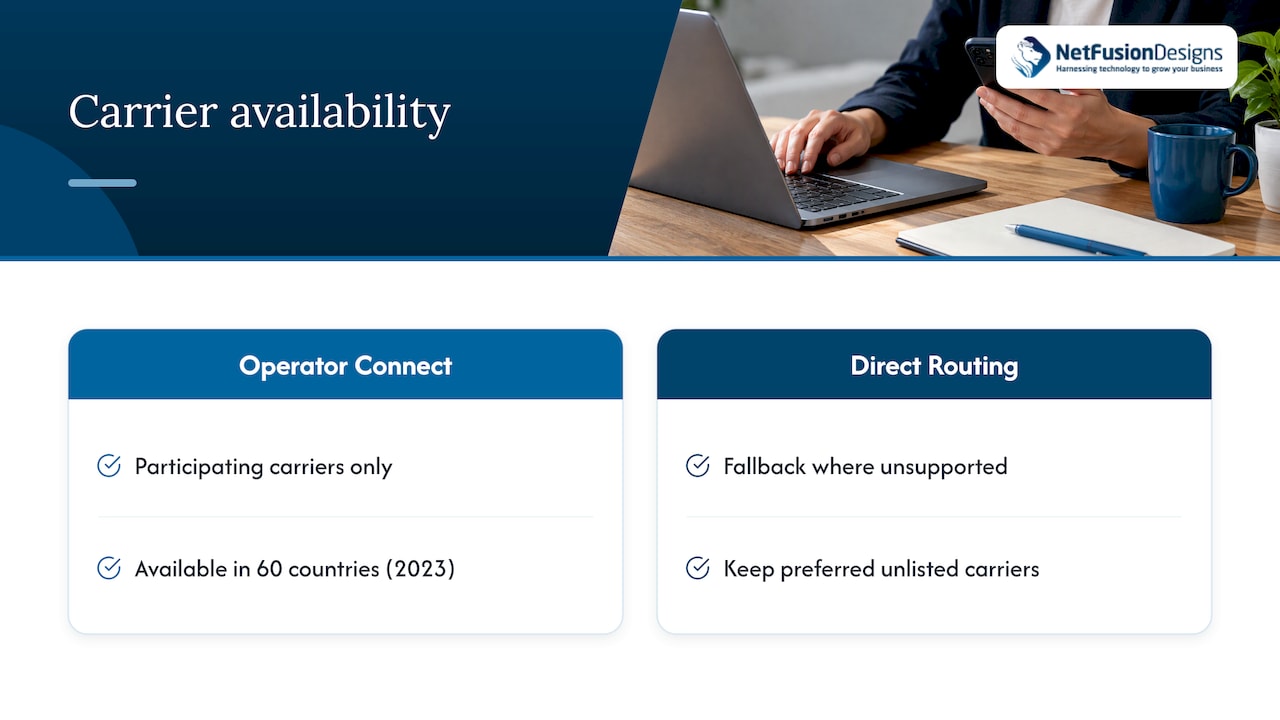
Operator Connect is limited to participating carriers, and that list varies by country. TechTarget noted in 2023 that Operator Connect was available in 60 countries, making Direct Routing the fallback where it is not supported. For a Canadian business, the practical question is simple: does a carrier that serves your locations, and that you are happy to work with, participate in the program? Check the carrier list inside the Teams Admin Center, which shows the operators currently available to your tenant.
If the carriers you prefer are not listed, or you need numbers in several regions from a carrier that is not, Direct Routing gives you the freedom to keep them.
Published carrier rates change often and differ by plan, so a single per-user number would age quickly. Compare the same line items for each option instead:
Two comparisons are worth running. First, the three-year total including labour, not just the monthly line. Second, the cost of one outage: if your phones drive revenue, an hour offline can outweigh a year of small savings. For Toronto-area pricing context on business phone systems, see our VoIP phone system cost guide.
Microsoft’s configuration guide lists four steps:
Each step has a place to go wrong. A certificate mismatch stops the SBC from connecting. A user who is licensed but not voice enabled cannot call. A routing policy that is too broad sends calls the wrong way. Microsoft’s migration guidance specifically warns against assigning Direct Routing voice routes to users who are Operator Connect only, and recommends custom routing policies that target only Direct Routing users. If you plan to run both, for example during a migration, that rule matters.
For the Teams side of either route, our Teams Phone setup guide covers the licensing, policies and user experience in more detail.
Work through these questions in order:
Some businesses start with Operator Connect for simplicity and move to Direct Routing when a new site or system demands it. Planning the numbering and licensing with that path in mind keeps the move small.
Most of the businesses we speak with did not set out to choose a telephony architecture. They want phones that ring, calls that sound clear and one number to call when something breaks.
That is why we treat this as part of the whole IT picture, not a stand-alone carrier decision. Teams Phone depends on your Microsoft 365 licensing, your network, your internet redundancy and your security settings. When one provider looks after all of those, there is no finger-pointing between a carrier, a network vendor and an IT contractor.
Our approach is plain-language advice: we look at your sites, your call flow and your equipment, and recommend the model that fits, whether that is the simpler carrier-managed route or a Direct Routing design for more complex needs. Our team also offers 24/7 support from a SOC 2 Type II certified organization, so voice traffic sits inside the same monitored, secured environment as the rest of your systems.
The best phone setup is the one nobody has to think about on a Monday morning.
Geeshan
NetFusion Designs offers Networks & Telephony, VoIP and Microsoft 365 optimization as part of managed IT for businesses across Ontario and Canada. That means one provider for your licences, network, phones and helpdesk, without managing third-party vendors yourself. See our cloud VoIP service and Microsoft 365 optimization, or talk to us through our managed IT services page about the right Teams Phone design for your offices.
Security belongs in the same conversation. Voice traffic, user accounts and carrier connections are all part of your attack surface, which our 24/7 managed SOC service is built to monitor.
Direct Routing is a way to connect Teams to the phone network through a carrier of your choice. A certified SBC links the two and is managed by you, an integrator or a hosted provider. Microsoft describes it in its PSTN connectivity options.
Neither is better for everyone. Operator Connect is simpler and removes the SBC from your to-do list. Direct Routing is better when you need a specific carrier, a legacy PBX or paging integration, or custom routing.
Yes. Microsoft’s Canadian setup guidance says every Teams Phone user needs a Teams Phone licence and voice enablement, whichever PSTN option you choose.
Yes, and many businesses do as they grow. Plan numbering and routing policies carefully so the two models do not overlap for the same users during the move.
Both depend on your network. Operator Connect relies on your internet reaching the carrier’s cloud, so redundancy and bandwidth matter. Direct Routing adds the SBC’s configuration and health to the picture.