A business VoIP phone system in Toronto typically costs $20–$30 per user per month on an entry-level plan and $30–$45 on a mid-tier plan, according to published Canadian pricing ranges. Add desk phones, a one-time setup fee if you want help, and number porting. A 10-person office can usually plan its first year from roughly $3,100 to $8,100, depending on the plan and the hardware. The breakdown below shows where each dollar goes, so you can build a budget you trust.
Cloud VoIP is priced per user, per month. Each person gets an extension, voicemail, a mobile and desktop app, and usually unlimited calling within Canada and the US. What changes between tiers is the feature set.
| Tier | Typical price per user, per month | What it usually adds |
|---|---|---|
| Entry-level | $20–$30 | Calling, voicemail, auto-attendant, mobile app |
| Mid-tier | $30–$45 | Call recording, analytics, integrations with business software, more advanced call routing |
These ranges come from a 2026 Canadian pricing summary, which also puts total spend for a three-to-five-person business at $75–$200 per month. Treat them as planning ranges. Providers publish different prices, bill in different currencies and change their plans, so confirm the current figure on any quote.
We do not publish a per-user VoIP price on this page. Our pricing is set per business, after we understand your users, sites and phone needs.
Four things account for most of the difference between two quotes:
There is also a saving on the staffing side. Adding a remote employee to a cloud system takes minutes rather than a service call, where a traditional system means hardware and on-site work. If your team splits time between the office and home, our overview of VoIP for remote work explains how that works day to day.
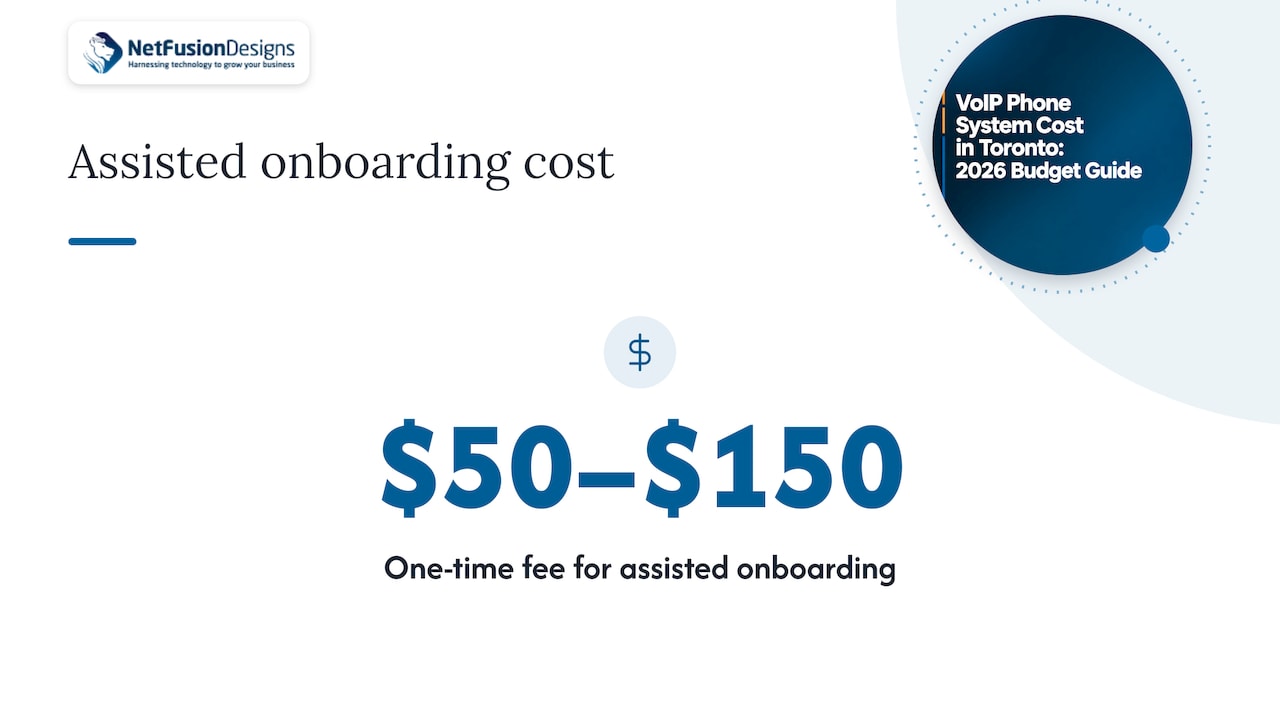
Most cloud providers offer free account setup with a configuration wizard. Some charge a one-time fee of about $50–$150 for assisted onboarding. If you have a single office and a simple call flow, you can often set it up yourself. If you have a main number, an after-hours greeting, ring groups and a few departments, paying for help is usually cheaper than a week of missed calls.
Your business number is an asset, and you can keep it. Porting an existing number typically costs $15–$30 per number, although many providers advertise it as free. Port requests take planning: you need the account details from your current carrier and a clear cutover date. Our guide to number porting in Canada walks through the steps, and migrating to VoIP covers the whole switch, including what to do the week before.
Hardware is the cost many businesses do not plan for. IP desk phones run about $60–$250 per unit: basic single-line models at the low end, and executive models with colour screens and conferencing at the high end.
You have three realistic options:
Can you reuse existing phones? Some current IP phones can be reused if they are compatible with the service you choose, but old analog handsets generally need an adapter or replacement. Ask for a compatibility check on your exact models before you buy anything.
If your team already lives in Microsoft 365, calling through Teams is another route. Our walkthrough of Teams Phone setup explains what that involves.
VoIP sends calls over your internet connection, so the phone system is only as dependable as the network under it. Two items belong in the budget.
Voice traffic needs prioritising on your network so calls stay clear when someone uploads a large file. That means a router or firewall that supports quality of service settings and a properly configured network. We explain what to configure in our guide to VoIP QoS requirements.
If the office loses internet, the phones go with it. Businesses should consider a separate backup connection with automatic failover. One Canadian provider suggests small teams of 5–15 employees may budget $200–$400 per month for backup internet. That is not mandatory for every office, but if missed calls cost you clients, it is a sensible line in the budget.
Two habits keep a backup connection useful:
VoIP providers in Canada are obligated to provide access to 9-1-1, and the CRTC advises users to keep their location information up to date with their provider. For an office with a fixed address, this means confirming the registered address for every site. If staff use the app from home or while travelling, they should tell the 9-1-1 operator their current location when they call. Our article on E911 requirements in Canada explains how to set this up properly for a multi-site or hybrid team.
It also pays to read the contract with 9-1-1 in mind. One Canadian guide notes that 9-1-1 service commitments often differ from a provider’s general uptime guarantee, so ask for 9-1-1 availability to be stated explicitly.
Before signing, get written answers to these questions:
Here is our own arithmetic, built from the ranges above. It is an illustration for planning, not a quote.
| Line item | Lower estimate | Higher estimate |
|---|---|---|
| Licences: 10 users for 12 months | $2,400 (at $20 per user per month) | $5,400 (at $45 per user per month) |
| Desk phones: 10 units | $600 (at $60 each) | $2,500 (at $250 each) |
| Assisted onboarding | $50 | $150 |
| Porting 3 numbers | $45 (at $15 each) | $90 (at $30 each) |
| Total year one | $3,095 | $8,140 |
Some points on reading it:
Compare that with a traditional business line, which a published Canadian comparison puts at $45–$75 per month for a single line before long distance. A second line pushes that higher, while cloud VoIP prices per person rather than per line.
Most of the budgeting mistakes we see with phone systems are not about the per-user price. They come from treating the phone system as a separate purchase from the rest of IT.
Voice runs on your network, your internet connection, your firewall and often your Microsoft 365 accounts. When those pieces are managed by different vendors, a dropped call becomes a finger-pointing exercise. We designed our approach around one provider for IT, security, phones and AI, so there is no third-party vendor management on your side and one team answers the call.
That is why we scope VoIP together with the network it runs on: QoS settings, failover, 9-1-1 addresses for each site and the number port plan. Our team supports businesses with 24/7 local and remote help, and we aim for transparent, predictable monthly pricing so the phone bill does not surprise you.
If you already work with us for managed IT, adding telephony means your phones are monitored and supported with everything else. If you are comparing quotes, ask each provider the same five questions from this article and you will see quickly who has thought about the full picture.
Geeshan
We design, deploy and support business phone systems as part of our managed IT services, alongside networking, cybersecurity and Microsoft 365. That means one team plans your lines, your network, your number port and your 9-1-1 setup, then supports them after go-live. You can see our phone offering for Kitchener, Waterloo, Markham and London, and our managed IT services page shows how phones fit into a single support agreement.
If you want to see how voice costs sit within your wider IT spend, our guides to managed IT services pricing and outsourced versus in-house IT costs in Toronto are good places to start. Send us your user count and sites and we will put together a scoped proposal.
Entry-level plans commonly run $20–$30 per user per month, and mid-tier plans $30–$45. A business with three to five users typically pays $75–$200 a month in total. Prices vary by provider and tier, so compare quotes on the same feature set.
Not always. Staff can use a softphone app with a headset, and compatible IP phones can sometimes be reused. If you buy new desk phones, expect roughly $60–$250 per unit depending on the model. Ask for a compatibility check on your existing handsets first.
Yes, in most cases. Porting typically costs $15–$30 per number, though many providers advertise it as free. Plan the cutover date with your current carrier so there is no gap in service.
Only if you have planned for it. A backup internet connection with automatic failover and a UPS for network equipment keep calls running through many interruptions. Test the failover at least quarterly.
Yes. Providers are obligated to provide 9-1-1 access, and you need to keep your registered location up to date. Remote users should tell the operator where they are when they call.