AI change management is the work of getting your people, workflows and safeguards ready for AI so the tools are used well, safely and every day. The software is the easy part. A small or mid-sized business succeeds when it ties AI to a business goal, trains staff, sets clear rules, proves the idea in a small pilot and only then scales. We built our AI and automation work around that order, with one team handling the technology, the security and the rollout, so nothing falls between vendors.
Ordinary change management helps people move from one way of working to another. AI change management does the same job, with three differences that matter to a business owner.
First, AI changes tasks, not just screens. Drafting, summarizing, sorting, scheduling and first-pass review can all shift to a tool, so people’s day-to-day roles shift with them. The federal SME AI adoption blueprint says change management should address opposition, support upskilling, empower employees and embed AI into everyday workflows as a way to augment existing work. That framing is useful: the goal is to help people do their work better, and say so plainly.
Second, AI keeps moving. Canada’s Department of National Defence makes the point in its AI strategy: earlier technology changes brought a burst of disruption followed by stability, while AI has compressed innovation cycles and calls for continuous adaptation, protected space to experiment and decisions made at the lowest appropriate level. For a 30-person firm, that means you plan for a standing routine of review and learning, not a one-time launch.
Third, AI brings new risk. Staff may paste client data into a public tool, a tool may be given more access than it needs, or an automated decision may affect a person without anyone checking it. Change management for AI therefore includes security and governance from day one.
Most stalled AI projects fail on people and process, not on technology. The common causes are predictable:
Each of these is a change management problem. The sections below deal with them in the order you would meet them.
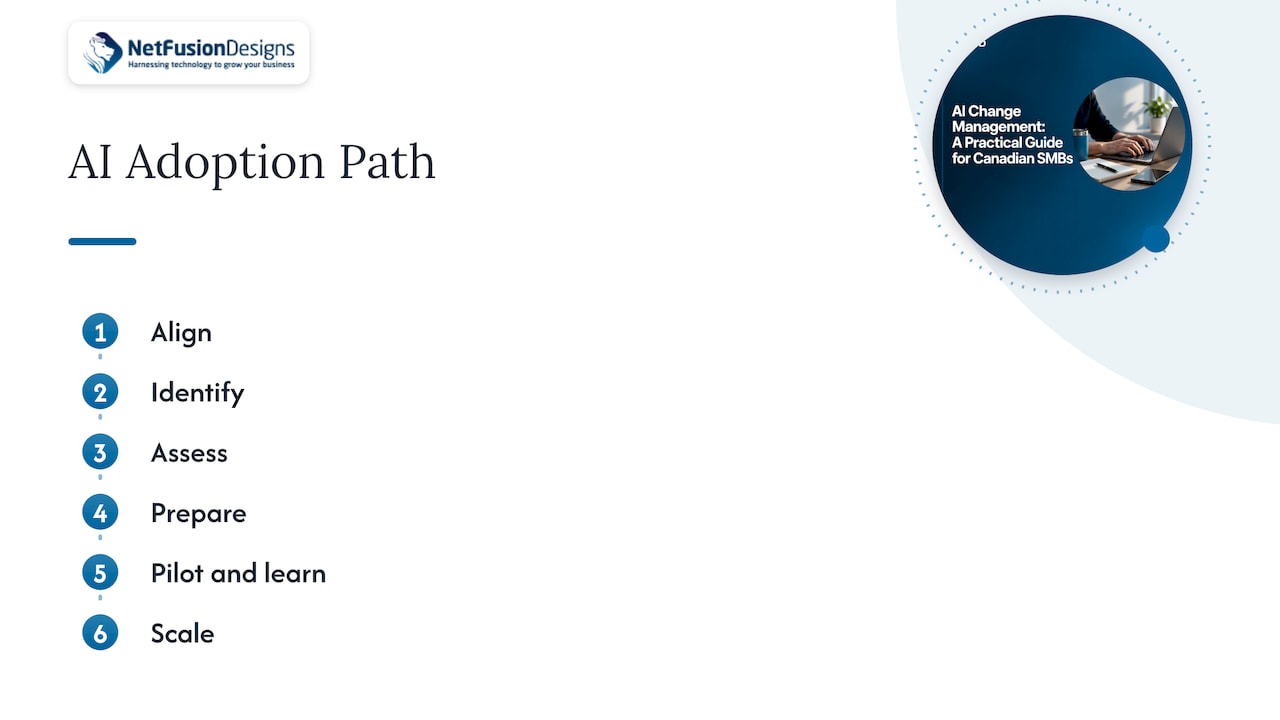
Toronto Metropolitan University’s Three-Level AI Competency Framework organizes adoption work into six steps: align, identify, assess, prepare, pilot and learn, and scale. We use the same logic below, adapted for an owner running a business without a dedicated transformation team.
Pick one outcome you can measure: fewer hours spent on invoice entry, faster responses to client emails, shorter quoting time on the shop floor. The federal blueprint says a roadmap should specify priorities, data readiness, governance, expected return on investment and resource allocation. If you cannot say what success looks like in a number, the project is not ready. Our guide to an AI roadmap for small business walks through this step in more detail.
Look for repetitive, rules-based work that people already dislike: re-keying data, sorting inbound requests, drafting routine replies, producing first-draft summaries. These are the safest places to start because the result is easy to check. Examples by industry are in our pieces on AI automation for small business and AI for law firms.
Before a tool touches your information, ask where that information lives, who can see it and whether it is in good enough shape to use. This is where your existing IT foundation matters: user accounts, multi-factor authentication (a second check, such as a phone prompt, when someone signs in), permissions in Microsoft 365, and backups. AI tools inherit whatever access your staff have. If permissions are loose today, AI will expose that quickly.
TMU’s framework says preparation covers changes to people, workflows, data and safeguards, with clear responsibilities, human-review decisions and success measures. In practice, that means a short written plan covering:
The federal blueprint recommends staged implementation in sensitive areas and pilots to validate use cases and reduce the risk of scaling. Choose one team, one workflow and a fixed period. Hold a short weekly check-in, record what saved time and what caused friction, and ask the pilot group to say what they would change. Their feedback is also your best material for persuading the rest of the business.
Only when the pilot meets the measure you set in step one do you extend it to other teams. Expand in the same way each time: train, set the rules, watch the results. Keep reviewing. Because AI tools update often, a tool that was safe and useful in spring may behave differently by autumn.
People support what they help shape. Three habits make the difference.
Say what AI is for. Tell staff which tasks you expect AI to take over, which decisions remain human and what you will do with the time saved. Silence is read as a threat.
Train early and keep training. The Conference Board of Canada’s 2025 Work Reimagined report found that 35 per cent of surveyed firms believe training, upskilling and AI literacy would accelerate AI implementation, and that nearly 80 per cent consider employee training a top priority in both the short and long term. Training does not need to be elaborate. A one-hour session on what the tool does, what it must never be given and how to check its output covers most of what a new user needs.
Give people a role in the pilot. Name one or two respected team members as early users. They answer colleagues’ questions in plain language and report problems before they spread.
Staff will try AI tools whether or not you have approved any. A short acceptable-use policy keeps that experimentation safe. It should say which tools are approved, what client or personal information must never be entered, and that a person is responsible for checking anything AI produces before it goes to a client. Our article on an AI policy for employees covers what to include, and our secure adoption guide for SMBs covers the security side.
As AI tools begin to act on their own (sending messages, updating records, moving files), the controls need to be tighter. The federal government’s guide on agentic AI is written for federal employees, but its principles are a sound model for any business. It advises tightly limiting an agent’s data, tools, permissions and scope; labelling permission levels; designating accountable owners; logging actions in a way the agent cannot change; reviewing state-changing actions unless they are low-impact and trivially reversible; and pausing or deactivating an agent when its owner leaves.
In a small business, that translates into a simple checklist:
| Control | What it looks like in a 20 to 200-person firm |
|---|---|
| Limited access | The tool sees only the folders and mailboxes its job needs |
| Named owner | One person answers for each AI tool |
| Human review | A person approves anything sent to a client or changing a record |
| Activity log | Actions are recorded where the tool cannot edit them |
| Offboarding | When the owner leaves, the tool is reassigned or switched off |
AI change management is not only an internal matter. Two Canadian references are worth knowing about.
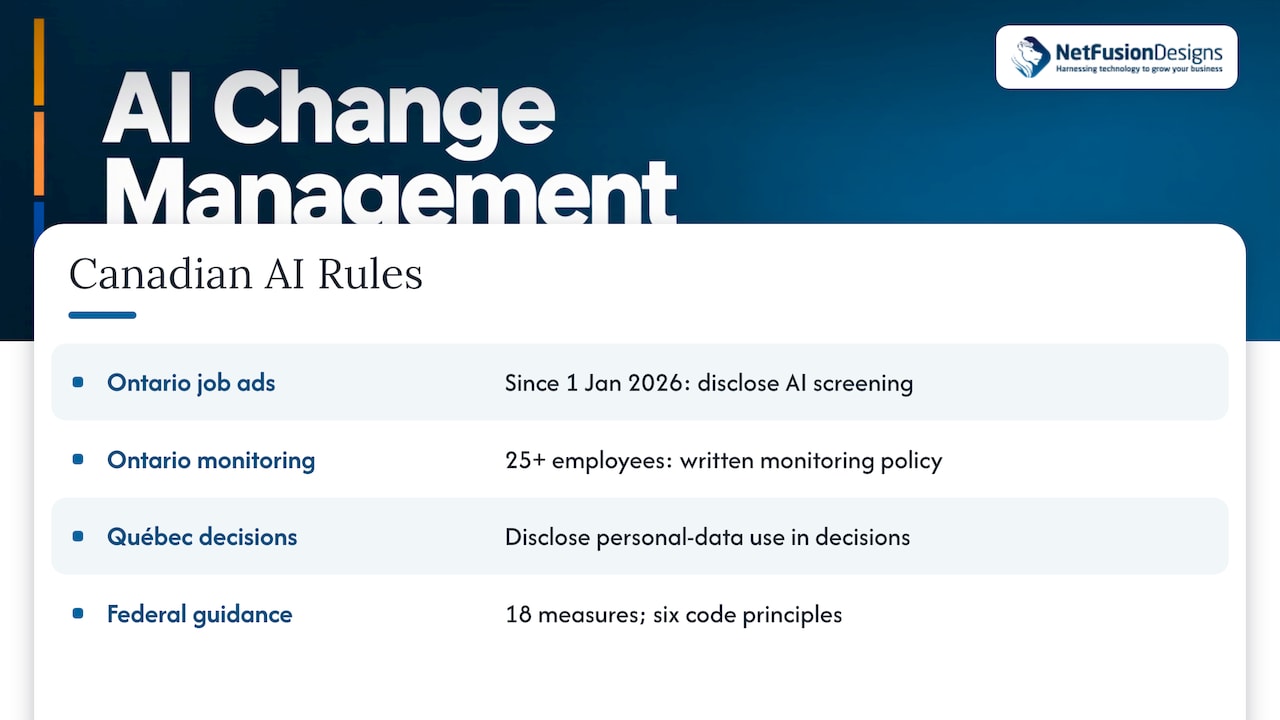
Ontario employment rules. According to BLG’s 2026 guide for Canadian employers, since 1 January 2026 Ontario’s Employment Standards Act requires publicly advertised job postings to disclose AI use when AI screens, assesses or selects applicants. Employers with 25 or more employees must also maintain a written electronic monitoring policy that accounts for AI tools. The same guide notes that Québec’s private-sector privacy law requires disclosure when personal information is used to render a decision. If you hire, or run offices in both provinces, review these with your lawyer before you switch on AI screening or monitoring features.
Federal guidance on managing AI systems. Innovation, Science and Economic Development Canada’s implementation guide for managers of AI systems builds on the six principles of the Voluntary Code of Conduct: safety, accountability, transparency, fairness and equity, human oversight and monitoring, and validity and robustness. Its 18 measures include a formal change management process to track and assess the impact of AI system updates, role-specific training and a central place for documentation. You do not need to adopt all of it. Keeping a simple register of each AI tool, its owner, its version and what changed at each update is a good start.
Choose three measures at the start and check them at every review:
If adoption is low while the business result is good, you have a training or trust problem. If adoption is high and errors are rising, you have a review problem. The measures tell you which kind of change work to do next.
AI adoption touches identity, email, file storage, security tooling and the line-of-business systems staff use all day. When different vendors own each piece, no one owns the whole change, and projects stall at the handoffs. This is the reason to run AI work through the same team that looks after your IT. The people who know your permissions, your backups and your Microsoft 365 setup can judge what a tool can safely reach, and the same team supports staff on day two, when the questions begin.
How we approach it
Most owners who come to us about AI are not asking for a model. They are asking whether their people will use it and whether it will put their data at risk. We treat those as one question.
Our approach as a Managed Intelligence Provider is to start with the business goal, check that your security and Microsoft 365 basics are sound, and then introduce AI one workflow at a time. We explain each step in plain language, because a change nobody understands does not last.
We are SOC 2 Type II certified and run a 24/7 NOC, so the same team that watches your environment is the one that helps you adopt AI inside it. There is no third-party vendor to coordinate. That matters when a pilot succeeds and you want to extend it: the access rules, the monitoring and the support are already in place.
The best AI rollout feels uneventful. Staff know what the tool is for, leaders know who owns it, and the results show up in the numbers.
Geeshan
NetFusion Designs offers AI Consultation and Implementation, Business Process Automation and Microsoft 365 Optimization alongside fully managed IT, cybersecurity and helpdesk, for small and mid-sized businesses across Ontario and Canada. Our Managed Intelligence Provider service brings AI and automation together with managed IT under one team. If you want to see how AI fits your existing environment, talk to us at NFD about a first pilot.

If your Microsoft 365 tenant is where most AI tools will start, Microsoft 365 Optimization is a sensible first step, because permissions and data hygiene there decide what any assistant can see.
In two ways. Companies use AI to support change, for example drafting communications, answering staff questions and spotting where adoption lags. They also manage the change that AI itself brings to roles and workflows. For a small business, the second matters most: plan the training, rules and pilot before the tool goes live.
It depends on the workflow and your data, so no honest number fits every firm. A sensible pattern is a short preparation phase, a fixed-length pilot with one team, and a review before expanding. Set the pilot length at the start so the review is not postponed.
Yes. Staff are likely to be using AI tools already, so a short policy on approved tools, protected data and human review gives them clear limits. It also supports the Ontario requirements on AI use in hiring and employee monitoring policies.
One accountable person per tool, usually the manager of the team that uses it, backed by whoever runs your IT for access, security and updates. The federal guidance on AI systems stresses accountability and named owners for this reason.