A cloud migration strategy is a workload-by-workload plan that maps each application to one of the 7 Rs and sequences moves into controlled waves: assess, mobilize, migrate and modernize. Done right, it protects availability, cost, and compliance. Track five numbers from day one: recovery time objective (RTO), recovery point objective (RPO), your pre-migration cost baseline, the business KPIs each workload actually serves, and formal stakeholder sign-off at every gate.
TL;DR:
- Rehosting workloads offers speed and cost advantages but yields limited modernization benefits, often suitable for initial migration phases.
- Dependency mapping through both automated tools and manual application owner input is critical to prevent overlooked links that could cause outages during cutover.
- Planning migration waves based on team capacity and shared dependencies ensures smoother execution and more predictable timelines.
- Migration methods like blue/green deployment and continuous replication enable near-zero downtime, especially for refactored or cloud-native workloads.
- Proper testing, rehearsal, and explicit rollback criteria are essential to prevent incidents, with SME migrations benefiting from validated pilot runs and thorough planning.
A cloud migration strategy is not a single decision. It’s a set of decisions, one per workload, about how that workload moves and in what order. The dominant model IT teams use to make those decisions is the 7 Rs framework, an evolution of Gartner’s original five that AWS and other cloud providers extended to seven categories. Each of your applications gets sorted into one bucket, and that sorting drives everything downstream: budget, timeline, risk exposure, and staffing.
The trade-off runs on a simple axis: rehosting is fastest and cheapest to execute but delivers the least modernization value, while refactoring costs the most time and skill but unlocks the biggest performance and cost gains over the long run, according to AWS Prescriptive Guidance. A legacy ERP with tight dependencies might get rehosted this year and refactored next year, once the team has cloud-native skills in place. A homegrown CRM might get repurchased outright for a SaaS platform. Retain and retire are not failures of strategy. They’re often the smartest calls in the room, and TechTarget’s breakdown of the 7 Rs makes the same point: not every workload needs to move.
You can’t sequence a migration you haven’t mapped. Discovery comes first, and it typically happens through three complementary methods.
Dependency mapping matters more than most teams expect going in. An application that looks standalone on paper often shares a database, an authentication service, or a batch job with three other systems. Miss that link and your cutover takes down something nobody flagged for testing.
Once discovery data is in hand, score each workload for complexity: how many dependencies it has, how sensitive its data is, how tightly coupled its architecture is, and how critical it is to daily operations. This scoring is what turns a spreadsheet of applications into a defensible migration plan a readiness assessment can act on, and Microsoft’s own migration guidance treats that readiness step as the point where skills gaps, network capacity limits, and compliance exposure all surface. Clarifying those gaps early doesn’t just prevent surprises. It accelerates the whole program, because training and resourcing decisions get made before they become a bottleneck.
Pro Tip: Run your dependency mapping in two passes, one automated and one manual. Automated tools catch network traffic patterns; only a human conversation with the application owner catches the quarterly batch job that only runs on the last Friday of the month.
Assessment data means nothing until it becomes a schedule. Wave planning groups workloads into batches that get migrated together, and the grouping logic matters as much as the migration itself.
Size each wave to your team’s actual capacity, not your ambition. A five-person IT team migrating twelve applications in one weekend is a recipe for a 2 AM rollback call. Group workloads by shared dependency, common business owner, or common technology stack, so a single wave touches one coherent slice of the environment rather than scattered, unrelated systems. AWS’s own portfolio guidance recommends exactly this: complexity scoring and clear prioritization rules cut down the re-planning that eats schedules alive, and large migration playbooks built around workstreams consistently outperform ad hoc scheduling.
Every wave needs a runbook: a step-by-step document covering pre-checks, the migration sequence, validation steps, and rollback triggers, ideally with automation scripting the repeatable parts. AWS’s migration lens frames this as the mobilize phase: build the tooling and the runbook once, then reuse it across waves instead of reinventing the process each time.
Pro Tip: Treat your first wave as a rehearsal for your process, not just your technology. If the runbook survives a low-stakes pilot, it will survive the wave that actually matters.
Not every workload can tolerate the same amount of downtime, and your migration method should reflect that risk tolerance rather than default to whatever’s easiest to script.
Rehost and relocate strategies pair naturally with downtime or near-zero infrastructure-level methods; replatform and refactor strategies more often need replication and blue/green patterns because the underlying architecture is changing, not just the location. Whichever method you pick, bandwidth planning is not optional: continuous replication of a multi-terabyte database over an undersized link will blow your cutover window regardless of how good your runbook is.
The gap between a clean cutover and a 3 AM incident call is almost always testing depth, not technology choice.
Google Cloud’s migration guidance puts particular weight on rehearsing rollback for every migration step, not just the ones that look risky on paper. That discipline matters more for small IT teams than large ones, because a lean team has fewer hands available to firefight if a rollback plan turns out to be theoretical rather than tested.
Cloud migration challenges disproportionately hit organizations without dedicated migration expertise: 75% of organizations cite a lack of resources or expertise as a core migration obstacle, and untested rollback plans are one of the most common places that gap shows up.
Migration windows create temporary access patterns and data flows that don’t exist in steady-state operations, and those gaps are exactly where compliance drift starts.
A workload that passed compliance review before migration can silently drift out of compliance during it if nobody checks configuration state after cutover. Building that checkpoint into every runbook closes the gap.
Cloud migration cost in Canada, like anywhere else, is rarely the number in the initial quote. Three components routinely get underestimated: dual-running costs (paying for both old and new environments during transition), one-time cutover and data-transfer charges, and the ongoing operational spend that only becomes visible after go-live.
Pro Tip: Run your TCO model over three years, not one. A workload that looks like a bargain in year one can flip to a cost problem by year three once reserved-pricing windows close and data volumes grow.
A technically flawless migration can still fail if the business side never signed off on the plan. Build approval gates around measurable criteria, not gut feel.
Small and mid-sized businesses face the same complexity as enterprises with a fraction of the internal resources to manage it. That gap is exactly where a SOC 2 Type II managed provider earns its place: bringing discovery tooling, runbook discipline, and dedicated migration staff to organizations that can’t justify hiring that expertise in-house.
NetFusion Designs Inc’s zero-trust cloud migration for the Ontario Soil and Crop Improvement Association illustrates the pattern: a readiness assessment surfaced access-control gaps before they became incidents, followed by a phased migration built around least-privilege access from day one.
The organization needed modern cloud infrastructure without inheriting the access-control weaknesses of its legacy setup. Structuring the migration around zero-trust principles from the assessment phase forward meant compliance wasn’t a bolt-on step at the end.
Managed migration closes the resourcing gap that trips up so many SME projects: not by replacing internal IT judgment, but by supplying the discovery tools, security certification, and staffing depth that in-house teams often can’t build alone.
The teams that get migration right rarely have more resources than the teams that don’t. They just do a handful of things differently.
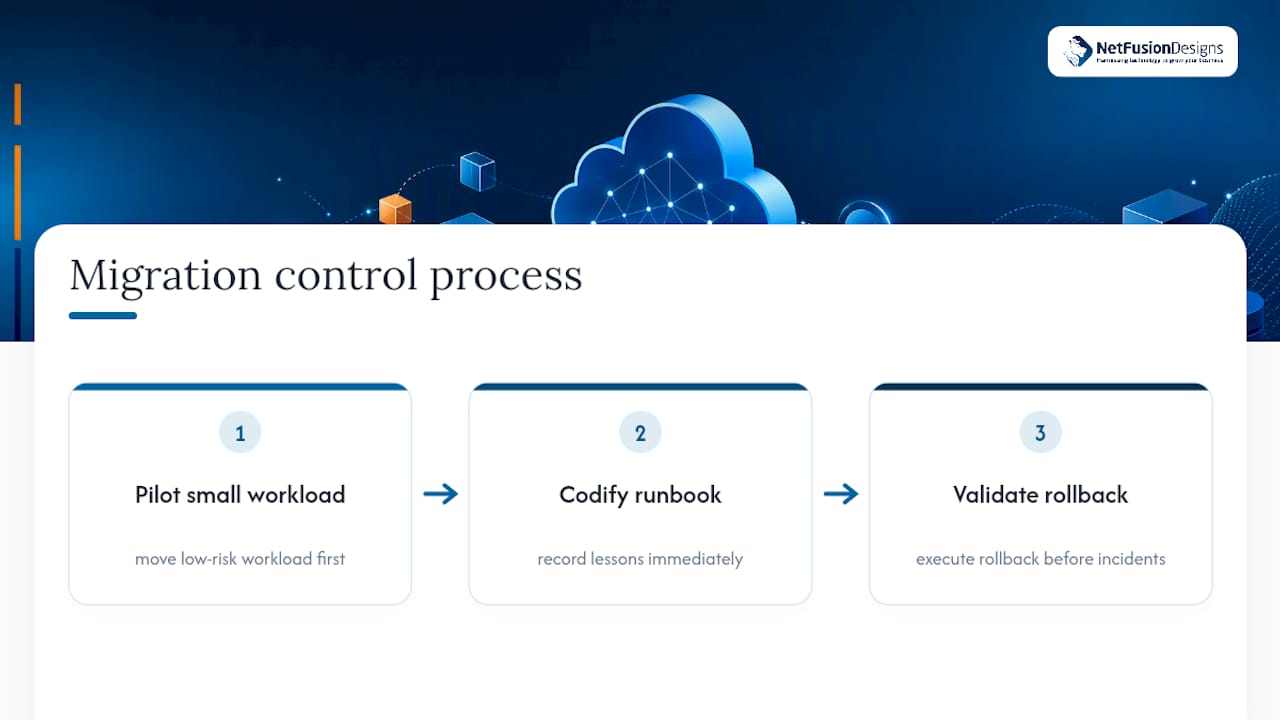
Pilot small, on purpose. A single low-risk workload moved first will surface every flaw in your runbook before that flaw costs you a production outage. Codify what you learn from that pilot immediately, while the details are fresh, rather than trusting memory three waves later. And validate rollback before you need it, not during an incident: a rollback plan nobody has actually executed is a hope, not a plan.
Managed services earn their cost specifically where internal teams lack either the discovery tooling or the migration-specific staffing to run this process safely, not as a blanket substitute for in-house judgment.
A short governance checklist worth stealing: confirm who owns sign-off at each gate before wave one starts, decide your rollback trigger threshold in writing, and set a compliance checkpoint at the end of every wave, not just the beginning. These three items get skipped more often than any technical step in the entire process.
— Geeshan
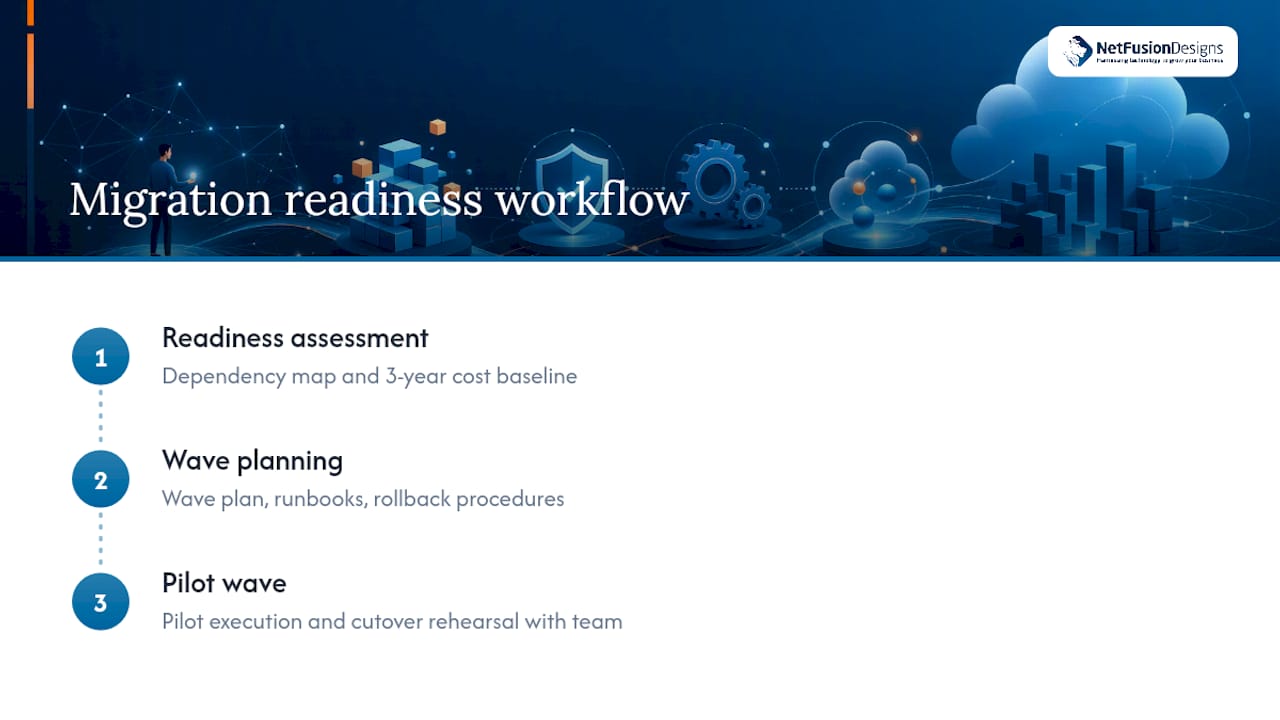
Most SME migration problems trace back to one thing: nobody scoped the dependency map or the three-year cost before committing to a date. NetFusion Designs Inc’s managed migration service is built for exactly that gap, businesses that need a SOC 2 Type II backed migration but don’t have a dedicated migration team to run discovery, wave planning, and cutover rehearsal in-house.

The service suits SMBs planning a first move to cloud infrastructure or a modernization of an existing environment, where the internal team has the operational knowledge but not the bandwidth to build runbooks and test rollback procedures properly. NetFusion Designs Inc runs the readiness assessment, builds the wave plan, and executes the pilot wave with your team, rather than handing over a document and stepping back.
If you’re planning a migration in the next two quarters, start with a readiness assessment through Managed IT in Kitchener and Waterloo to get a dependency map and cost baseline before you lock in a cutover date.
The frameworks and figures in this guide come from primary migration guidance published by major cloud providers and industry outlets covering SME cloud adoption. For deeper technical detail on the 7 Rs, wave planning, and phase structure, consult AWS Prescriptive Guidance on migration strategies, Microsoft’s Cloud Adoption Framework migration planning guide, Google Cloud’s migration best practices, and BizTech Magazine’s coverage of SME cloud migration challenges.
The 7 Rs are rehost, relocate, replatform, refactor, repurchase, retire, and retain, each representing a different balance of speed, cost, and modernization value for a given workload.
A cloud migration strategy is a workload-level plan that assigns each application to one of the 7 Rs and sequences the moves into assess, mobilize, and migrate waves to control risk and cost.
The original 5 Rs, rehost, replatform, repurchase, refactor, and retire, came from Gartner’s early framework; AWS later expanded it to 7 by adding relocate and retain.
Common frameworks compress migration into three core phases (assess, mobilize, migrate and modernize), though some guides break these into five steps by splitting planning and optimization into separate stages.
Timelines vary widely by workload complexity and team capacity, but a phased, wave-based approach with a pilot migration typically spans several months rather than weeks for a multi-application environment.
%20(1).avif)
%201.avif)