NetFusion Designs logo
Heart icon
Support
Email
info@nfd.ca
Phone
647-476-5259(Canada)
IT Services
Icon dropdown arrow

Infrastructure Implementation

Project PlanningHardware Voice over IP (VoIP)Application DevelopmentCloud DesktopSecurity Cameras

Managed IT Services

IT Support24/7 HelpDeskCyber Security & AntivirusData Backups & Disaster
Recovery
Co-Managed ITComplianceEmergency Ransomware
Recovery
Penetration & Vulnerability
Assessment

Optimization of Processes

Microsoft 365 OptimizationVirtual CIO ServicesPenetration TestingInventory Lifecycle
Management
Transforming SMEs with AI
Industries
Icon dropdown arrow
Dental Managed IT Services
Construction
Hotels & Hospitality
Franchises
Financial & Insurance Services
Government
Health Care & PharmaceuticalLegal & Professional Services
Local Small & Medium Businesses
Manufacturing
Non-profit
Real Estate
Retail
Transportation & Logistics
Enterprise & Consulting
Publicly Traded Companies
Our Story
Icon dropdown arrow
About UsTestimonials
Partners
Sponsorship
BlogContact Us
Open menuClose menu
Icon chevron up
Browse Blog:
Business
Insight
Advice
Insight

Disaster Recovery Testing: Prove RTO, Fix Gaps for Canadian IT Teams

Disaster Recovery Testing: Prove RTO, Fix Gaps for Canadian IT Teams

A disaster recovery test checklist is a structured set of steps that verifies your backups, systems, and people can actually meet your recovery targets when something goes wrong. The outcome that matters most is proof: confirmed recovery time objectives (RTO), recovery point objectives (RPO), and a team that knows its role under pressure. The Canadian Centre for Cyber Security and a disciplined after-action process both anchor this kind of testing in practice rather than paperwork.


TL;DR:

  • Start with checklist or tabletop exercises, then progress to simulation and parallel recovery; reserve cutover tests for systems whose failure risk justifies production disruption.
  • Set system specific RTO and RPO targets, assign owners and alternates, map dependencies, and confirm isolation, credentials, success criteria, and rollback conditions before test day.
  • Before restored backups reenter production, scan them for malware and verify connectivity, authentication, core application functions, and data integrity in a sandbox or parallel environment.
  • The after action report should compare objectives with results, record recovery times and target gaps, explain business impact, and assign each fix an owner and deadline.
  • Review recovery plans at least every three years as a baseline, but test high priority systems sooner when tight targets or prior failures raise the risk.

NetFusion Designs Inc
Make Recovery Plans Work When Needed
NetFusion Designs provides managed IT services, including security, monitoring, cloud, and helpdesk support for small and mid-sized businesses.
Explore managed IT services

Table of Contents

  • What disaster recovery testing does and why it belongs in the BCP/DRP lifecycle
  • Common test types and how to choose the right one
  • Planning checklist: scope, objectives, and logistics before test day
  • Execution checklist and runbook for test day
  • Validation and safety checks before systems go live again
  • After-action reporting and the improvement plan that follows
  • Compact sample checklist for your next test
  • What separates a useful test from a checkbox exercise
  • Managed disaster recovery testing with NetFusion Designs
  • FAQ
  • Sources

What disaster recovery testing does and why it belongs in the BCP/DRP lifecycle

Disaster recovery testing is not a pass or fail exercise. It is a diagnostic process, the same way a fire drill is not meant to prove everyone escapes perfectly on the first try. Ready.gov frames testing as building muscle memory: the point is to find the weak spots while the stakes are low, then fix them before a real incident forces the issue.

That diagnostic purpose only works when testing connects to the rest of your continuity planning. A business impact analysis (BIA) identifies which systems and processes matter most and sets the recovery objectives your tests are measured against. Without that link, a test can “succeed” technically while missing the actual business need.

A well-designed test validates more than servers coming back online. It checks:

  • Whether staff know their roles and can execute them without a supervisor walking them through it
  • Whether communication protocols reach the right people in the right order
  • Whether manual workarounds actually work when systems are down
  • Whether dependencies between systems were mapped correctly in the plan

Restoring a server is the easy part. Proving the organization can function around it is the real test.

Common test types and how to choose the right one

Not every test needs to shut down production. The Canadian Centre for Cyber Security outlines a range of test types, each with a different intensity and risk profile, and choosing the right one for your team’s maturity matters as much as running the test at all.

  • Checklist test: Team members review the plan individually and confirm contact lists, procedures, and resources are current. Low risk, minimal coordination required.
  • Walkthrough: The team meets to talk through each step of the plan in sequence, catching gaps in logic or missing details.
  • Tabletop exercise: A simulated incident scenario is discussed as a group, with participants describing how they would respond. No systems are touched.
  • Simulation: A more realistic scenario is run, sometimes with partial system involvement, to test decision-making under closer-to-real conditions.
  • Parallel test: Recovery systems are activated alongside production systems, so you can validate recovery without disrupting live operations.
  • Cutover (full interruption) test: Production is actually taken offline and recovery systems take over entirely.

Cutover tests can provide a realistic way to check that recovery works, but they come with real cost. The Canadian Centre for Cyber Security is direct about this: cutover tests cause business interruptions and require extensive additional planning, and in some organizations they may simply be infeasible given the operational risk.

The practical path is progression. Start with checklist and tabletop exercises to build familiarity and catch obvious gaps. As confidence grows, move to simulation and parallel tests. Reserve cutover testing for systems where the business impact of an untested failover is high enough to justify the disruption of testing it for real.

Planning checklist: scope, objectives, and logistics before test day

A disaster recovery test is only as good as the planning behind it. Rushing into execution without defined scope produces results nobody can act on, and worse, it can create actual outages if isolation steps are skipped.

  1. Define scope and measurable objectives. State exactly which systems, applications, or sites are being tested, and tie each one to a specific RTO and RPO target rather than a vague goal like “test the backup.”
  2. Assign stakeholder roles and alternates. Name a test lead, technical responders, a communications lead, and a decision-maker with authority to halt the test. Include legal or compliance representation when regulated data is involved, and name a backup for every role.
  3. Inventory critical systems and dependencies. Pull this directly from your BIA: list which systems are highest priority, what they depend on, and in what order they need to come back online.
  4. Document the test schedule and environment isolation plan. Specify the exact window, confirm the test runs in a sandbox or parallel environment, and record who approved production isolation steps.
  5. Compile access and credential lists. Confirm test participants have the accounts, VPN access, and permissions they need ahead of time, not discovered mid-test.
  6. Set success criteria and rollback conditions. Define what “recovered” looks like in measurable terms, and set a clear threshold for when the test gets paused or rolled back.
  7. Establish notification thresholds. Decide in advance who gets notified if the test uncovers something serious enough to require immediate attention outside the test window.

This planning stage is also where continuity and recovery plans need to be tested together rather than separately. The Canadian Centre for Cyber Security notes that restoring servers alone does not satisfy continuity testing; manual workarounds, communication protocols, and team coordination all need validation alongside the technical recovery.

Pro Tip: Write your success criteria before the test starts, not after you see the results. It is much harder to grade a test honestly once you already know the outcome.

Our disaster recovery plan steps guide walks through how this planning stage ties into the broader plan document if you are building one from scratch.

Execution checklist and runbook for test day

With planning complete, execution needs its own discipline. A test that wanders off-script produces unreliable results and increases the odds of an accidental production impact.

  1. Run pre-test verifications. Confirm backups are present and current, test credentials work, the sandbox environment is ready, and communication channels (phone tree, chat, email) are live before anyone touches a system.
  2. Establish command and control. The test lead runs the exercise, an incident commander makes real-time decisions, and designated observers record timestamps, actions, and issues without participating directly.
  3. Execute recovery actions in priority order. Work through the system list from the planning stage, restoring the highest-priority systems first and recording how long each step actually takes against its target RTO.
  4. Use standardized communication templates. Status updates should follow a consistent format so nothing is ambiguous when read back during the review.
  5. Capture logs and monitoring data continuously. Every action, timestamp, and anomaly gets recorded in real time, not reconstructed from memory afterward.
  6. Watch for rollback triggers. If a step risks touching production systems in an unplanned way, the incident commander halts the test immediately rather than pushing through to finish on schedule.

The goal is a test that is auditable after the fact. If someone outside the room can read the log and understand exactly what happened, in what order, and why, the execution was disciplined enough to trust the results.

Validation and safety checks before systems go live again

This is the step teams skip most often, and it is the one that prevents a disaster recovery test from quietly reintroducing the problem it was meant to solve. Restored data is not automatically clean. The Canadian Centre for Cyber Security is clear that organizations must verify and scan restored backups for malware before reintegrating them, since a backup taken after an infection can carry that infection straight back into production.

Beyond malware verification, a handful of system validation checks confirm the restored environment is actually reliable:

  • Connectivity checks between restored systems and their dependencies
  • Authentication tests confirming accounts and permissions behave as expected
  • Application smoke tests covering core functions, not just whether the service starts
  • Data integrity checks comparing restored data against known-good checksums or record counts

Running these checks in a sandbox or parallel environment, rather than directly against production, keeps a validation failure from becoming a live incident of its own.

Pro Tip: Treat “the restore completed” and “the restore is safe to use” as two separate milestones. A backup can finish restoring and still fail malware verification.

After-action reporting and the improvement plan that follows

A test without a documented after-action report (AAR) is a test whose lessons disappear. The AAR is what turns a one-time exercise into a permanent improvement to your recovery posture.

A useful AAR captures:

  • The test’s stated objectives and what was actually tested against them
  • A timeline of what happened, including how long each recovery step took
  • Gaps found, specifically where actual results missed the target RTO or RPO
  • The business impact of each gap if it had occurred during a real incident
  • Recommended fixes, each with enough detail that someone unfamiliar with the test could act on it

Findings only matter if they close. Each corrective action needs a named owner, a deadline, and a tracking mechanism that someone actually checks, not a line item that gets mentioned once and forgotten. Multi-day exercises often conclude with a formal debrief and after-action report specifically to capture this kind of lesson while it is fresh.

Retest cadence should follow criticality and history. Systems tied to tight RTOs, or systems that failed their last test, deserve more frequent retesting than lower-priority systems with a clean track record. Guidance on incident response planning suggests reviewing plans at least every three years at a minimum, though the right frequency for your highest-risk systems is almost always shorter than that baseline.

Compact sample checklist for your next test

Here is a condensed version you can paste into a runbook or test playbook. It covers the non-negotiables from each phase without the full detail above.

  • Header fields: Test date, test lead, scope, systems in scope, target RTO/RPO
  • Planning: Objectives documented, stakeholders and alternates assigned, environment isolation confirmed, credentials verified
  • Execution: Pre-test verification complete, command structure assigned, recovery steps logged with timestamps, communication templates used
  • Validation: Backups scanned for malware, connectivity and authentication checked, application smoke test passed, data integrity confirmed
  • Post-test: AAR drafted, gaps assigned to owners with deadlines, retest date set if needed

Mark each line pass or fail as you go. A single fail in the validation phase, especially malware verification, should block sign-off regardless of how well the rest of the test went.

What separates a useful test from a checkbox exercise

The biggest mistake we see is testing in live production because setting up a sandbox feels like extra work. It almost never is, and the cost of an accidental outage during a test dwarfs the time saved skipping isolation. Parallel and sandbox environments exist precisely so a failed test stays a learning moment instead of becoming the incident you were trying to prevent.
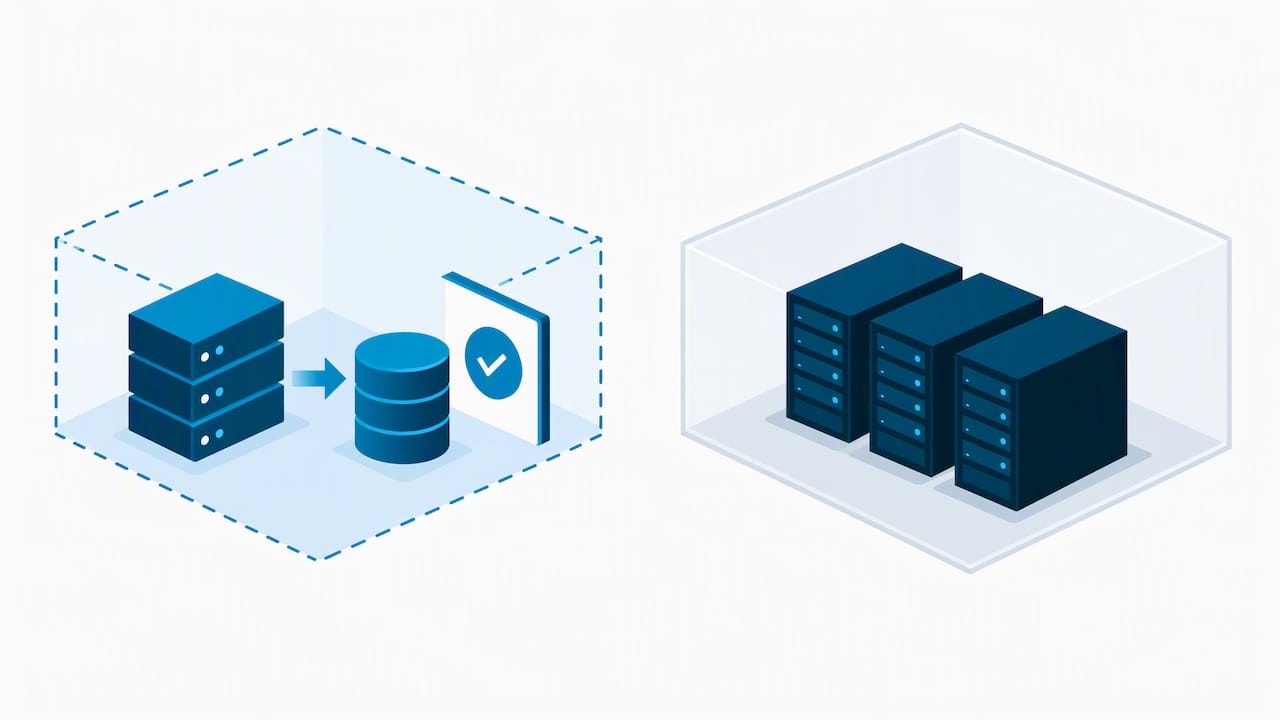
Isolated sandbox test beside protected production environment

The second mistake is treating a discovered failure as a bad outcome. A test that finds nothing wrong either got lucky or wasn’t rigorous enough. A failure found in a controlled test is a problem solved cheaply; the same failure found during a real incident is a problem solved expensively, if it gets solved at all.

Keep executives in the loop by translating results into business terms: hours of downtime avoided, dollars of exposure reduced, not technical jargon about failover timing.

— Geeshan

Managed disaster recovery testing with NetFusion Designs

Running a disciplined test program takes time most IT teams don’t have free between daily tickets and projects. We provide backup and disaster recovery services.

NetFusion Designs Inc

We provide backup and disaster recovery services tailored to clients’ needs:

  • Backup and disaster recovery services to support your recovery needs
  • Backup and disaster recovery services to support your recovery needs
  • Backup and disaster recovery services to support your recovery needs

If your current backup strategy has never been tested against a real RTO target, that’s the gap worth closing first. Check our Cloud Backup & Disaster Recovery page for details, or get in touch to talk through where your current plan stands.

FAQ

What is a disaster recovery test checklist?

A disaster recovery test checklist is a structured list of steps, from pre-test planning through execution and validation, used to confirm that backups, systems, and staff can meet defined recovery targets. It exists to make testing repeatable and auditable rather than ad hoc.

How often should you test a disaster recovery plan?

Testing frequency should be driven by system criticality and prior test results, with higher-priority systems tested more often. Guidance on incident response planning recommends reviewing plans at least every three years as a baseline, though organizations set their own testing cadence based on risk.

What is the difference between a tabletop test and a cutover test?

A tabletop test is a discussion-based exercise where the team talks through a scenario without touching any systems, making it low risk and easy to run frequently. A cutover test actually takes production offline and shifts operations to recovery systems, which the Canadian Centre for Cyber Security notes causes real business interruption and needs extensive additional planning.

Why do you need to scan backups for malware before restoring them?

Restored backups can carry an infection if they were taken after malware already compromised the system, so restoring without a scan risks reinfecting the environment. The Canadian Centre for Cyber Security advises verifying and scanning restored data before reintegration for this reason.

What should an after-action report include?

An after-action report should document the test’s objectives, what was actually tested, a timeline of results, any gaps against RTO or RPO targets, and specific recommended fixes with owners assigned. This record is what allows a test program to improve over successive cycles rather than repeating the same gaps.

Should small businesses run disaster recovery tests the same way large enterprises do?

Smaller teams can scale the same checklist down in scope while keeping the core steps intact: planning, execution, validation, and an after-action report. Starting with a checklist or tabletop exercise, as recommended for organizations building up their testing maturity, keeps the exercise manageable without skipping the steps that matter.

For a small application or site, backup verification matters just as much. A WordPress-specific backup guide covers how to match backup frequency to recovery point targets for smaller, web-based systems.

Sources

  • Developing your IT recovery plan (ITSAP.40.004) - Canadian Centre for Cyber Security
  • Develop an Incident Response Plan: Fillable template and example

Recommended

  • IT Disaster Recovery Consulting in Vancouver
  • Backup & Disaster Recovery Toronto | Tested Restores
  • Disaster Recovery Plan Steps
  • Canada Cloud Backup Services - Disaster Recovery - Offsite Backup

Continue Reading

Employee Phishing Training: Monthly Drills Need SOC Follow Through
Employee Offboarding IT Checklist for Small Businesses
Pen Test vs Red Team: A 12–18 Month Plan for Canadian CISOs
Manufacturing Cybersecurity: 10 Controls to Protect Live Production
NetFusion Designs logo
NetFusion Designs is a globally recognized IT service provider and services clients across North America.

We hold a SOC 2 Type 2 report, and maintain internal processes and procedures that keep our clients’ data secure and confidential.
NetFusion Designs IT support team

IT Services Near Me

BurlingtonOakvilleHamiltonMississaugaMiltonBramptonEtobicokeBrantfordGuelphKitchenerWaterlooCambridgeSt CatharinesTorontoMarkhamCaledonNewmarketNorth YorkPickering & DurhamLondonMontreal

Services

Project PlanningHardwareTelephony & VoIPApplication DevelopmentCloud DesktopSecurity CamerasHelpdesk & SupportCyber Security & Anti-VirusData Backups & Disaster RecoveryMicrosoft 365 OptimizationVirtual CIO ServicesPenetration TestingPricingSchedule a MeetingRemote Support
Pricing

Pages

Free Security ScanAbout UsOur Migration ApproachWork CultureOur Core ValuesCode of ConductTestimonialsContactBlogSchedule a MeetingRemote Support

TORONTO

Bank capital office building law
401 Bay St, 16th Floor, Toronto Ontario
Email
info@nfd.ca
Phone
647-476-5259 (Canada)

MARKHAM

Bank capital office building law
141 Main Street N, Markham, ON L3P 1Y2
Email
info@nfd.ca
Phone
647-476-5259 (Canada)

TRI-CITY AREA
(Kitchener / Waterloo / Cambridge)

Bank capital office building law
22 Frederick St, Suite 700, Kitchener Ontario
Email
info@nfd.ca
Phone
647-476-5259 (Canada)

PEEL REGION

Bank capital office building law
6700 Century Ave, 3rd floor, Mississauga, ON L5N 1V8
Email
info@nfd.ca
Phone
647-476-5259 (Canada)

DURHAM REGION

Bank capital office building law
1315 Pickering Parkway, Pickering, ON L1V 7G5
Email
info@nfd.ca

MONTREAL

Bank capital office building law
8815 Av du Parc #402, Montréal, QC H2N 1Y7
Email
info@nfd.ca
Phone
647-476-5259 (Canada)

Special Offers

Radio station signal antena tower
Pricing: $100–185 per user
Icon chevron right
Terms and ConditionsPrivacy PolicyCookie Policy
© 2026 NetFusion Designs Inc.
LinkedInFacebookAlignable logo