A Canadian law firm should encrypt every email that carries client information, and should know exactly what its encryption does and does not protect. Standard transport encryption (TLS) covers the journey between mail servers. Sensitive files and privileged advice need more: encryption applied to the message itself, a secure portal, or both. Below we explain the duties behind this, the technical choices, how to set it up in Microsoft 365, and how to make it work for clients who are not technical.
Email is the main channel for client instructions, draft agreements, disclosure and invoices. It is also easy to misdirect, intercept or forward. That is why the guidance from Canadian bodies keeps returning to the same point.
The Office of the Privacy Commissioner of Canada’s privacy handbook for legal practices explains how PIPEDA applies to lawyers and expects technological safeguards such as encryption, especially where information is sensitive. The Canadian Cyber Centre, part of the Communications Security Establishment (CSE), names legal documents and personal data as the kind of content where email encryption matters most.
The professional duty points the same way. The Canadian Bar Association’s Legal Ethics in a Digital Context says lawyers must hold client information in strict confidence, guard against third-party access throughout its lifecycle, and send confidential or sensitive electronic correspondence encrypted. In Quebec, the Barreau du Québec’s FAQ on notification by technological means says lawyers must take reasonable steps against unauthorized access or interception, and that email communications should be encrypted.
In Ontario, the Law Society’s Technology Guideline invites lawyers to use communication technologies suited to the client, and reminds them to address security. Rules differ by province, so check your own law society’s current guidance. The pattern is consistent: encryption is not optional for sensitive material, and “reasonable” is judged by what is readily available.

Your email provider, your encryption tool and your IT provider all handle client information on your behalf. The Privacy Commissioner’s handbook says lawyers remain accountable for information handled by third parties and strongly recommends written agreements covering jurisdiction, privacy controls and audits. Before you adopt any email security product, ask where the data is processed, who can read it, and what the audit rights are.
Our PIPEDA compliance checklist walks through those questions in more detail.
Most confusion about email encryption comes from treating it as one thing. There are two layers, and they protect against different risks.
TLS (transport encryption). According to the CSE’s email security guidance, TLS creates an encrypted channel between email clients and servers, or between servers, so email cannot be eavesdropped on in transit. Microsoft makes the same point: TLS does not encrypt the message content once it reaches the recipient’s server. In practice, the message is decrypted and re-encrypted at each hop, so TLS protects individual connections, not the message from end to end, as Cloudflare explains.
End-to-end or message-level encryption. The CSE identifies S/MIME and PGP as end-to-end methods. The content stays encrypted in transit and while stored on servers, and only the intended recipient, holding the right key or credential, can read it.
| TLS | End-to-end or message-level | |
|---|---|---|
| Protects against | Eavesdropping on the network | Eavesdropping, plus access on servers and in mailboxes |
| Visible to mail servers | Yes, in plaintext | No |
| Needs action from the lawyer | None, if servers support it | Yes: apply a label, button or policy |
| Needs action from the client | None | Sometimes: a passcode, a key or a portal login |
| Suits | Routine, low-sensitivity messages | Privileged advice, identity documents, financial and medical records |
Some vendors argue that TLS is probably enough for email without sensitive content, and that end-to-end encryption is what protects sensitive information at rest as well as in transit. Law firm email is rarely free of sensitive content, so we treat message-level protection as the default for anything privileged and rely on TLS as the baseline for everything else.
The CBA paper warns that encryption conceals content but not metadata: the identities of the sender and recipient remain visible in transit. Privacy Guides adds that with OpenPGP, some metadata, typically the subject line, is left in plaintext. The practical rule: never put the client’s name, a matter description or a settlement figure in a subject line. Use “Your file, update” and put the detail inside the encrypted body.
If your firm runs Microsoft 365, you probably already own most of what you need. The catch is that nothing protects messages until someone sets it up and trains people to use it.
According to Microsoft Learn, administrators can create Microsoft Purview sensitivity labels with encryption, including options such as “Encrypt-Only” and “Do Not Forward”, which lawyers then apply in Outlook. “Do Not Forward” can stop recipients from forwarding, printing or copying the content. Availability depends on your Microsoft 365 licence, so confirm your plan before you design a policy.
Keep it small. Two or three labels is enough, and people will use them:
You can also create mail flow rules so that messages containing certain patterns, such as SIN numbers or a matter-number format, prompt the sender or encrypt automatically. Automatic rules catch the message a busy lawyer forgot to label.
Encryption protects content. It does not stop someone from impersonating your domain to send fake wire instructions to your clients. For that you need sender authentication records such as SPF, DKIM and DMARC. Firms on Google Workspace can follow this walkthrough on DKIM setup in Google Workspace, and Microsoft 365 firms need the equivalent in their own admin centre.
The best encryption policy fails if the client cannot open the message. Plan for this from the start.
With Microsoft Purview Message Encryption, recipients who use Outlook usually open the message with their existing credentials. Recipients on other platforms receive a limited-time link with a one-time passcode to read it in a web portal, and administrators can decide whether one-time passcodes are allowed.
If a client reports they cannot open a message, work through this list:
For many clients, a secure portal is simpler than any encrypted email. The CSE notes that a TLS-protected web portal for sensitive information can be more user-friendly than expecting recipients to apply PGP or S/MIME consistently, provided the stored data is encrypted at rest too. In the email, send a short notice (“A document is waiting for you in the portal”) and keep the content in the portal.
Our guide to cloud solutions for law and accounting firms covers how document storage and sharing fit together.
Technology alone does not meet your duty. The CBA paper advises lawyers to agree the communication medium with clients beforehand, so clients understand and consent to the risks of email, such as interception or unauthorized access. The Law Society of Alberta recommends asking for consent to email and cloud use in the retainer agreement.
A short clause is usually enough. It should say:
Confirm the wording with your law society’s guidance or your professional liability insurer.
Many firms ask how to encrypt email for free. You have three realistic choices, and each has limits.
A free tool that your lawyers bypass because it is awkward is worse than a paid one they use daily. Judge any option by whether it will be used on a Friday afternoon with a deadline looming.
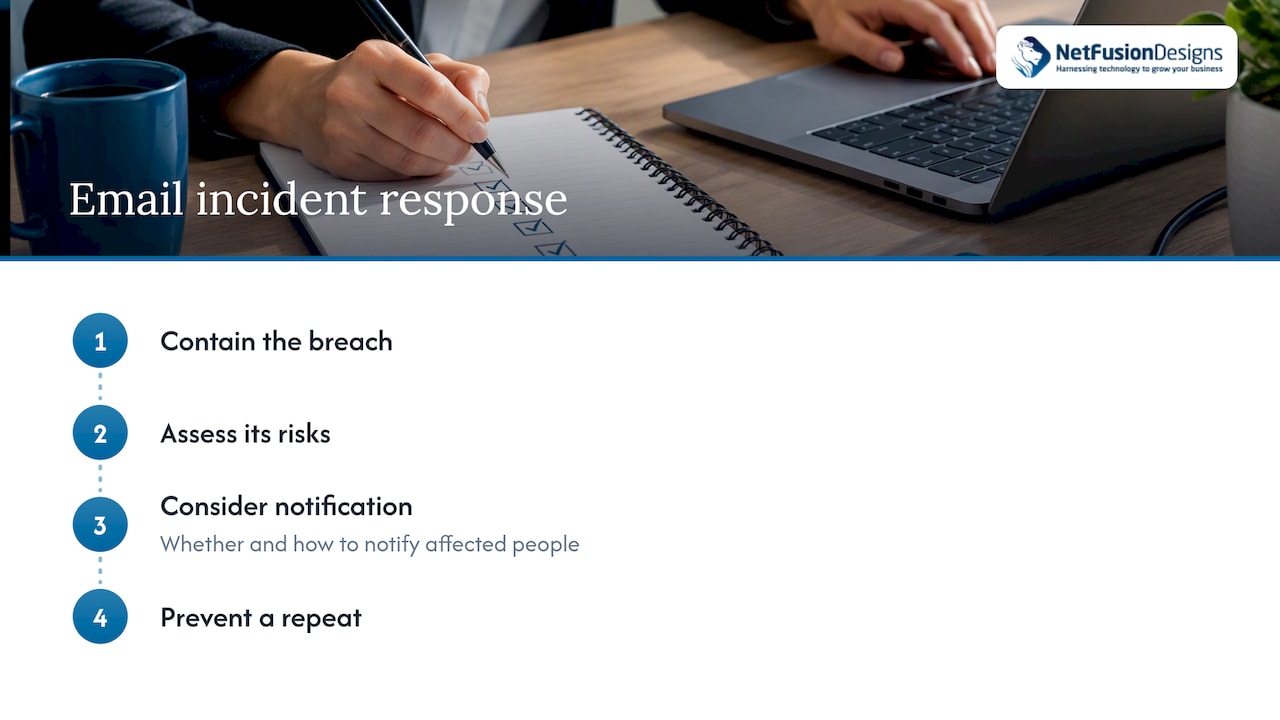
The most common email incident in a law firm is not a sophisticated attack. It is a message sent to the wrong person, or a mailbox compromised by a phishing link. The Privacy Commissioner advises lawyers to contain the breach, assess its risks, consider whether and how to notify affected people, and take steps to prevent a repeat. Write that sequence into an incident plan before you need it, name who decides on notification, and keep your insurer’s reporting requirements to hand. For technology-side containment guidance, see this overview of cybersecurity risks and how to reduce them.
We see the same pattern in law and accounting firms. The firm buys a tool, a handful of people use it, and everyone else carries on as before. Six months later there is a policy on paper and a mailbox full of unprotected attachments.
Our view is that encryption works when three things are true. The default is safe, so a lawyer has to choose to lower protection, not raise it. The client experience is simple enough that no one asks for a workaround. And the firm can show, with logs and written policy, what it did and when. That is why we run email security as part of a wider managed service, with Microsoft 365 configuration, endpoint protection, monitoring and a SOC 2 Type II-certified team behind it, rather than as a standalone plugin. We also explain every setting in plain language, because partners and clerks follow rules they understand.
— Geeshan
You do not need a long project. A practical sequence looks like this:
After that, review quarterly: sample sent items, check for unencrypted messages with sensitive content, and update the guide. Our cybersecurity checklist for law firms covers the rest of the baseline: multi-factor authentication, backups, endpoint protection and staff training.
NetFusion Designs provides managed IT services for professional firms across Ontario and Canada, including Microsoft 365 optimization, 24/7 helpdesk, managed cybersecurity and compliance support. If you want email encryption configured, tested with real clients and documented for your law society or insurer, we can do that as part of a plan. For the wider compliance picture, see our IT compliance support in Ontario and our Toronto cybersecurity services.
Not end to end by default. Transport encryption between servers is common, but protecting message content needs configuration, such as Purview sensitivity labels with encrypt-only or Do Not Forward options. Check what your Microsoft 365 licence includes.
Use TLS as a baseline and any sensitivity labels already included in your Microsoft 365 plan. Avoid free personal webmail for client work, because its privacy and data ownership terms are rarely suitable. Remember that no email encryption hides metadata.
Only those sent using a method such as S/MIME or PGP, or a message-level encryption service that works the same way. Ordinary email is not. Recipients decrypt using the right key or credential.
Check the address, ask them to look for the one-time passcode in junk mail, and point them to the web portal link if their mail app is unsupported. If it still fails, resend through a secure portal instead of forwarding the original message.
%20(1).avif)
%201.avif)