Choosing an IT support company in Kitchener is one of those decisions that feels routine until the morning your team can't log in, email is down, and a client deadline is two hours away. Then it becomes the most important vendor relationship in your business.
Kitchener-Waterloo has no shortage of IT providers, from one-person shops to national firms with a local sales rep. The challenge isn't finding someone who will take your money — it's finding a partner whose incentives line up with yours: systems that stay up, problems fixed quickly, and technology that genuinely supports how your business runs.
This guide covers what an IT support company should deliver, how to evaluate one before you sign, and the red flags that tell you to keep looking.
If you're already comparing providers, see how NFD works as an IT support company in Kitchener-Waterloo.
At minimum, an IT support company keeps your technology running: troubleshooting when things break, maintaining servers and workstations, managing backups, and keeping software patched and secure. That's the baseline.
A good one does considerably more. Managed IT services typically include:
The difference between break/fix support and managed IT is the difference between calling a plumber after the flood and having someone maintain the pipes. One reacts; the other prevents.
You can buy IT support from anywhere now, and for some businesses a remote-only provider works fine. But there's a practical case for a company with a real presence in Kitchener-Waterloo:
On-site when it matters. Some problems can't be fixed remotely — a failed server, a network hardware fault, a new office fit-out. A local team can be at your door the same day.
They understand the local business landscape. A Kitchener-based IT support company works with manufacturers across the region, professional services firms downtown, and startups in the Communitech orbit. That context shapes better advice than a generic playbook.
Accountability is easier. It's harder for a provider to go quiet on you when they're twenty minutes away and you might run into them at a chamber event.
None of this means the provider has to be large. It means they have to be reachable, responsive, and genuinely local — not a distant call centre with a Kitchener area code.
Ask for the service level agreement (SLA) in writing. "Fast response" means nothing; "critical issues acknowledged within 15 minutes" means something. Understand the difference between response time (how quickly they acknowledge the problem) and resolution time (how quickly it's fixed). Both matter, and both should be documented.
Also ask what happens outside business hours. If a server fails at 2 a.m., you need to know someone is actually watching. A provider offering genuine 24/7 support will explain exactly how after-hours coverage works instead of just claiming it on their website.
Cyber threats don't distinguish between large enterprises and a 25-person firm in Kitchener. Smaller businesses are targeted precisely because their defences tend to be weaker.
Your IT support company should treat cybersecurity as part of the core service, not an expensive add-on. At minimum, expect managed firewalls, endpoint detection and response on every device, email filtering and phishing protection, regular patching, and multi-factor authentication enforced across your systems. Ask how they handle security awareness training for your staff — most breaches start with someone clicking something, not a firewall failing.
The best IT problem is the one you never hear about. Ask potential providers how they monitor client systems: what they watch for and how they report on it. A mature provider will show you a sample monthly report — patch status, backup verification, security events, system health — before you ever sign.
If a provider can't explain what "proactive" means in concrete terms, they're selling break/fix with better marketing.
Managed IT is typically priced per user per month. That model exists for a reason: when the provider earns a flat monthly fee, preventing problems is more profitable than billing hours to fix them. Your incentives finally point the same direction.
Be wary of pricing that's vague or loaded with exclusions. Ask what's included, what costs extra, and what a typical month looks like for a business your size. You should be able to budget for IT the way you budget for rent — a known number, not a surprise.
Long-term contracts protect the provider, not you. A confident IT support company doesn't need to lock you in for three years; it keeps clients by doing good work.
Look for month-to-month terms or short initial commitments. And read the exit clause before you need it: who owns your documentation, passwords, and configurations? A reputable provider hands everything over cleanly. One that makes leaving painful is telling you something about how it treats clients.
Even in a remote-first world, physical presence matters. Ask where the technicians are actually based, how quickly they can reach your office, and whether on-site visits cost extra. If the answer is evasive, the "local" provider may be anything but.
The IT needs of a 200-person manufacturer and a 12-person law firm are genuinely different — in tooling, budget, and risk profile. Ask for examples of clients in your size range and industry. You don't need names (a good provider won't share them), but you do need evidence they've solved problems like yours before.
Artificial intelligence is moving from novelty to everyday business tool, and your IT provider should have a point of view on it. That doesn't mean pushing AI products — it means advising you on using AI tools securely: which ones are safe for business data, how to set usage policies, and how AI fits alongside your existing systems. A provider with no AI perspective is already behind.
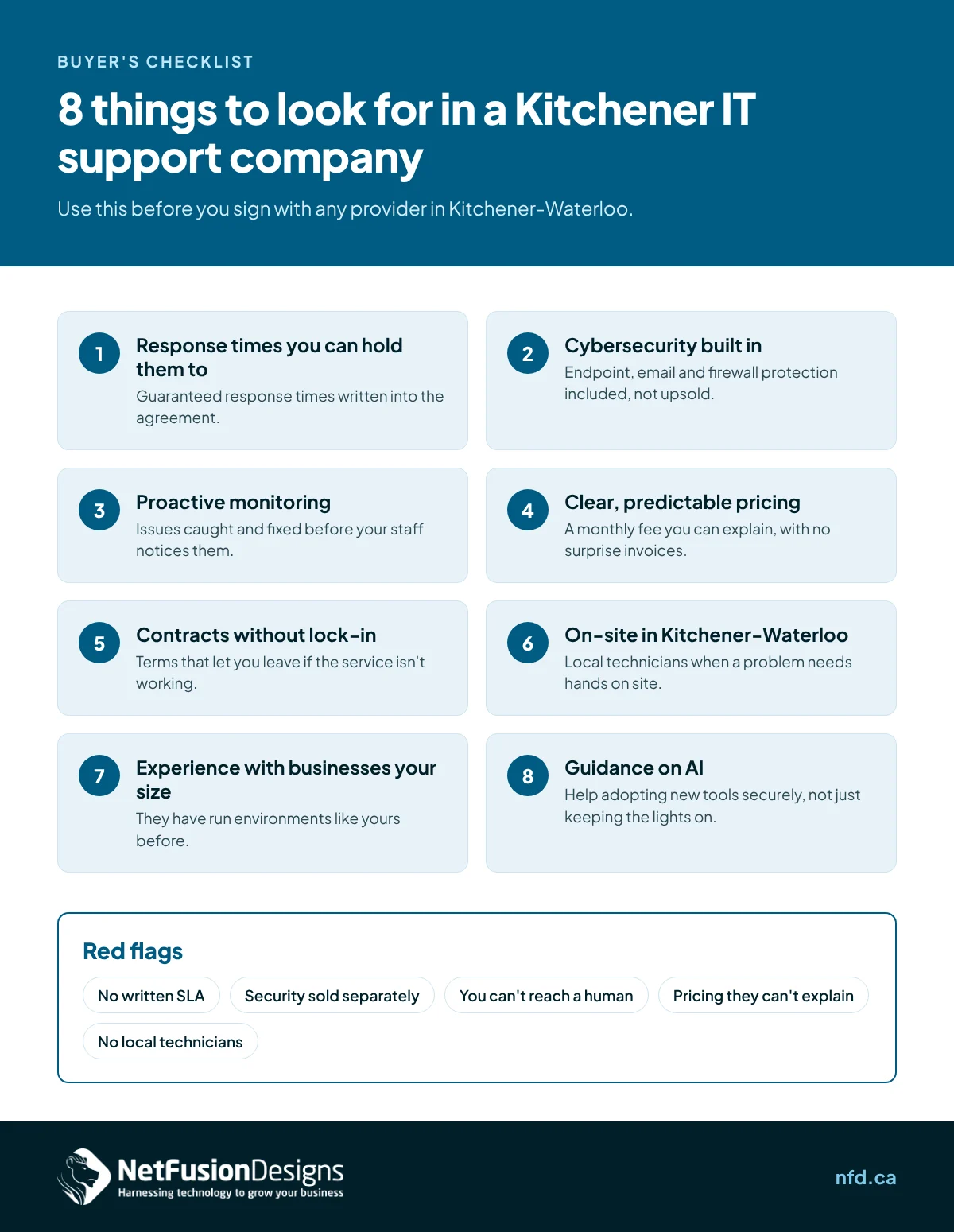
Bring these to every sales call. The quality of the answers tells you most of what you need to know:
NetFusion Designs has provided managed IT services to Kitchener-Waterloo businesses since 2006. We offer 24/7 support without lock-in contracts, covering managed IT, cybersecurity, and practical AI guidance — the three things modern businesses actually need from a technology partner.
If you're evaluating IT support companies in Kitchener, we're glad to show you a sample monitoring report, walk through our SLAs in plain language, and answer every question on the list above.
Most managed IT providers in the region charge per user per month, with pricing that varies by services included and environment complexity. Expect a straightforward per-user figure rather than hourly billing — and be cautious of any quote that can't clearly explain what's included.
For most businesses under 50 people, outsourcing costs less than a single full-time IT hire while giving you access to a whole team, including cybersecurity expertise that's difficult to hire for directly. Larger businesses often run a hybrid: internal IT for day-to-day needs, with a managed provider covering security, after-hours support, and strategic planning.
A well-managed transition typically takes two to four weeks: discovery, documentation, credential transfer, and monitoring setup. Your new provider should handle the heavy lifting and coordinate with the outgoing one. (We cover this in detail in our guide to switching IT providers.)
Yes. Smaller businesses are frequently targeted because attackers expect weaker defences. At minimum you need managed firewalls, endpoint protection, email security, phishing training, and enforced multi-factor authentication — all of which a competent IT support company includes as standard, not as extras.
Ready to talk? Contact NetFusion Designs for a straightforward conversation about your IT — no pressure, no jargon. We respond within 15 minutes during business hours (Mon–Fri, 8am–6pm ET). Call 647-476-5259 or reach out through nfd.ca.
%20(1).avif)
%201.avif)