NetFusion Designs logo
Heart icon
Support
Email
info@nfd.ca
Phone
647-476-5259(Canada)
IT Services
Icon dropdown arrow

Infrastructure Implementation

Project PlanningHardware Voice over IP (VoIP)Application DevelopmentCloud DesktopSecurity Cameras

Managed IT Services

IT Support24/7 HelpDeskCyber Security & AntivirusData Backups & Disaster
Recovery
Co-Managed ITComplianceEmergency Ransomware
Recovery
Penetration & Vulnerability
Assessment

Optimization of Processes

Microsoft 365 OptimizationVirtual CIO ServicesPenetration TestingInventory Lifecycle
Management
Transforming SMEs with AI
Industries
Icon dropdown arrow
Dental Managed IT Services
Construction
Hotels & Hospitality
Franchises
Financial & Insurance Services
Government
Health Care & PharmaceuticalLegal & Professional Services
Local Small & Medium Businesses
Manufacturing
Non-profit
Real Estate
Retail
Transportation & Logistics
Enterprise & Consulting
Publicly Traded Companies
Our Story
Icon dropdown arrow
About UsTestimonials
Partners
Sponsorship
BlogContact Us
Open menuClose menu
Icon chevron up
Browse Blog:
Business
Insight
Advice
Insight

IT Support Cost in Toronto: What Businesses Pay and Why

IT Support Cost in Toronto: What Businesses Pay and Why

IT support for a Toronto business is priced in one of three ways: an hourly or break-fix rate, a per-user monthly fee, or a flat monthly fee for a defined set of services. The model matters more than the headline number. Two quotes that look 40% apart can cover completely different work. This guide shows how each model works, what a fee should include, what tends to cost extra, and how to turn any quote into an annual figure you can compare.

We do not publish a price list at NetFusion Designs, because a fair quote depends on your users, devices, locations and compliance needs. What we can do is show you how the pricing works, so you can judge any proposal, ours included.

NetFusion Designs Inc
Make IT Support Costs More Predictable
NetFusion Designs provides fully managed IT services, helping Toronto businesses compare a defined scope of support with reactive hourly costs.
Explore managed IT services

TL;DR

  • Toronto providers price IT support in three main ways: hourly (break-fix), per user per month, or a flat monthly fee for a defined scope.
  • The monthly number alone tells you little. Compare what is included: helpdesk hours, security monitoring, backup, Microsoft 365 administration and after-hours cover.
  • Reactive, hourly support is cheap on a quiet month and expensive on a bad one. Managed support gives you a predictable budget.
  • Your real cost is the fee plus extras, projects, licences and the cost of downtime. Build that annual total before you compare.
  • Ask every provider for the scope in writing, the response times, the exclusions and the exit terms.

Table of Contents

  • The three ways Toronto providers charge for IT support
  • What a monthly IT support fee should include
  • What usually costs extra
  • What drives IT support cost for a Toronto business
  • How to estimate your real annual cost
  • Contract terms to check before you sign
  • Our perspective: predictable cost beats the lowest quote
  • How to compare Toronto providers fairly
  • Work with us on a clear IT support quote
  • FAQ
  • Sources

The three ways Toronto providers charge for IT support

Hourly or break-fix

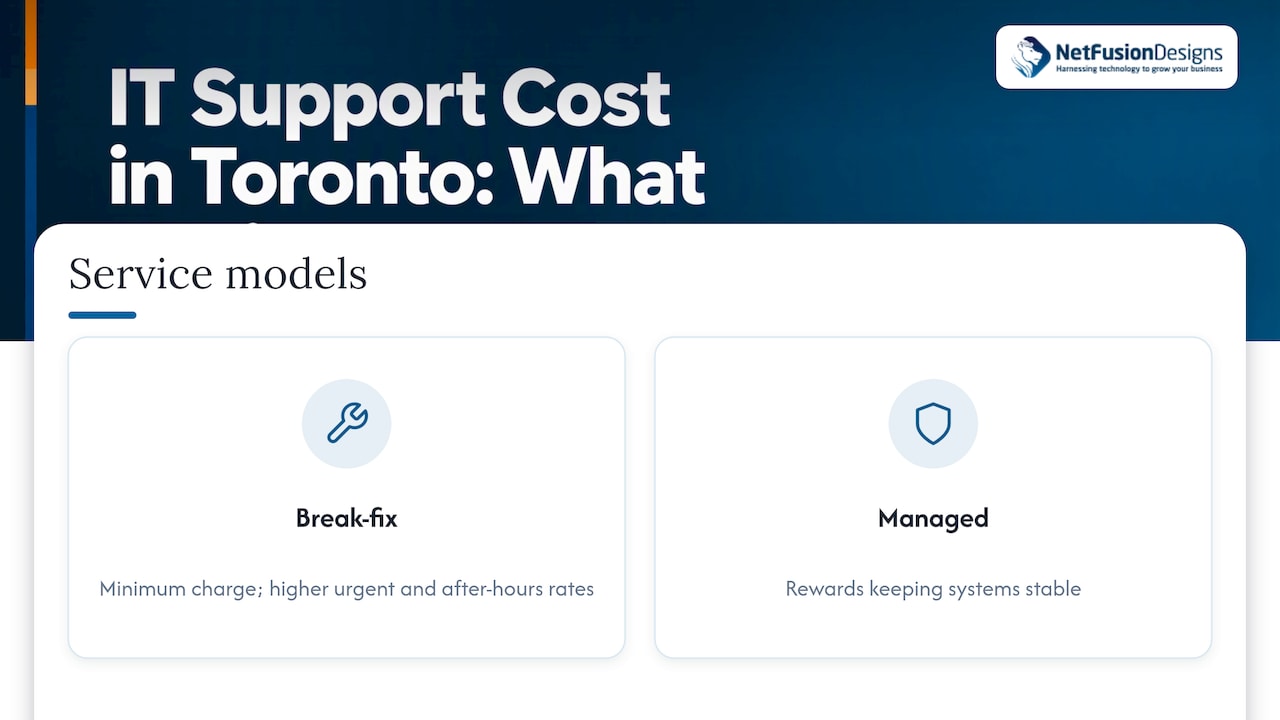
You call when something breaks, and you pay for the time it takes. There is usually a minimum charge per visit or per hour, and rates are higher for urgent or after-hours work. Nothing is paid in a month with no problems.

The catch is the incentive. Under this model the provider earns revenue only when problems occur, while a managed model rewards keeping systems stable. For a ten-person office with simple needs and no sensitive data, break-fix can work. For a firm that cannot afford a day offline, the bill arrives at the worst moment. We compare the two in more detail in Break-Fix vs Managed Services: Which Model Fits?
Hourly or break-fix

Per user, per month

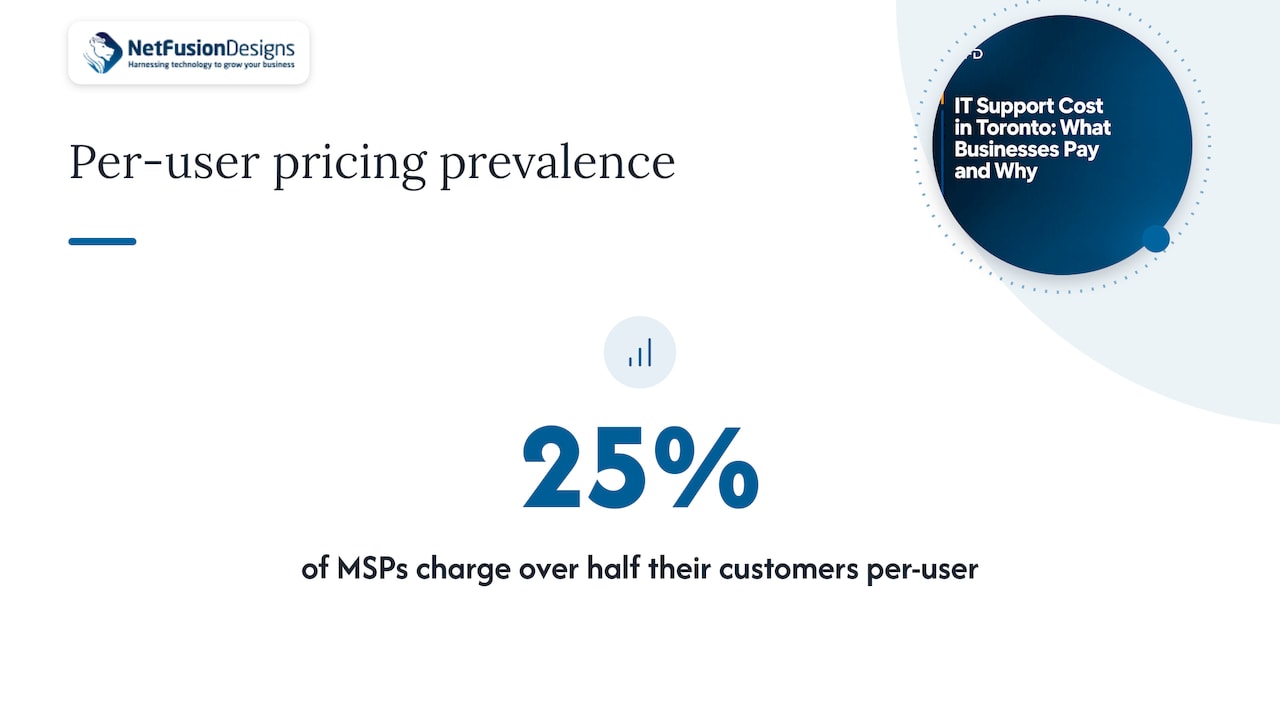
You pay a set amount for each person on your team, and the fee covers a defined bundle of services. It is the easiest model to budget, and it scales as you hire. It is also common: a 2020 MSP benchmark survey reported that 25% of MSPs charge more than half their customers on a per-user basis.

The weak spot is that users are not equal. A person with a laptop, a phone, a tablet and a second workstation takes more effort to support than a person with one laptop. Good per-user pricing states how many devices each user may have before the price changes.
Per user, per month

Flat monthly fee for a defined scope

You pay one monthly amount for a written list of services: helpdesk, monitoring, patching, security, backup, vendor coordination and regular planning. The fee is tied to your environment rather than a head count alone. This suits manufacturers with shop-floor equipment, clinics with specialist software, or firms with several locations, where counting users misses most of the work.

For most growing Toronto businesses, this is where predictability is greatest. You know the monthly cost, and the provider is motivated to prevent incidents rather than bill for them. Our managed IT services in Toronto page explains how our contracts are structured.

A fourth option: co-managed IT

If you already have an internal IT person or a small team, co-managed IT lets an outside provider take on the parts that are hard to staff: after-hours coverage, security monitoring, projects and backup when your people are away. It is typically priced on the share of work you hand over rather than on every user. Our guide to co-managed IT pricing goes through what drives that cost.

What a monthly IT support fee should include

The fee is only comparable once you know what sits inside it. Use this checklist when you read a quote.

Service What to look for in the proposal
Helpdesk Hours of coverage, whether support is unlimited or capped, how requests are submitted, response targets by priority
Monitoring and patching Which devices and servers are covered, how often updates are applied, who reviews alerts
Cybersecurity Endpoint protection with EDR, email filtering, MFA setup, whether a human team watches alerts around the clock
Backup and recovery What is backed up (servers, Microsoft 365, laptops), how long data is kept, whether restores are tested
Microsoft 365 administration User onboarding and offboarding, licence management, tenant security settings
Network and phones Firewall and Wi-Fi management, VoIP administration, internet provider liaison
Planning A named contact, regular reviews, a technology roadmap and budget forecast
On-site visits Whether they are included, how many, and travel terms across the GTA

A fee that looks low often leaves several of these rows blank. That is not always a problem, but you should know which rows you will pay for separately.

What usually costs extra

Most surprises on an IT bill come from the same short list. Ask about each one before you sign.

  • Projects. Moving to Microsoft 365, replacing a server, opening a new office or changing phone systems are commonly quoted separately from the monthly fee.
  • After-hours and emergency work. Some contracts include it. Others bill it at a premium rate.
  • Licences. Microsoft 365, security tools and backup storage may be billed at cost, marked up, or bundled. Our Microsoft 365 licensing guide helps you see what you actually need.
  • Hardware. Laptops, switches, firewalls and access points are almost always a separate purchase.
  • Onboarding. Some providers charge a one-time setup fee to document and bring your environment under management.
  • Specialist services. Penetration testing, compliance audits, application development and security cameras are usually scoped on their own.
  • Third-party support. If the provider manages your line-of-business software vendors, check whether that time is included.

What drives IT support cost for a Toronto business

No two environments cost the same to support. These factors move the price most.

  1. Number of users and devices. More people and more devices mean more tickets, more patching and more licences.
  2. Hours of coverage. Support from 8 to 5 on weekdays is a different product from 24/7 coverage with a security operations team watching.
  3. Security and compliance requirements. Law firms, accounting practices and clinics handle sensitive client or patient information. Stronger controls, logging and documented processes take more work. If a client or insurer expects a SOC 2 report or similar evidence, factor that in early.
  4. Number of locations. Several offices, a plant floor or remote staff add network, equipment and travel complexity.
  5. Age and condition of your systems. Ageing servers and unsupported software generate more incidents. Many providers price a clean-up or an onboarding phase to bring things to a supportable standard.
  6. Applications. Specialized software such as practice management, ERP or manufacturing systems needs people who understand it.
  7. Cloud versus on-premises. Moving servers to the cloud shifts costs from hardware to monthly subscriptions. It rarely removes the cost.
  8. Contract length. Longer commitments can bring better monthly terms, but they matter less than the exit conditions.

How to estimate your real annual cost

A monthly fee is not a total. Build the annual figure for each option using the same steps.

  1. Count users and devices. Include part-time staff, shared workstations, tablets and shop-floor machines.
  2. Write down the fee. Multiply any per-user price by your users, then by 12.
  3. Add what is not included. Use the checklist above. Add licences, backup storage, security tools and any known project.
  4. Add a realistic allowance for extras. If the contract bills after-hours or on-site work separately, estimate how often you needed them last year.
  5. Add the cost of downtime. Estimate what an hour of lost work costs you in wages and missed revenue, then multiply by the outage hours you have seen in a typical year.

Here is a hypothetical example to show the arithmetic, not a market price. A firm with 25 users receives a quote of $100 per user per month. That is $2,500 a month, or $30,000 a year. If licences and backup add $400 a month, the total is $34,800 a year. If after-hours work is billed separately and you expect about ten urgent calls, add them at the contract’s stated rate. A second provider with a higher monthly fee that includes those items may cost less in total.

That is why we suggest comparing total annual cost, not the line labelled “monthly fee”. For a side-by-side view of hiring staff versus outsourcing, see our outsourced IT vs in-house IT cost breakdown for Toronto.

Contract terms to check before you sign

Price is only one part of the agreement. These terms decide whether the arrangement works when something goes wrong.

  • Scope in writing. A schedule of services, not a marketing summary.
  • Response and resolution targets. Response time and resolution time are different. Ask for both, by priority level.
  • Coverage hours. Confirm what happens on evenings, weekends and statutory holidays.
  • Security responsibilities. Who monitors alerts, who responds, and how quickly you are told about an incident.
  • Backup and recovery. How often data is backed up, where it is stored, and how often restores are tested. If data residency matters to your clients, ask where it is held.
  • Term and renewal. Length of the initial term, automatic renewal and notice required.
  • Exit terms. Who owns your documentation and passwords, and how a handover works if you leave.
  • Price changes. How and when the fee can be adjusted, and what triggers an adjustment.
  • Reporting. Regular reports on tickets, patching, security events and backup status.

If you are comparing outsourced options, our page on outsourced IT support in Toronto sets out how we structure scope and flat-fee terms.

Our perspective: predictable cost beats the lowest quote

We talk to Toronto owners every week who are comparing a low hourly rate against a monthly managed plan. The hourly rate usually wins the first month and loses the year. When a server fails or a staff member clicks a bad link, the bill grows with the problem, and the business pays twice: once in fees and once in lost time.

Our approach is to price IT as a managed service with a clear scope: 24/7 local and remote support, monitoring, security operations, backup and Microsoft 365 administration under one provider. You do not manage third-party vendors, and you get a monthly figure you can put in a budget. We are SOC 2 Type II certified, which means our own processes have been independently audited, and that matters to law firms, accounting practices, clinics and manufacturers whose clients ask hard questions about security.

We also explain the quote in plain language. If you have an internal IT person, we can work alongside them as a co-managed partner. If you have nobody, we can be your whole IT department, including a virtual CIO to plan ahead. In both cases, we would rather you compare total annual cost than a single line on a proposal.

Geeshan

How to compare Toronto providers fairly

Send the same information to every provider: your user count, device count, locations, key applications, compliance obligations and current pain points. Ask each one to respond in the same format, and compare on these criteria:

  • Scope match. Does every provider cover the same services? If not, price the gaps.
  • Security depth. Is monitoring automated alerts only, or does a team respond around the clock?
  • Proof of process. Independent audits, documented onboarding and defined escalation paths show maturity.
  • Local presence. Can someone be on site in the GTA when hardware fails?
  • Communication. Do you get plain-language answers, a named contact and regular reporting?
  • Onboarding plan. A clear 30, 60 and 90 day plan for taking over your environment reduces risk in the first quarter.

Businesses that are unhappy with a current provider should also ask what a transition looks like, including documentation handover and the timeline for switching.

Work with us on a clear IT support quote

NetFusion Designs provides fully managed IT for small and mid-sized businesses across Ontario, with teams in Toronto, Mississauga, Markham, Kitchener-Waterloo and beyond. Our managed plans combine helpdesk, monitoring, cybersecurity, backup and disaster recovery, Microsoft 365 and telephony under one agreement, with a 24/7 network operations centre behind them.
NetFusion Designs Inc

Tell us how many people you have, what systems you rely on and what is not working today, and we will put together a written scope and a monthly price you can compare. Start with our Managed IT Services page, or see how we protect clients through cybersecurity in Toronto and backup and disaster recovery.

FAQ

How much should a small business in Toronto budget for IT support?

It depends on your user count, devices, hours of coverage and compliance needs, so any single figure can mislead. Multiply the per-user or flat fee by 12, then add licences, backup, hardware and project work to reach a true annual total. Ask each provider to quote the same scope so the numbers can be compared.

Is hourly IT support cheaper than a managed plan?

It can be in a quiet month, because you pay only when you call. In a bad month a single incident can cost more than several months of a managed fee, and nothing in the model encourages prevention. If downtime, security or client data matters to your business, a managed or co-managed plan is usually the more predictable choice.

What is the difference between managed IT and co-managed IT?

Managed IT means the provider runs your IT end to end. Co-managed IT supports an internal IT person or team, often by covering security monitoring, after-hours support or projects. Co-managed is a good fit when you want to keep in-house knowledge but need more capacity or round-the-clock cover.

What should I ask about before signing an IT support contract?

Ask for the written scope, response and resolution targets, coverage hours, what is billed separately, the length of the term and how you can exit. Also ask who owns your documentation and how backups are tested. These points decide your real cost more than the monthly rate.

Do IT support costs change when I add staff or locations?

Usually yes. Per-user fees rise with headcount, and new offices add network, equipment and on-site needs. Ask any provider how pricing changes when you grow, so your budget does not jump after the first new hire.

Sources

  • IT Support Service Models: Break-Fix vs. Managed vs. Co-Managed
  • Flexible Pricing and Billing for MSPs, 2020 MSP Benchmark Survey

Recommended

  • Outsourced IT vs In-House IT: Toronto Cost Breakdown
  • Managed IT Services Toronto | MSP Contracts, TCO, 30-60-90 Onboarding
  • Outsourced IT Support Toronto | Flat-Fee, SOC 2
  • IT Support Services in Toronto | IT Services Toronto Ontario

Continue Reading

Backup Retention Policy: How Long Should You Keep Backups?
Co-Managed IT Pricing in Canada: What You Pay and Why
Co-Managed IT Pricing in Canada: What You Pay For
AI Roadmap for Small Business: A Practical 90-Day Plan
NetFusion Designs logo
NetFusion Designs is a globally recognized IT service provider and services clients across North America.

We hold a SOC 2 Type 2 report, and maintain internal processes and procedures that keep our clients’ data secure and confidential.
NetFusion Designs IT support team

IT Services Near Me

BurlingtonOakvilleHamiltonMississaugaMiltonBramptonEtobicokeBrantfordGuelphKitchenerWaterlooCambridgeSt CatharinesTorontoMarkhamCaledonNewmarketNorth YorkPickering & DurhamLondonMontreal

Services

Project PlanningHardwareTelephony & VoIPApplication DevelopmentCloud DesktopSecurity CamerasHelpdesk & SupportCyber Security & Anti-VirusData Backups & Disaster RecoveryMicrosoft 365 OptimizationVirtual CIO ServicesPenetration TestingPricingSchedule a MeetingRemote Support
Pricing

Pages

Free Security ScanAbout UsOur Migration ApproachWork CultureOur Core ValuesCode of ConductTestimonialsContactBlogSchedule a MeetingRemote Support

TORONTO

Bank capital office building law
401 Bay St, 16th Floor, Toronto Ontario
Email
info@nfd.ca
Phone
647-476-5259 (Canada)

MARKHAM

Bank capital office building law
141 Main Street N, Markham, ON L3P 1Y2
Email
info@nfd.ca
Phone
647-476-5259 (Canada)

TRI-CITY AREA
(Kitchener / Waterloo / Cambridge)

Bank capital office building law
22 Frederick St, Suite 700, Kitchener Ontario
Email
info@nfd.ca
Phone
647-476-5259 (Canada)

PEEL REGION

Bank capital office building law
6700 Century Ave, 3rd floor, Mississauga, ON L5N 1V8
Email
info@nfd.ca
Phone
647-476-5259 (Canada)

DURHAM REGION

Bank capital office building law
1315 Pickering Parkway, Pickering, ON L1V 7G5
Email
info@nfd.ca

MONTREAL

Bank capital office building law
8815 Av du Parc #402, Montréal, QC H2N 1Y7
Email
info@nfd.ca
Phone
647-476-5259 (Canada)

Special Offers

Radio station signal antena tower
Pricing: $100–185 per user
Icon chevron right
Terms and ConditionsPrivacy PolicyCookie Policy
© 2026 NetFusion Designs Inc.
LinkedInFacebookAlignable logo