A backup retention policy sets how long each backup copy is kept before it is deleted. For most small and mid-sized businesses, a sound baseline is 14–30 daily backups, 12 monthly backups and yearly backups kept as long as your record-keeping duties require, which for Canadian financial records means at least six years after the tax year ends.
That baseline is a starting point, not a rule. The right answer depends on how quickly you would notice a problem, what records your industry has to keep, what your cyber insurer expects, and how much storage you are willing to pay for. Keep too little and a slow-moving problem, like a file deleted months ago or ransomware that sat quietly for weeks, can outlive every good copy you have. Keep everything forever and you pay for storage you never use while holding personal information longer than privacy law allows.
This guide explains how to build a retention schedule that fits your business, what Canadian requirements shape it, and how to check that it actually works.
A backup retention policy is a written rule that says which backups you keep, for how long, and when they are deleted.
It is different from your backup frequency (how often backups run) and from your backup architecture (where copies are stored, such as the approach described in the 3-2-1 backup rule). Retention answers a separate question: how far back in time can you go when you need to restore?
A good policy covers:
Keep backups long enough to recover from the slowest problem you are likely to face, and long enough to meet any record-keeping duty, but no longer than you need to.
Three timeframes drive the decision:
Backups are not a substitute for a records management system, but they often end up being the only copy of older data. Your retention schedule should be designed with that reality in mind.
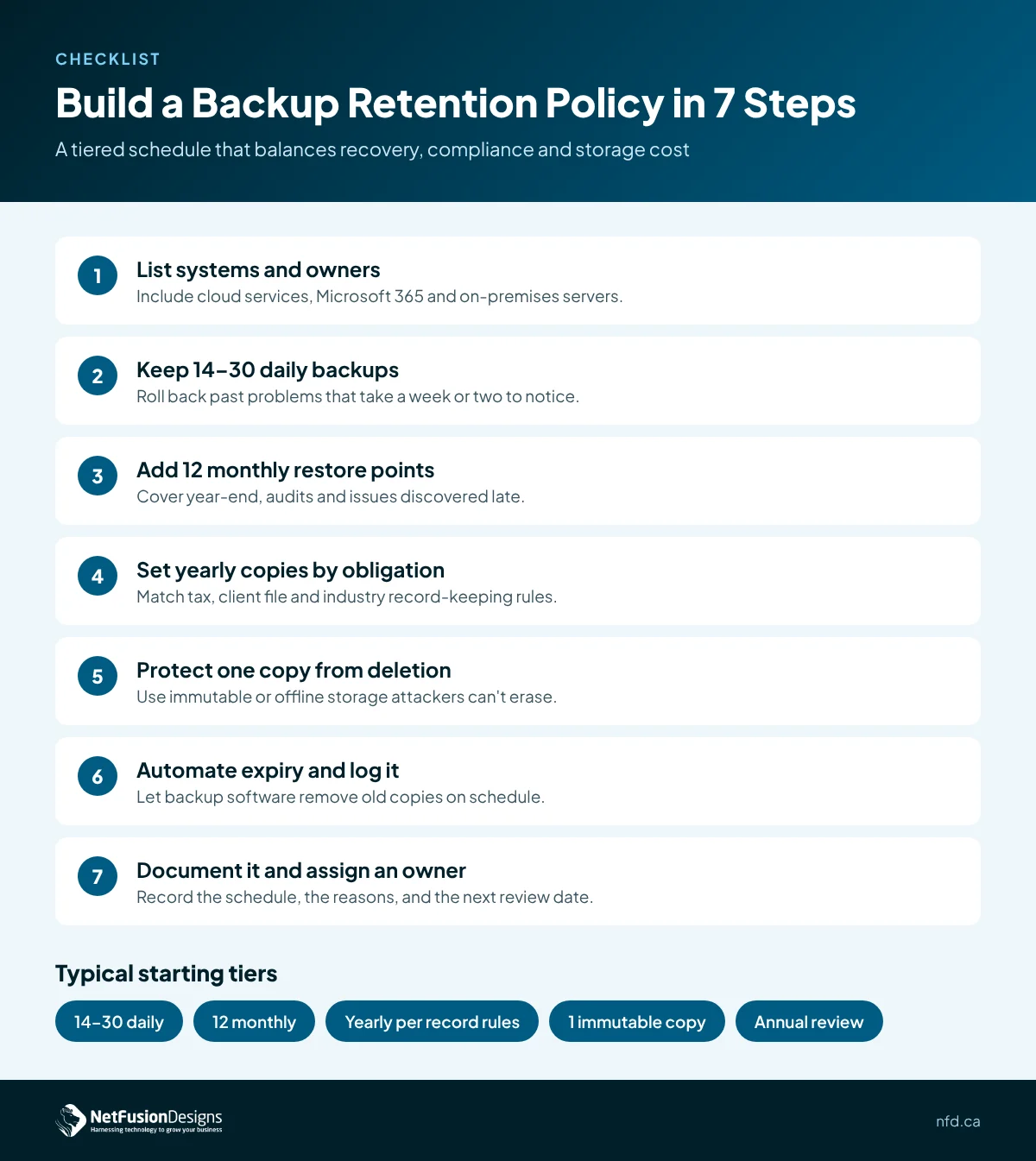
Build the schedule in tiers, with short-term copies for quick restores and fewer, longer-lived copies for history and compliance.
The most common pattern is called grandfather-father-son (GFS) rotation. Daily backups (the "sons") are kept for a short window, a weekly or monthly copy (the "father") is kept longer, and a yearly copy (the "grandfather") is kept the longest. GFS gives you many recent restore points without paying to store every single day for years.
Use these steps to set your own backup retention schedule:
Longer retention, combined with copies that cannot be altered, gives you a clean restore point from before an attack began.
Modern ransomware attacks often target backups first. If an attacker can delete or encrypt your backup history, your retention schedule only exists on paper. The Canadian Centre for Cyber Security's ransomware playbook stresses keeping backups protected and separate so they remain usable during recovery.
In practice, that means:
Cyber insurers increasingly ask about these controls too. If you are preparing for a renewal, our page on cyber insurance IT requirements in Canada covers what underwriters commonly look for.
Retention cost grows with how much data changes and how long you keep it, not just with the size of your data.
Most modern backup tools store only the changes between backups and remove duplicate data, so 30 daily copies do not cost 30 times as much as one. Even so, a few choices make a real difference to your bill:
Test retention by restoring old data, not just recent data, on a regular schedule.
Many businesses test yesterday's backup and assume the rest is fine. Instead, pick a file or mailbox from several months ago and from last year, restore it, and confirm it opens. Check that the number of restore points in the backup console matches your written policy, and that expired copies are actually being removed. For a fuller approach, our disaster recovery test checklist walks through how to plan and record recovery tests.
NetFusion Designs (NFD), a SOC 2 Type II certified managed IT provider headquartered in Kitchener-Waterloo, helps businesses across Ontario, Quebec and Manitoba set retention schedules that match how they actually work. We map your systems, agree on retention with your team and advisors, protect long-term copies from deletion, and test restores from older backups so you know your history is there when you need it. Learn more about our cloud backup and disaster recovery in Canada.
A practical starting point for many small businesses is 14 to 30 daily backups, 12 monthly backups and yearly backups kept to match your record-keeping duties, which for Canadian financial records means at least six years after the end of the tax year they relate to. Adjust it for your industry, contracts and insurance requirements, and protect at least one copy so it cannot be deleted or changed.
No. Data retention is about how long the business keeps records in its live systems to meet legal and operational needs. Backup retention is about how long recovery copies of those systems are kept. The two should be aligned, because backups often become the only remaining copy of older records, but they are managed separately and have different owners and settings.
Yes. Keeping backups indefinitely increases storage costs and can mean holding personal information longer than privacy law allows. Canadian privacy rules expect organizations to keep personal information only as long as it is needed for its purpose. A written schedule with automatic expiry helps you keep what you need and remove what you no longer have a reason to hold.
Review your backup retention policy at least once a year and whenever something significant changes, such as adopting a new system, signing a contract with record-keeping terms, entering a regulated industry or renewing cyber insurance. Each review should confirm the schedule still matches your obligations and that restores from older backups still work as expected.
If you are not sure how far back your backups really go, that is worth finding out before you need them. Talk to the NFD team about reviewing your backup retention policy and testing a restore from your oldest copies.