Yes, a Canadian business can run a call centre in Microsoft Teams. Teams Phone gives you auto attendants (the “press 1 for sales” menus), call queues (the waiting line that hands callers to the next free person) and a real phone number. For a sales desk, a service line or a front office, that is often all you need. Teams covers more demanding contact centres too, through a certified add-on. We help Ontario businesses set up the Teams Phone side properly, so callers reach a person and your staff keep working in the tool they already use.
Teams Phone is the calling part of Microsoft Teams. Microsoft describes it as a cloud-based phone system for voice and video calls over the public phone network (the PSTN), with a 99.999% uptime SLA. It needs a separate Teams licence.
The call-handling tools sit inside it. Microsoft’s feature list names auto attendants, call queues, voicemail, music on hold, transfers, call groups, call delegation, call park and presence-based routing. Presence-based routing means the system looks at each person’s Teams status before it rings them.
One point trips up many first-time buyers. The same page says features that need a Teams Phone licence also need a PSTN connection and a phone number. Teams alone will not take a call from a customer’s mobile. Something has to link it to the phone network.
You need both, in the right order. They do different jobs.
| Auto attendant | Call queue | |
|---|---|---|
| What it does | Plays a menu and routes by what the caller presses or says | Holds callers until an agent is free |
| Typical use | “For sales, press 1” | A sales or service line |
| Sends calls to | People, queues, external numbers, other attendants, voicemail | Agents, and on overflow a person, voicemail, another queue or an attendant |
| Business hours, off hours, holidays | Separate routing for each | No separate off-hours or holiday routing |
The table follows Microsoft’s planning guide. It recommends putting an auto attendant in front of a call queue because queues alone cannot treat off-hours and holidays differently. Microsoft’s overview compares a queue to a physical waiting room: it is where people wait, not where they are greeted and directed.
A simple pattern for a small firm looks like this:
This answers a common question about how an auto attendant differs from a call queue. The attendant decides where a call goes. The queue decides who answers it and in what order.
Microsoft’s routing guide gives practical rules. Say the service before the key press, so it is “For sales, press 1” and not “Press 1 for sales”. Keep menus to five options or fewer and put the most common choice first. When you change a menu, announce the change in the prompt for the first 30 days so regular callers are not lost.
The same guide advises against connecting a service number directly to a call queue unless the queue is staffed around the clock. Put the attendant in between so a call at 9 p.m. gets a sensible answer.
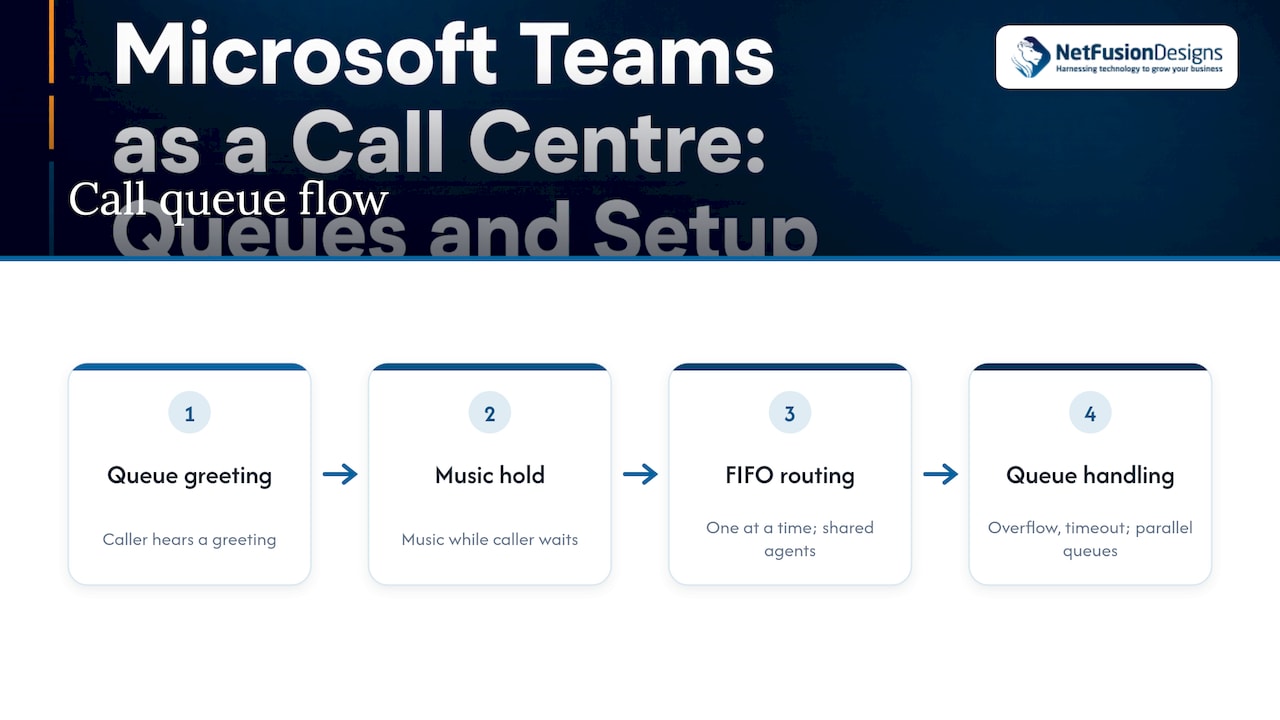
A call queue greets the caller, plays music while they wait and offers the call to agents. Microsoft Learn states that calls go to agents one at a time in first-in, first-out order. Each queue has overflow and timeout handling. An agent can be in more than one queue, and you can run several queues side by side.
Microsoft’s support documentation lists four:
Microsoft recommends round robin or longest idle. It also explains presence-based routing: only agents whose status is Available receive calls, and an agent who has opted out of queue calls gets none, whatever their status. In practice, tell your team that a status of Busy or Do not disturb takes them out of the rotation. Otherwise they will wonder why the phone is quiet while a colleague handles every call.
Exceptions are where a queue is won or lost. According to Microsoft’s planning overview, you can redirect calls when no agents are signed in, when too many callers are waiting, or when the wait runs past a limit you set. The call can go to a named person, voicemail, another queue, an auto attendant or a Teams Phone agent. Microsoft’s settings page adds that you can also disconnect the call or send it to an external number.
Set these on day one. A reasonable starting point for a small team:
Email often sits next to the phone line in a service desk. If your team also answers a shared mailbox, the same thinking applies there: clear ownership and fallback rules. Guidance on team inbox management covers that side, so callers and emailers get the same quality of response.
Three things have to be in place before the first customer call.
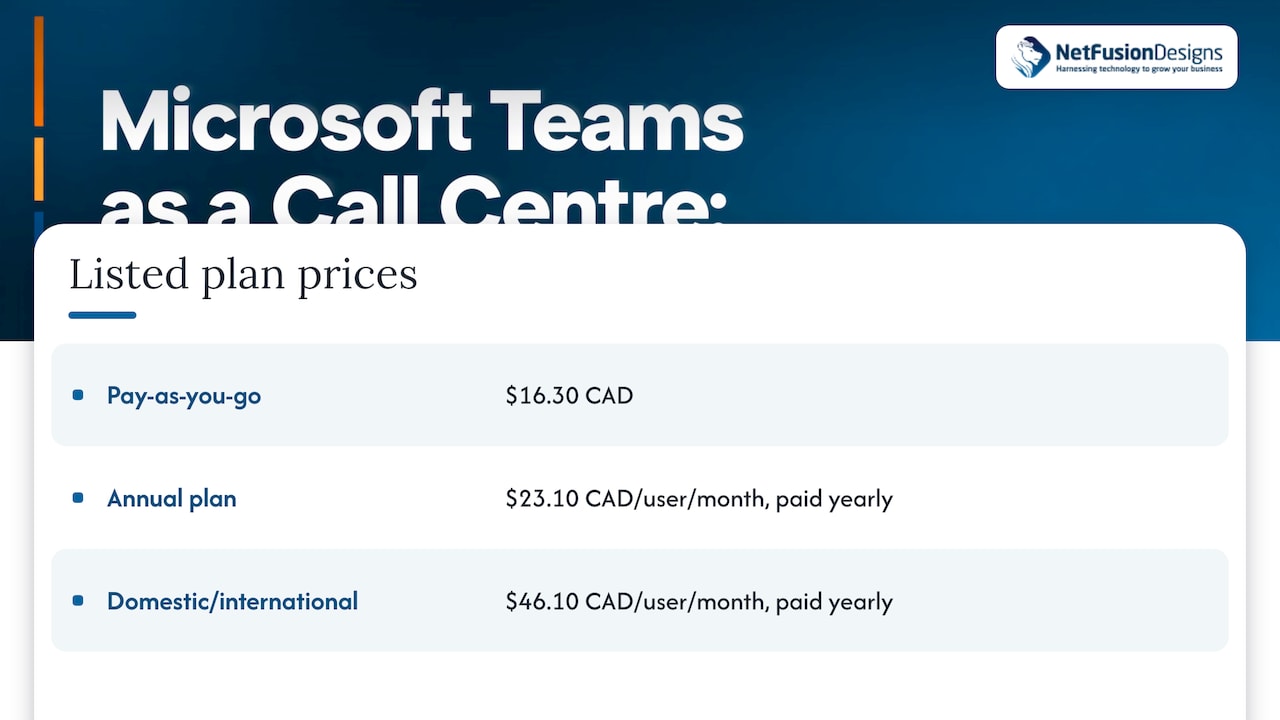
A Teams Phone licence per agent. On its Canadian page, Microsoft lists Teams Phone with pay-as-you-go calling at $16.30 CAD, and a plan at $23.10 CAD per user per month paid yearly. Its domestic and international calling plan is $46.10 CAD per user per month paid yearly, plus tax. That plan includes a phone number with 3,000 domestic or 600 international outbound minutes. These are Microsoft’s listed prices and can change, so confirm them on the page before you budget. Our own Microsoft 365 licensing guide helps you sort out which licences you already hold.
A PSTN connection. Microsoft says you can add it through Calling Plans (Microsoft is your carrier), Operator Connect (an approved operator provides it) or Direct Routing (you bring your own carrier through equipment you manage). Which suits you depends on your existing carrier contracts, how many lines you run and what you need for call recording. We compare the two partner-led options in Operator Connect vs Direct Routing.
Your existing numbers. Customers know your current number, so you will want to keep it. Moving it to Teams is called porting. Our guide explains how long porting takes in Canada and what information to have ready. Start the port early. A number that has not moved yet cannot ring your new queue.
One safety item for Canadian offices: emergency calling must work from every location your staff use. Read our guide to E911 requirements in Canada before you go live.
For the step-by-step build, our Teams Phone setup guide walks through it. For budgeting across providers, see VoIP phone system costs in Toronto.
Take an Ontario HVAC supplier with a service line, a parts line and an accounting line. Here is a sensible Teams design.
The licensing cost is a per-agent figure from Microsoft’s page. If all 11 agents needed the domestic and international plan, the Microsoft figure would be 11 × $46.10 CAD = $507.10 CAD a month paid yearly, before tax. Fewer agents on a lighter plan lowers it. The point is that the model is per user, so you can price it before you commit.
Microsoft’s Teams Contact Center page says that for some organizations the cloud calling features, including auto attendants and call queues, meet their needs. Organizations that want business tools and workflows driving the customer journey can integrate a contact centre with Teams Phone.
You are probably in the first group if you:
Look at a contact centre add-on if you need things like customer records popping up on screen with each call, detailed supervisor tools or several channels in one agent view. Microsoft names three ways providers connect:
The decision comes from your call volume, your reporting needs and your existing systems. We map those before you spend anything on a licence you do not need.
This comes up in the same searches, but it is about collaboration, not calls. B2B direct connect is a Microsoft Entra External ID feature. Two organizations set up mutual trust, and their people collaborate in Teams shared channels with their own home credentials. Nobody has to be added as a guest.
It matters to a call-handling team in one case: you share a channel with a supplier or partner to resolve customer issues together. It does not add phone numbers, queues or PSTN calling. Treat it as a way to bring an outside team into the conversation, while Teams Phone handles the caller.
We are a single provider for managed IT, Microsoft 365 and telephony, so the Teams licences, the network those calls travel on and the phone lines come from one team. Our Microsoft 365 Optimization service and our Networks & Telephony service, listed on our main site, cover the pieces a Teams call centre depends on. Our support is 24/7 and local to Ontario, from a SOC 2 Type II–certified team. If you want your queues designed around how your staff and customers actually work, talk to us about managed IT.
We see Teams as the right starting point for most small and mid-sized businesses that answer phones. Your team already lives in it, and a queue that rings the person who is free, in a tool they know, shortens the path from ring to answer.
The technology is the easy half. The harder half is design: a short menu, an after-hours route, sensible overflow and a number that is ported on time. These choices decide whether a customer feels looked after.
That is why we prefer to handle telephony together with the rest of the IT. Calls depend on your network, your Microsoft 365 setup and your security. When one provider looks after all of it, there is no third-party vendor management for you to run, and you deal with one team that explains things in plain language.
If your needs grow beyond queues, we can help you choose how to connect a certified contact centre to Teams Phone. Start with a clear picture of what your callers need.
Geeshan
Yes. Teams Phone includes auto attendants, call queues, voicemail and presence-based routing, which cover the core of an inbound call centre. Larger operations that need workflow tools around each call can integrate a certified contact centre with Teams.
An auto attendant is a menu that routes callers based on what they press or say, with separate routing for business hours, off hours and holidays. A call queue holds callers until an agent is free. Microsoft recommends placing an attendant in front of a queue.
Microsoft recommends round robin or longest idle. Round robin spreads calls evenly, and longest idle gives the next call to whoever has been available longest. Use serial when one person should always be tried first, and attendant when everyone should ring at once.
Yes. Teams Phone needs its own licence on top of Teams, plus a PSTN connection and a phone number for features such as queues and attendants. You can get the connection through Calling Plans, Operator Connect or Direct Routing.
No. It lets two organizations share Teams channels using their home credentials, without guest accounts. Phone calling comes from Teams Phone and its PSTN connection.