Web application pentesting is an authorized, simulated attack on your web app, run by a skilled tester who tries to break in the way a real adversary would. It finds what scanners miss: flawed business logic, broken access control and chained weaknesses. A good test ends with a prioritized report and a retest of the fixes. We offer penetration testing as part of our security services, and this guide explains what to expect, how to scope the work and how to turn the findings into a safer application.
The OWASP DevSecOps Guideline describes penetration testing as an authorized, simulated attack that finds and exploits vulnerabilities the way a real adversary would. Skilled testers uncover business-logic flaws, chained exploits and creative attack paths that tools cannot.
The OWASP Web Security Testing Guide frames a web application security test as a method of evaluating a system by methodically validating the effectiveness of its security controls, focused only on the web application and using active analysis for weaknesses and technical flaws.
The Canadian Centre for Cyber Security says much the same in its guidance on website security: authorized testers try to find and exploit vulnerabilities, and they should not be part of the development team, so that they can simulate how a threat actor behaves. That independence matters. The people who built the application share its assumptions, and an attacker does not.
A web app often holds client records, payment details, case files or production orders. A flaw in a login form or a customer portal is a business risk, and in Canada it can also be a privacy-law problem. Our PIPEDA compliance checklist covers the obligations that follow a breach of personal information. A pentest gives leadership evidence of real exposure instead of a theoretical list. For a wider view of the risks Canadian firms face, see our guide to the biggest cybersecurity threats in Canada.
The same logic applies to the pages around your application. Weak security undermines website security and customer trust alike, because customers rarely separate the brand from the app they log in to.
Both have a place. They answer different questions.
A vulnerability scan is automated. It crawls the application and matches what it sees against known weaknesses. The Cyber Centre advises organizations to build vulnerability scanning into their secure deployment process and notes that open-source tools such as OWASP ZAP are commonly used to find web-specific issues, in the same website security guidance.
A penetration test goes further. According to the IEEE Technology Navigator, a scanner catalogues known weaknesses, while a penetration test verifies whether they can be chained and exploited to reach a meaningful goal, such as administrative access or extraction of sensitive data.
| Vulnerability scan | Web application pentest | |
|---|---|---|
| Who runs it | Automated tool | Skilled human tester, using tools |
| Main question | Which known weaknesses exist? | Can an attacker actually use them, and to what end? |
| Business logic flaws | Not found | Tested directly |
| Multi-role access control | Limited | Tested across user roles |
| Output | List of findings | Evidenced, prioritized report with remediation roadmap |
| Typical cadence | Frequent, often automated | Scheduled or on demand |
The OWASP guideline positions manual testing as complementary to automated SAST and DAST tools, not a replacement. It checks that your defences hold against a thinking attacker and not only against a library of known signatures. A sensible programme uses both: scanning continuously, pentesting on a planned cadence and after major changes.
If you want a lighter first step before a full test, our penetration and vulnerability assessment page describes that service.
The OWASP Web Security Testing Guide v4.2 splits active testing into twelve categories:
The same guide notes that security testing will never be an exact science with a complete list of every issue to check. That is why scope and tester judgement matter. The OWASP DevSecOps Guideline sets the typical scope for a web application test as the OWASP Top 10, authentication and authorization, business logic and API surfaces.
The WSTG describes its method as black box: the tester knows little or nothing about the application. In practice many organizations give testers a few accounts at different privilege levels, which makes access control testing far more productive. You choose how much to share based on what you want to learn: how an outsider sees you, or how a customer or staff member could abuse their access.
According to the OWASP testing framework, dynamic and penetration testing can target staging or production, run on demand or on a schedule, and be carried out by an internal team, a third-party consultant or through a bug bounty programme. Staging is safer for aggressive tests. Production shows the real configuration. Agree which one in the rules of engagement.
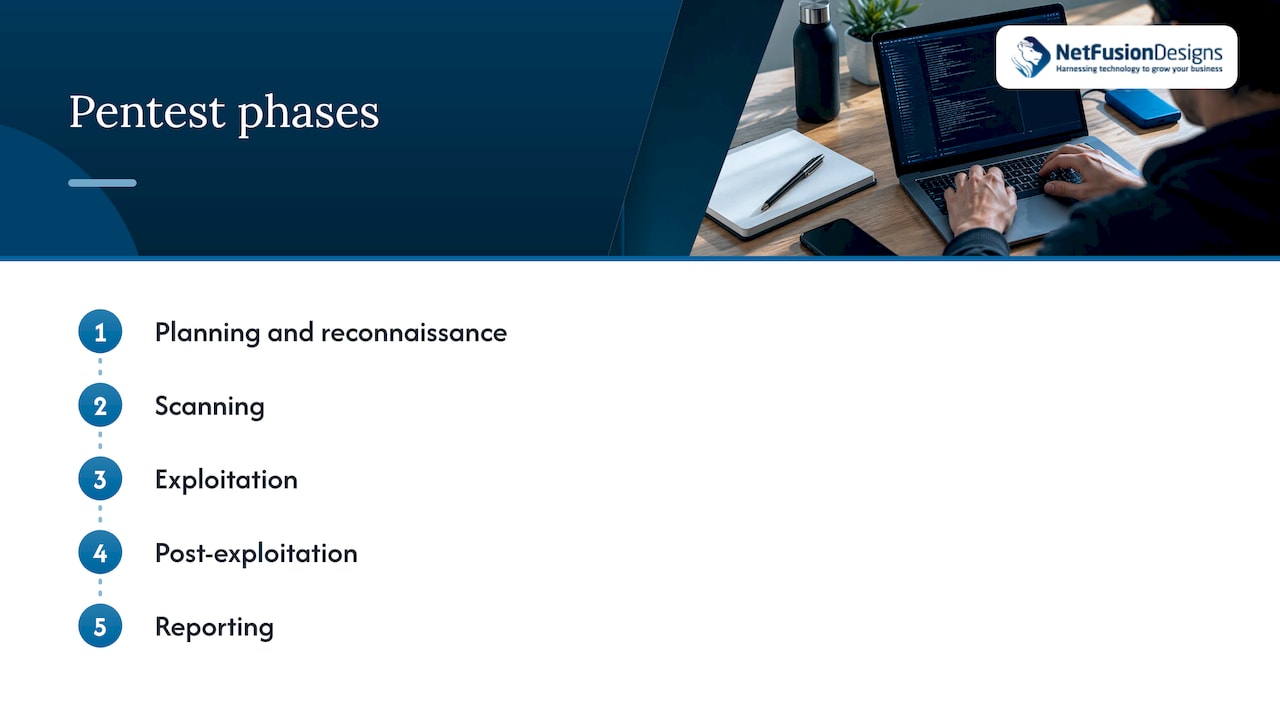
The OWASP Top 10 is the usual starting point. Innovation, Science and Economic Development Canada explains in its CyberSecure Canada FAQ that the list ranks and gives remediation guidance for the ten most critical web application security risks, based on expert consensus, defect frequency, severity and potential impact. Organizations can use it as guidance, and vulnerability scanners can check applications against it.
The same page states that securing websites and web applications against the risks in the OWASP Top 10 is a requirement under the CyberSecure Canada program. If you plan to certify, or sell to customers who expect it, Top 10 testing is not optional.
A typical example is broken access control, ranked first in the 2021 list (A01:2021). It covers a user reaching data or functions they should not, such as viewing another customer’s records by changing an ID in the URL. A scanner rarely spots that, because it does not know whose record belongs to whom. A tester logged in as two different customers does.
Top 10 testing is a floor. A pentest that stops at the list misses the flaws unique to your workflows: a discount that can be applied twice, an approval step that can be skipped, a report export that ignores permissions.
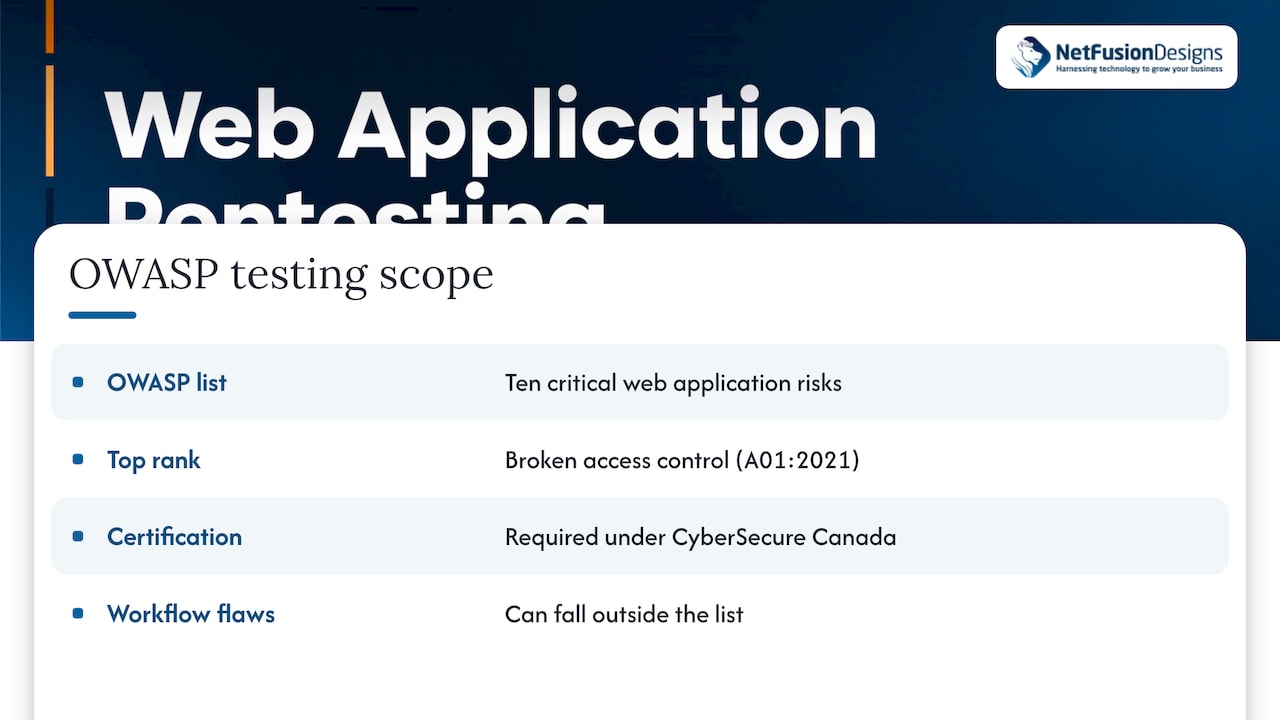
The IEEE Technology Navigator describes five standard phases: planning and reconnaissance, scanning, exploitation, post-exploitation and reporting. It notes that NIST Special Publication 800-115 defines them and sets out planning and authorization requirements in detail. Here is how that looks from the business side.
OWASP says to define the scope, the rules of engagement and written authorization before any testing. Decide which applications, URLs, APIs and user roles are in. Name the testing windows, the contacts to call if something breaks and the data that must not be touched.
Where it goes wrong: scope drawn too narrowly (the main site is tested but the API behind the mobile app is not) or no written authorization from a third-party host. Hosting and cloud providers can have their own testing rules. We recommend settling those before the start date.
The tester maps the application: pages, parameters, technologies, exposed endpoints. Automated tools such as ZAP or Burp Suite crawl and fuzz the application at this stage, as the OWASP framework describes. This is the part a scan alone would give you.
This is the part that justifies the test. The tester tries to exploit what was found, chains weaknesses together and checks how far access extends once inside. OWASP says to document the testing steps and to report critical findings promptly, so you do not wait for the final report to learn that an admin panel is open to the internet.
The OWASP guideline lists what a good report contains:
The last item is easy to overlook. Knowing what held up tells your developers what to keep doing.
OWASP also says to retest fixes. A finding is not closed because a developer says it is. Retesting confirms the fix works and did not open a new gap.
There is no single correct date, but some moments call for one:
The Cyber Centre’s guidance on isolating web-facing applications (March 2023) recommends that organizations scan and test applications for vulnerabilities, patch as soon as updates are available, use an application allow list and deploy web application firewalls. Testing is one of several layers.
Before the kickoff, gather:
If budget is the question, our article on penetration testing cost in Canada breaks down what drives the price. If you are weighing a pentest against a broader adversary simulation, read pen test vs red team.
Most of the web application risk we talk to business owners about is not exotic. It is a customer portal with a missing permission check, a login without MFA, an API nobody remembered to list in scope.
A pentest is how you find those things on your schedule instead of an attacker’s. We think it works best as part of a wider security programme: the test finds the gaps, monitoring and a 24/7 security operations centre watch for what slips through, and backups and disaster recovery limit the damage if something does.
That is why we offer penetration testing alongside managed cybersecurity, as one provider, with plain-language reporting. Our team is SOC 2 Type II certified, which means the way we handle your information has been independently audited. You should not need to translate a report written for specialists, and you should not need to coordinate several vendors to get a fix made.
If your application was built or is maintained with us, the same team can act on the findings. If it was built elsewhere, the report still gives your developers a clear, ordered list to work from.
Geeshan
We provide penetration testing as part of our cybersecurity and anti-virus services, alongside managed anti-virus with EDR and a 24/7 SOC and MDR. We serve small and mid-sized businesses across Ontario and Canada, with teams in Kitchener-Waterloo, Toronto, Markham, Mississauga, Montréal and Winnipeg.
If you are not sure where your exposure sits, start with our free cybersecurity assessment: eight questions and an instant score. If you already know you need a test, describe your application and we will help you scope it.

We can also build and maintain the application itself through our application development services, so security findings and fixes sit with one team. For the cost side of a custom build, see our guide to custom web app costs in Canada.
Run one before launch, after major changes to authentication, payments or hosting, and on a planned cadence for applications that hold sensitive data. OWASP notes that testing can be on demand or scheduled. Continuous scanning between tests catches known issues sooner.
A scan is a useful baseline and the Cyber Centre recommends it as part of secure deployment. It cannot judge how your application is meant to behave, so it will not find business-logic flaws or access control gaps across user roles. A pentest covers those.
It should open with an executive summary in plain language. It then lists each finding with evidence, a CVSS score, the business impact and remediation steps, followed by a roadmap ordered by risk. Controls that worked are noted too. After your fixes, a retest confirms they hold.
It is the usual core of the scope, and securing against Top 10 risks is a CyberSecure Canada requirement. A full pentest also covers authentication, authorization, business logic and APIs, which the list alone does not describe in depth. Confirm what your customer or insurer asks for.